HALO3000 User Manual
11
FLIGHT CONTROLS
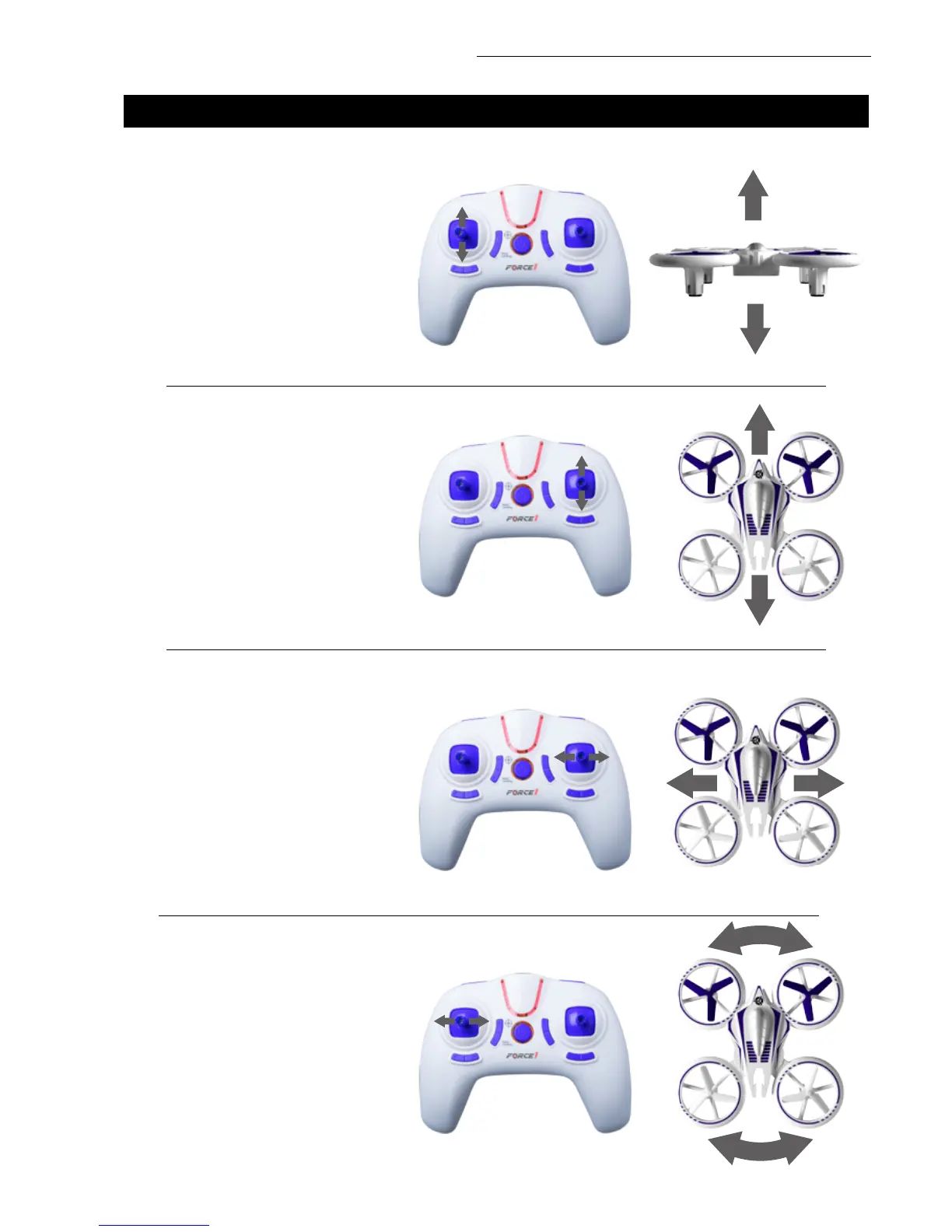
HOVER UP AND DOWN
Push the THROTTLE/RUDDER STICK
up to y the drone up, and pull the
THROTTLE/RUDDER STICK down to
y the drone down.
FLY FORWARD OR BACKWARD
Push the DIRECTION CONTROL
STICK up to y the drone forward, and
pull the DIRECTION CONTROL STICK
down to y the drone backward.
FLY LEFT OR RIGHT
Move the DIRECTION CONTROL
STICK to the left to y the drone to
the left, and move the DIRECTION
CONTROL STICK to the right to y the
drone to the right.
ROTATE LEFT OR RIGHT
Move the THROTTLE/RUDDER
STICK to the left to rotate the drone
to the left, and move the THROTTLE/
RUDDER STICK to the right to rotate
the drone to the right.



 To Next Page