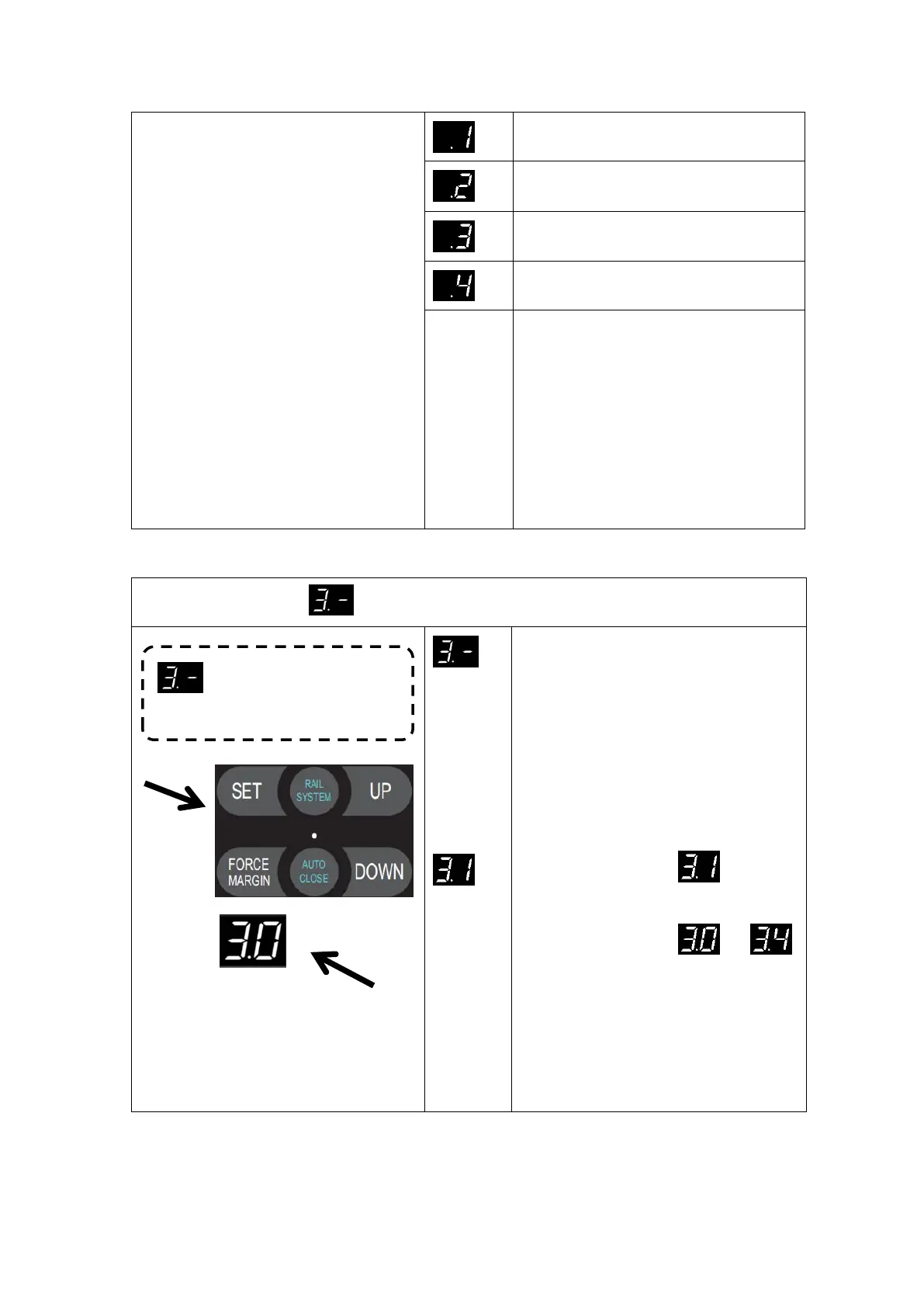
The above soft closing distance is
estimated with 18-inch cable drum. The
actual distance will be different according
to the customer's cable drum diameter.
The rail system (AAS) will automatically
match the optimized soft closing distance.
After the customer changes the default
distance, the previous travel limit will be
lost and needs to be re-learned.
Press and hold SET button for about
6 seconds to enter main menu until
“0.-” appears on the display then
release the button.
Press UP till “3.-” appears on the
display.
Press SET into the Soft stop
(during-operation) function
adjustment
The digital tube display ,Number 1
flashing display (default).
Adjust the stalls from to
by buttons UP/DOWN. This function is
used to control the soft stop and
corresponding soft stop speed during
operation. Press the SET button to confirm
the selection and automatically exit the
function menu.


 To Next Page