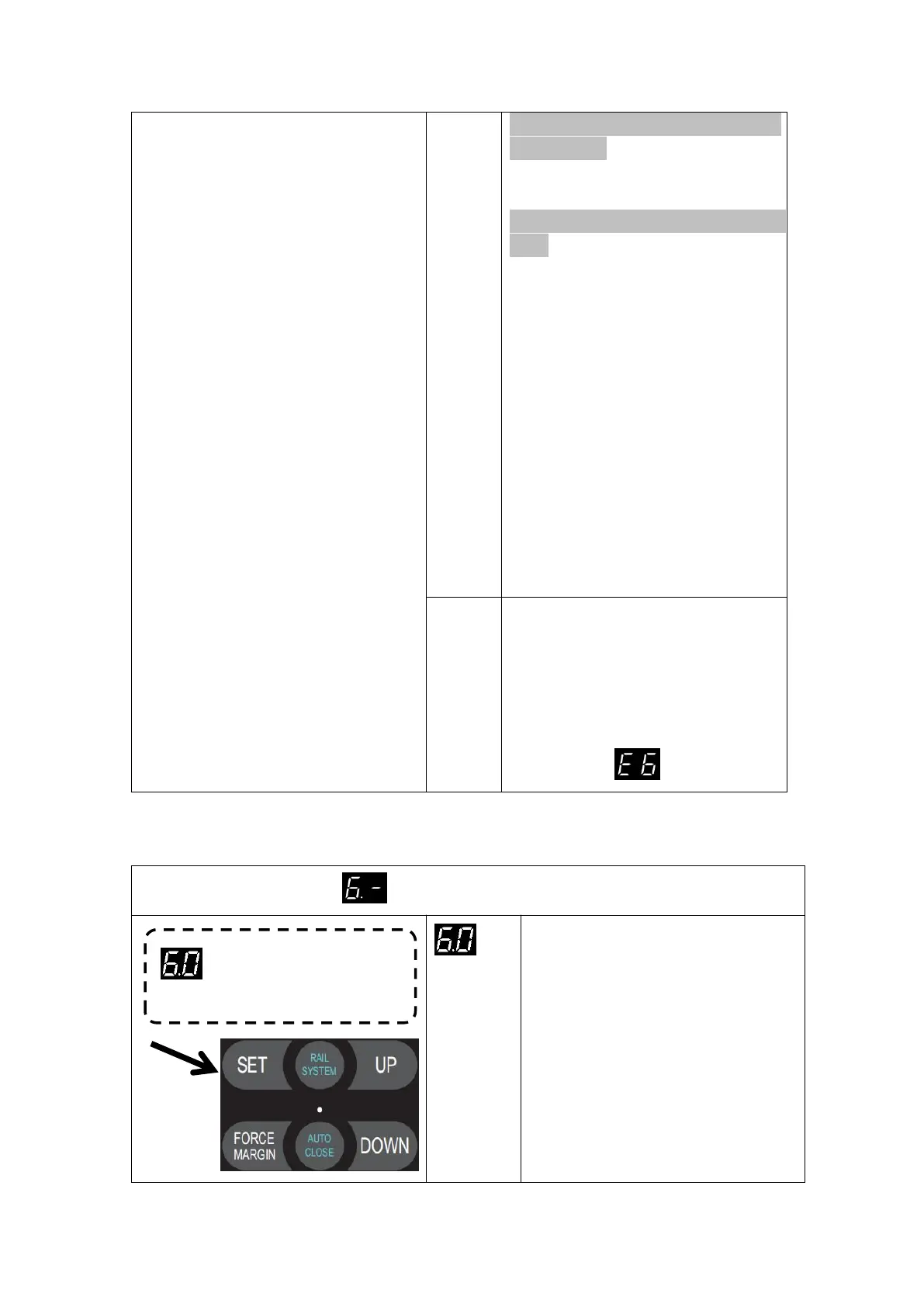
Partial open position setting
automatically during the time of travel
limit learning.
Important test process after travel limit
reset:
Press the “UP” button to
open the door completely and then
press the “DOWN” button to close
the door, manually block the infrared
sensor/light curtain during the door’
s closing, ensure the door panel will
be reversed correctly.
Press the “Down” button
to close the door again. The door
can be closed properly which means
the built-in infrared Beam /Light
Curtain identification function works
correctly.
1. Only the Normal-Close (NC) contact
is compatible with the “PE” port terminal.
2. Make sure the Infrared Beam /Light
Curtain has been correctly installed,
otherwise the door will be allow for
opening but not closing. The digital
displays faulty .
MENU6 Terminals for Extra Function Setting
Press and hold SET button for
about 6 seconds to enter main
menu until “0.-” appears on the
display then release the button.
Press UP till “6.-” appears on
the display.
Press SET then appears “6.0” on
the display
Press SET enter into the Partial
open position setting
Press SET to enter the function


 To Next Page