XH06 Relay output module
function setting
when the door is running, and warning
light off when the door is stop. (default)
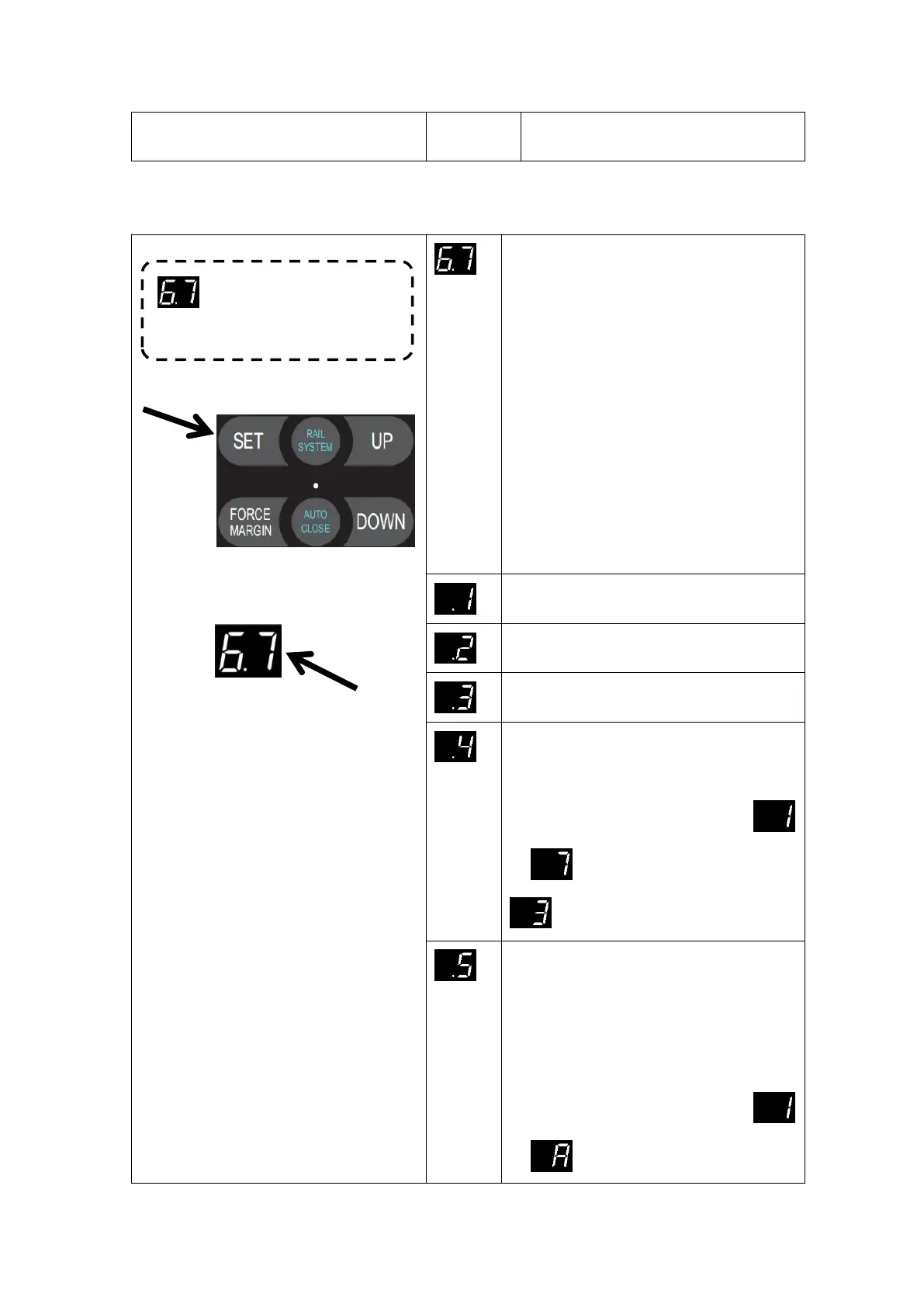
Press and hold SET button for about
6 seconds to enter main menu until
“0.-” appears on the display then
release the button.
Press UP till “6.-” appears on the
display.
Press SET then appears “6.0” on the
display
Press UP till “6.7” appears on the
display.
Press SET enter into XH06 Relay
output module function setting.
(Refer to page 33 - Relay module
output terminal)
Reach the open limit position, relay closed
Reach the close limit position, relay closed
Reach the partial open limit position, relay
closed
Before the door drive running, the relay is
closed first (1-7 seconds time adjustable)
Press SET to confirm and directly enter the
time setting. Adjust the stalls from
to by buttons UP/DOWN.
default:Represents 3 seconds.
Relay always closed during the door drive
running. After the door drive stops, relay
will be disconnected after 1-10 minutes
delay.(Adjustable time, similar to courtesy
light OFF DELAY function).
Press SET to confirm and directly enter the
time setting. Adjust the stalls from
to by buttons UP/DOWN.A=10.


 To Next Page