3/ Assembly
7
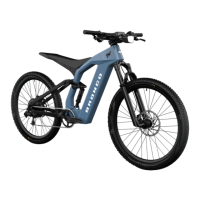
Ford Bronco
®
Assembly
Front wheel installation
• While holding the bike off the
ground with one hand, unscrew
the front axle from the fork and
remove any protective packaging.
• Remove the front hydraulic disc
brake caliper protective insert.
• With the bike in one hand, use
your other hand to place the wheel
into the fork, ensuring that the
disc brake rotor is on the same
side as the brake caliper. Guide the
rotor into the caliper and the ends
of the hub into the dropouts.
• Slide the axle into the hub from the
right side of the bike (opposite the
brake caliper). Tighten the axle to 10Nm.
Rear axle torque setting 10Nm.
• Check for alignment of disc rotor and disc
brake pads by slowly spinning the front
wheel by hand whilst bike remains upside
down (note — do not engage brakes
whilst bike is upside down to avoid any
risk of hydraulic brake malfunction).
• Refer relevant Tektro user manual
for further information.
! WARNING: Assembler is cautioned
against the danger of damaging the
handlebar stem to fork assembly and
possible injury to rider resulting from over-
tightening the handlebar stem bolts.
Charging your bike
• Only charge your eBike using the
provided battery charger or certified
replacement purchased from Ford Bikes.
• Using a third-party battery charger
risks the life of the battery and
presents a potential fire hazard.
• To charge your bike, connect the provided
battery charger to the wall socket
(ensuring wall socket is switched off).
Connect the charger plug to the charging
port, located at the internal face of the
seat tube, just above the bottom bracket.
• Turn charger on.
• When the battery is fully charged,
disconnect the charger from the
bike and the wall socket.
To ensure your safety while riding
your eBike, please be sure to
adhere to all torque specifications
listed in this user manual.












 To Next Page