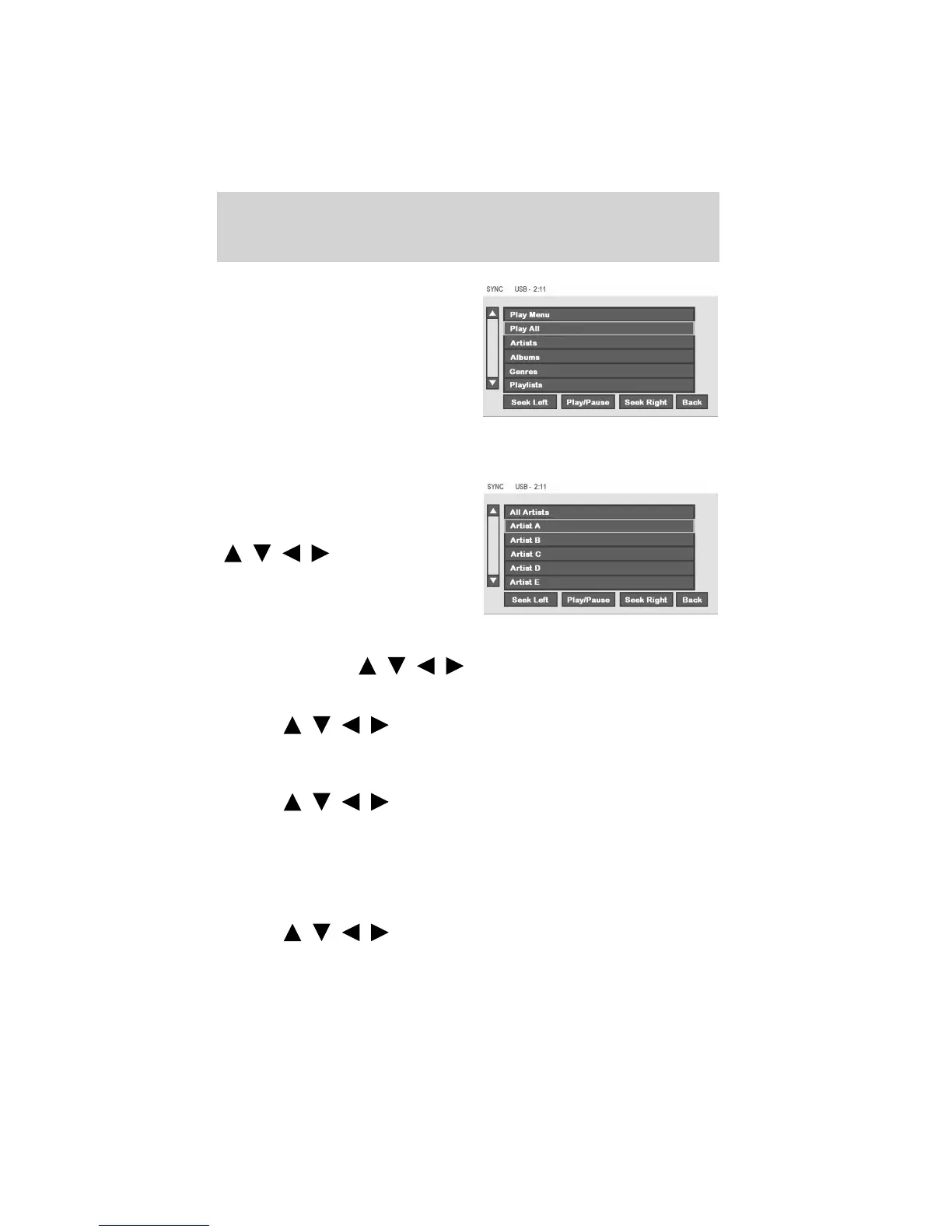
Select from:
Play All: Choose to play all supported media content on your playing
device alphabetically.
Artists: In the Artists screen, you
can select to play All Artists, or you
can select any available artist. Press
the cursor controls
(
/ / / ) to highlight the
desired choice and press ENTER.
Albums: The Albums screen lists all loaded albums alphabetically. Press
the cursor controls (
/ / / ) to highlight the desired choice
and press ENTER.
Genres: The Genre screen lists all available genres. Press the cursor
controls (
/ / / ) to highlight the desired choice and press
ENTER.
Playlists: The Playlist screen allows you to view and select from any
previously saved playlists on your playing device. Press the cursor
controls (
/ / / ) to highlight the desired choice and press
ENTER.
Tracks: The Track screen lists all tracks in your playing device
alphabetically. Use the scroll bar to advance/reverse in the list. Select to
begin play.
Explore USB : The Explore USB screen allows you to scroll through all
supported media content stored on your device. Press the cursor
controls (
/ / / ) to highlight the desired choice and press
ENTER.
DVD interaction
63
See
End User License Agreement
at the end of this book



 To Next Page