The vehicle brakes will be automatically applied to slow the vehicle to
maintain a safe distance from the vehicle in front. The maximum braking
which is applied by the system is limited and can be overridden by the
driver applying the brakes.
If the system predicts that its maximum braking level will not be
sufficient, an audible warning will sound while the system continues to
brake. This is accompanied by a heads-up display; a red warning bar
illuminating on the windshield. You should take immediate action.
Setting the Gap Distance
Note: It is your responsibility to select a gap appropriate to the driving
conditions.
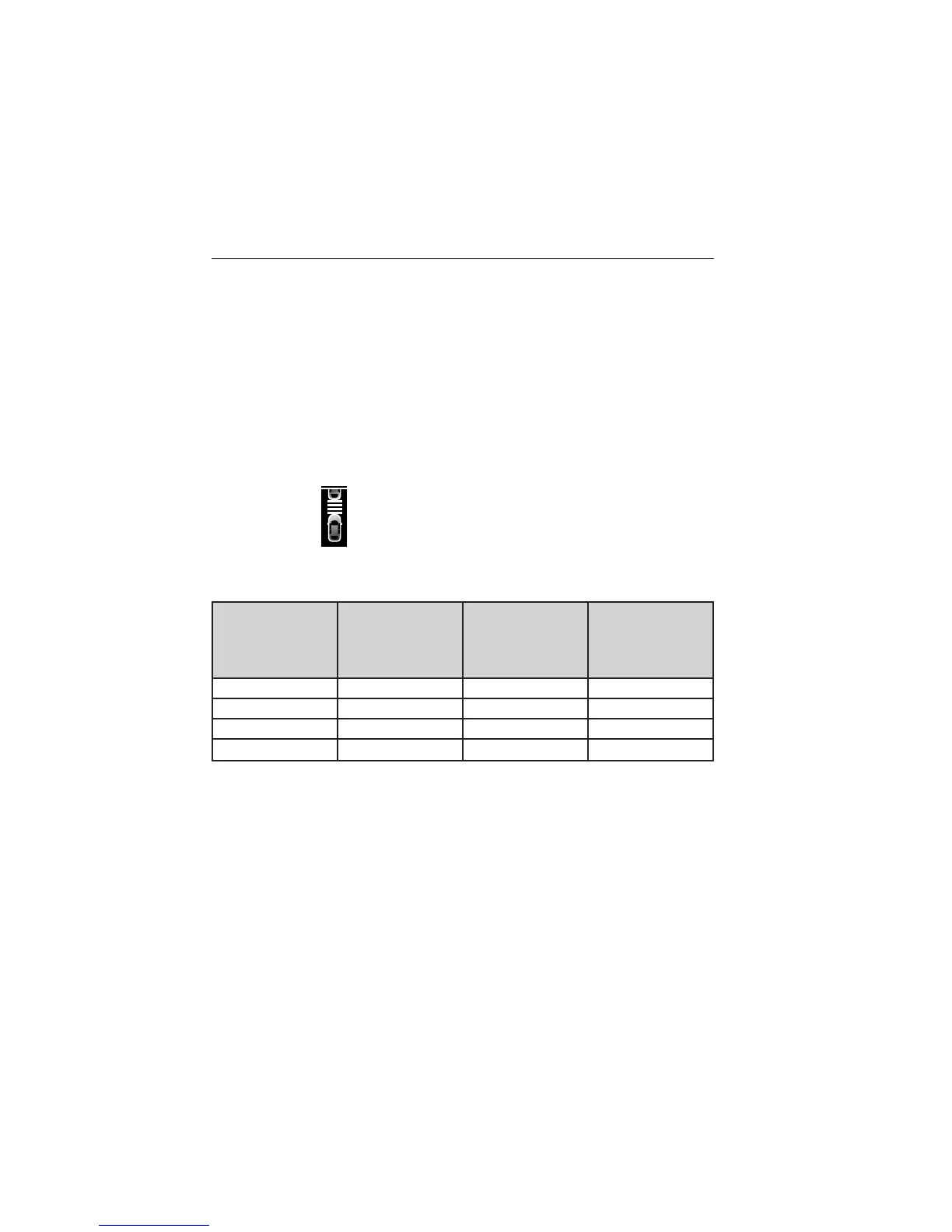
You can decrease or increase the
distance between your vehicle and
the vehicle in front of you by
pressing the GAP controlupor
down. The selected gap will display
in the information display as shown by the bars in the graphic. Four gap
distance settings are available.
Graphic
display (bars
between
vehicles)
Following
distance
Following
distance at
60 mph
(100 km/h)
Dynamic
behavior
1 bar 1 second 29 yards (28 m) Sporty
2 bars 1.5 seconds 44 yards (42 m) Normal
3 bars 1.9 seconds 56 yards (53 m) Normal
4 bars 2.3 seconds 66 yards (64 m) Comfort
Each time you restart your vehicle, the system will select the last chosen
gap for the current driver.
Cruise Control 231
2013 Taurus
Owners Guide gf, 3rd Printing, December 2012
USA (fus)













 To Next Page