EasyManua.ls Logo

Foreo LUNA - User Manual

Foreo LUNA
7 pages
Print Icon
To Next Page IconTo Next Page
Loading...
FACIAL CLEANSING
& FIRMING MASSAGE
IN 1 DEVICE
Question and Answer IconNeed help?

Do you have a question about the Foreo LUNA and is the answer not in the manual?

Summary

GETTING STARTED

LUNA Overview

Overview of the LUNA™ device, its cleansing and firming massage modes, and benefits.

USING YOUR LUNA

Mode Select

Instructions on how to turn on, switch modes, and deactivate the LUNA™ device.

MODES OF OPERATION

Cleansing Mode Guide

Steps for cleansing, including cleanser application, zone cleansing, and rinsing.

Anti-Aging Mode Guide

Procedure for firming massage on wrinkle-prone areas to reduce signs of aging.

CLEANING AND CHARGING

Cleaning the LUNA

Instructions for thoroughly cleaning the LUNA™ device and recommended products.

Charging the LUNA

Details on charging the device, indicator lights, and charging precautions.

IMPORTANT FOR OPTIMUM SAFETY

Safety Precautions

Essential safety advice for using and maintaining the LUNA™ device.

TROUBLESHOOTING

Common Issues and Solutions

Addresses common problems like charging, activation, button response, and silicone degradation.

WARRANTY INFORMATION

Registering Your Warranty

Instructions for activating the 2-Year Limited Warranty online.

2-Year Limited Warranty Details

Details of the 2-year warranty coverage, exclusions, and claim process.

DISPOSAL INFORMATION

Electronic Waste Disposal

Guidance on environmentally responsible disposal of the electronic device.

SPECIFICATIONS

Device Physical Attributes

Details on device materials, color, size, and weight.

Power and Usage Specifications

Information on battery type, charging time, and usage duration.

Operational Specifications

Specifications for operating frequency, noise level, and device interface.

Overview

The FOREO LUNA™ is a groundbreaking T-Sonic™ facial-cleansing and anti-aging massager designed to leave skin looking naturally beautiful, radiant, smoother, and younger. This sophisticated skincare device combines facial cleansing and firming massage in a single, compact unit, making it a versatile addition to any daily skincare routine.

Function Description

The LUNA™ operates in two primary modes: Cleansing Mode and Firming Massage Mode.

In Cleansing Mode, the device channels T-Sonic™ pulsations to provide a much deeper clean than traditional hand washing. This mode effectively removes 99.5% of dirt and oil, as well as makeup residue and dead skin cells, enhancing the absorption of your favorite skincare products. The cleansing routine is designed to be efficient and thorough, guiding users through different facial zones with timed pulsations.

The Firming Massage Mode utilizes lower-frequency pulsations to gently massage wrinkle-prone areas, helping to diminish the visible signs of aging. Regular use of this mode promises a fresher, more radiant complexion and lays the foundation for younger, healthier-looking skin over time. This mode targets specific areas where muscle tension can cause worry lines, crow's feet, and laugh lines, such as the region between the eyebrows, temples, and nasolabial folds.

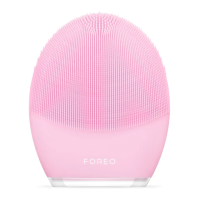
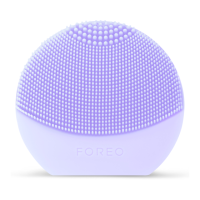
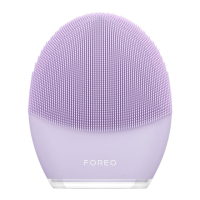
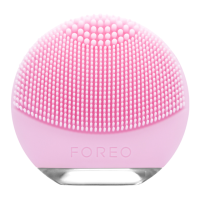
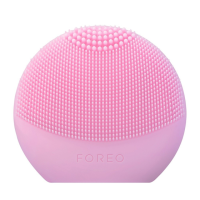
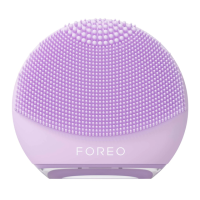
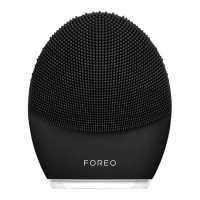
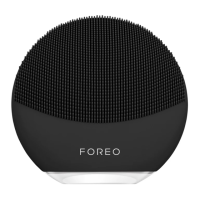
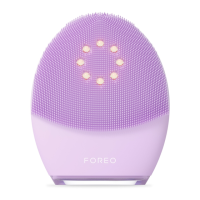
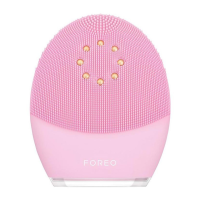
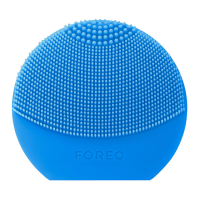
The LUNA™ is available in three different models, each featuring a cleansing brush tailored to specific skin types: sensitive/normal, combination, or ultra-sensitive skin. This customization ensures that users can select the most appropriate device for their individual skincare needs, maximizing the benefits of the LUNA™ technology.

Usage Features

To maximize the skincare benefits, it is suggested to use the LUNA™ for 2 minutes each morning and evening. The device is designed for intuitive operation with a simple 3-button interface.

Mode Selection:

  1. Turn On: Press the universal button once to activate the LUNA™ in Cleansing Mode.
  2. Standby: Press the universal button again to put the device on Standby. In this state, the indicator will emit a steady glow, and pulsations will stop, allowing you to rinse your face.
  3. Firming Massage Mode: Press the center button a third time to activate the Firming Massage Mode.
  4. Deactivate: Press the center button once more to turn off the LUNA™.

The intensities of both Cleansing and Firming Massage Modes are adjustable using the +/- buttons, allowing users to customize the experience for their comfort. A memory function remembers your preferred intensity settings for subsequent uses.

Cleansing Routine:

  1. Apply Cleanser: Remove all makeup, wet the LUNA™, dampen your face, and apply your regular cleansing product. Turn on the LUNA™ to activate Cleansing Mode.
  2. Cleanse Zones: The device guides you through different facial zones with timed pauses. Every 15 seconds, pulsations will pause, and the indicator light will flash, prompting you to move to a new zone.
    • Massage the chin and cheeks using circular movements, repeating on the other side.
    • Massage the forehead with gentle outward circular strokes, starting from the center.
    • Massage the nose by gliding up and down one side, then the other.
    • Delicately massage the under-eye region using outward strokes, with a suggestion to reduce pulsation intensity in this sensitive area.
  3. Rinse: After 1 minute, the pulsations will pause three times in quick succession, indicating the end of the cleansing routine. Press the center button once more to put the LUNA™ on Standby. Rinse and dry your face, then apply your favorite skincare products.

Anti-Aging Routine:

From Standby, press the universal button to activate the Anti-Aging Mode. The routine involves massaging specific wrinkle-prone areas for approximately 12 seconds each. After each interval, the LUNA™'s pulsations will momentarily pause, and the indicator light will flash, signaling to move to the next area. Users should close their eyes, relax their face, and press the LUNA™'s anti-aging surface to the following zones:

  1. Region between the eyebrows
  2. Right temple
  3. Right nasolabial fold
  4. Left nasolabial fold
  5. Left temple After 1 minute, the pulsations will pause three times in quick succession, indicating the end of the firming massage.

To prevent overuse, the LUNA™ will automatically switch itself off if left in Cleansing or Firming Massage Mode for more than 3 minutes.

Lock/Unlock Feature:

The LUNA™ may be locked when first unboxed. To unlock it, hold down the + and – buttons together. The light will flash to indicate that the device is unlocked. The same procedure can be followed to lock the device for travel convenience.

Maintenance Features

Proper maintenance ensures the longevity and optimal performance of your LUNA™ device.

Cleaning the LUNA™:

Always clean the LUNA™ thoroughly after each use.

  • Wash the brush surfaces with water and soap.
  • Rinse with warm water.
  • Avoid using clay-based, silicone-based, oil-based, or grainy cleansers, exfoliators, or scrubs, as these can damage the LUNA™'s soft silicone.
  • Pat the device dry with a lint-free cloth or towel.
  • For optimal results, it is recommended to spray the device with FOREO Silicone Cleaning Spray and rinse with warm water after use.
  • Important Note: Never use cleaning products containing alcohol, petrol, or acetone, as these can irritate the skin and damage the silicone material of the device.

Charging:

The FOREO LUNA™ is rechargeable and comes with an included charger.

  • Insert the DC connector into the LUNA™'s charging port.
  • Insert the mains plug into a charging point.
  • The LED indicator will flash repeatedly to show that the battery is charging.
  • Once fully charged (approximately 1 hour), the LED indicator will emit a steady glow.
  • When the battery is running low, the LED indicator will emit a blinking white light.
  • Caution: Before charging, ensure the charging port and charger are free from water and cleanser residue. Do not charge the LUNA™ in any location where it or the charger may become immersed in water. Do NOT use your FOREO device while charging, and do NOT charge for more than 24 hours. Only use the FOREO-provided charger.

Important Safety Guidelines for Optimum Safety:

  • If you have a skin condition or any medical concerns, consult a dermatologist before use.
  • Cleansing with LUNA™ should be comfortable. If discomfort is experienced, discontinue use immediately and consult a physician.
  • Exercise particular care when cleansing the under-eye regions; do not bring the device into contact with the eyelids or eyes themselves.
  • For hygiene reasons, sharing your LUNA™ with others is not recommended.
  • Avoid leaving your LUNA™ in direct sunlight and never expose it to extreme heat or boiling water.
  • Close supervision is necessary when the device is used by, on, or near children, or individuals with reduced physical and mental abilities.
  • Never use the device or charger if they are damaged. Only use the charger supplied by FOREO.
  • Discontinue use if the product appears damaged in any way. This product contains no serviceable parts.
  • To avoid the risk of electric shock, this equipment must only be connected to a supply mains with protective earth.
  • Given the efficiency of the FOREO cleansing and firming massage routines, it is recommended not to use the LUNA™'s Cleansing or Massaging Modes for more than 3 minutes at a time.
  • Use this device only for its intended purpose as described in the manual.

The LUNA™ is designed to be a durable and effective tool for skincare, provided these usage and maintenance guidelines are followed.

Foreo LUNA Specifications

Battery IconBattery
battery capacity500 mAh
battery voltage3.7 V
charging time60 min
Usage IconUsage
usage timeup to 450 uses
standby time90 days
frequency125 Hz
Weight and Dimensions IconWeight and Dimensions
size100 x 80 x 32 mm
weight100 g

Videos

How to Use the FOREO LUNA 3 | App Tutorial

Related product manuals