27
GB
Enter new foils:
New foils can be future FORESTADENT foils or foreign foils. If FORESTADENT launches a new foil the necessary data can be
found on the label (example: Track
®
X, thickness 1.8 mm, rated temperature 150 °C, cooling time 1:40 min.).
The foil can be entered and saved under „New foils“. In case of foreign foils the rated temperature and the cooling time have to
be determined with the help of the special functions. The new foils will be saved in the list of favourites and selected via this list.
Tip: Max. 240 °C can be entered as rated temperature. The cooling time has to be at least 30 sec. Otherwise there may be malfunctions.
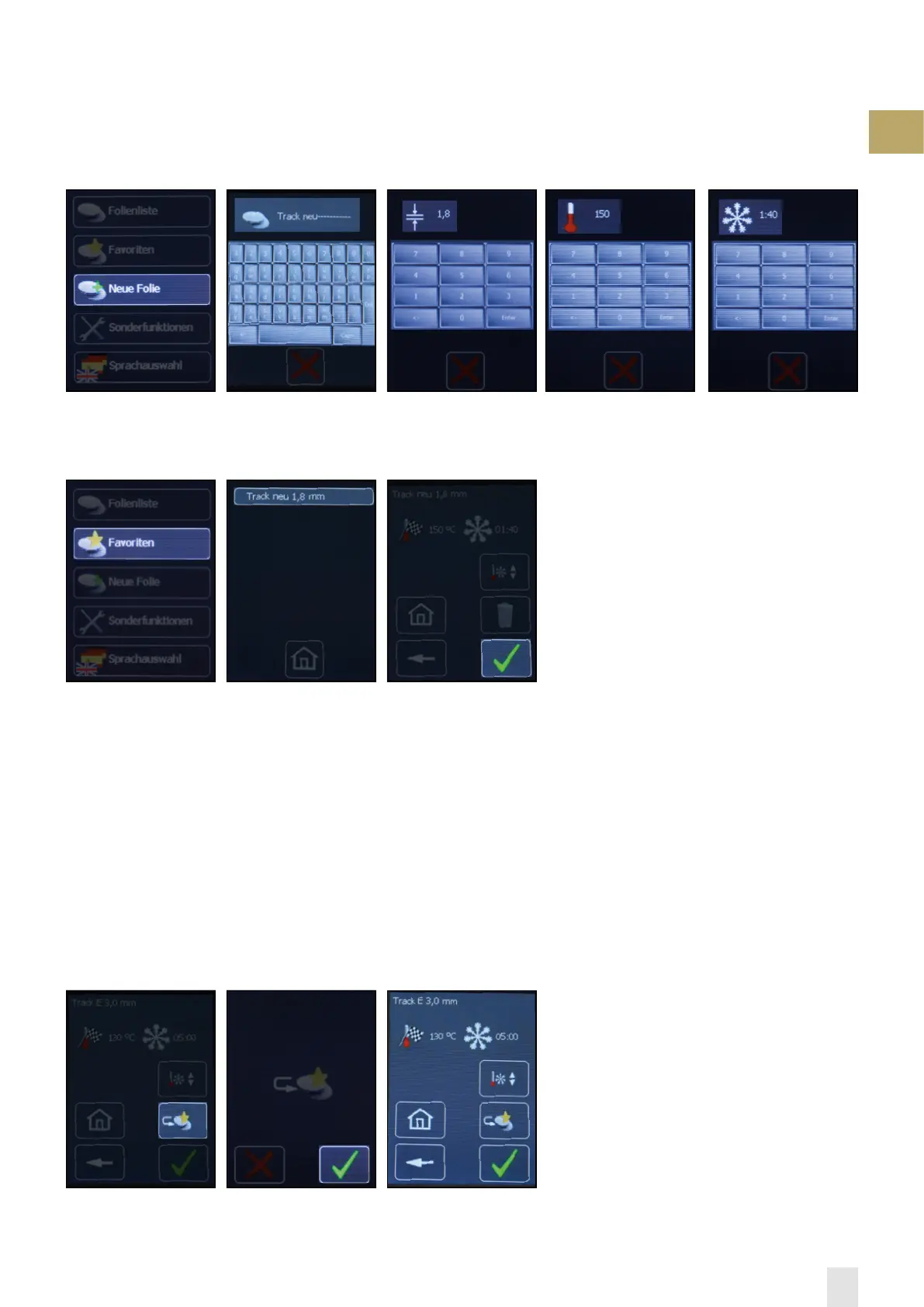
1.) Select „new foil“ 2.) Enter „foil name“ 3.) Enter „foil thickness“ 4.) Enter „rated temperature“
5.) Enter „cooling time“
6.) Select „favourite“
To 6. ,the new foil is saved as
favourite, the menu appears.
7.) Select „new foil“ 8.) Thermoform new foil
Save favourites:
The list of favourites allows a quicker selection of often used foils. To save a foil in the list of favourites, this foil is selected out
of the list of foils as described under “select foil“. New foils, either future FORESTADENT foils or foreign foils, are entered with
the functional field »New foil« and are saved in the list of favourites.
After the desired foil is selected from the list of foils, the display shown in point 1. will be visible. To save the foil as favourite,
select »to favourites«.
1.) Select „add favourite“ 2.) „Confirm“ add favourite 3.) The favourite appears and
can be processed


 To Next Page