26
GB
Special functions:
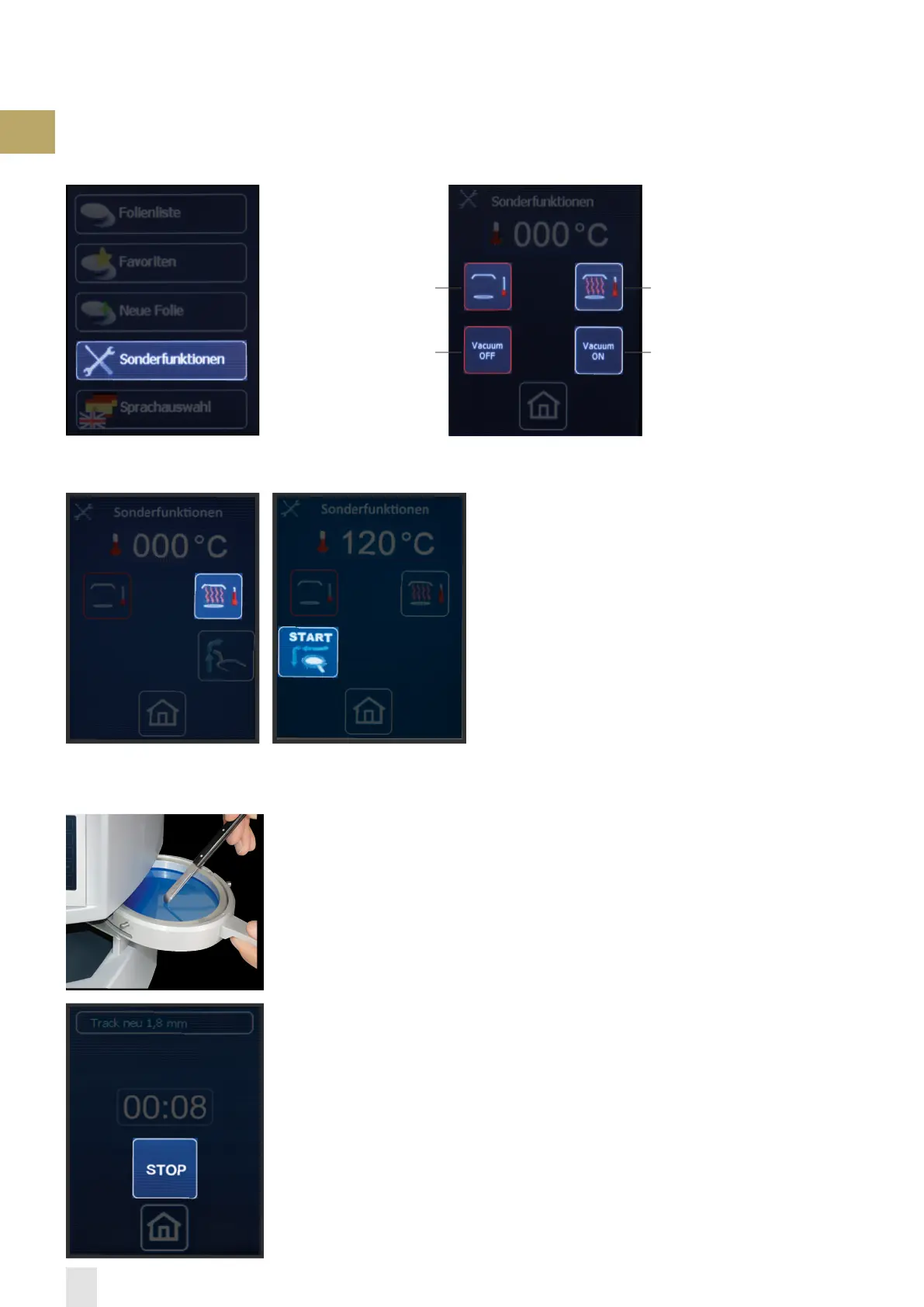
The special functions allow to switch the heating on and off independently of the program.
To determine the rated temperature (thermoforming temperature) of a foreign foil, select »heating on« and fixate the foil in the foil reception as
described under “thermoforming“. As soon as the foil reception clicks into place under the heater (illustrations), the heater switches on and the
sensor measures the temperature of the foil. If afterwards the foil shall be thermoformed, select »START« to initiate the thermoforming process.
1.) Select „special functions“
2.) „Select“ heating on 3.) Rated temperature reached,
select „START“
Heating onHeating off
Pump off Pump on
Functions of this indication
No information in regard to rated temperature and cooling time available:
To check the thermoformability, pull the foil out and touch with a blunt instrument. If permanent
impressions remain, generally the foil is ready for thermoforming (illustration). The heating
switches off if the foil is pulled out of the heating area, »heating out« is selected or if the sensor
measures >240 °C. The temperature shown on the display is the temperature measured last. If
the foil is thermoformable, this temperature corresponds to the rated temperature.
To determine the cooling time, stop the time from beginning of the adaptation. For the first time
after approx. 1 minute select cooling time »STOP«, the cylinder moves upwards, the foil can be
pulled out. Manually check the foil temperature, attention risk of burns! The right cooling time
is achieved if the foil has approx. room temperature on the surface. The foil can now be saved
as described under “enter new foils“.


 To Next Page