6
DE
FR
IT
EE
GR
ES
PL
CZ
SK
RU
LT
BG
RO
HU
LV
EN
NL
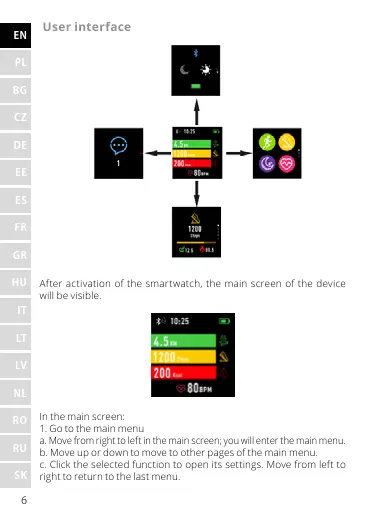
User interface
After activation of the smartwatch, the main screen of the device
will be visible.
In the main screen:
1. Go to the main menu
a. Move from right to left in the main screen; you will enter the main menu.
b. Move up or down to move to other pages of the main menu.
c. Click the selected function to open its settings. Move from left to
right to return to the last menu.










 To Next Page