Installation procedure for Windows users:
3. Advanced operation
3-1. Description of buttons and functions
1. Use the supplied CD or go to the website: http://www.forzaups.com.
2. After clicking the software icon, choose the required operation system.
3. Follow the on-screen instructions to install the software.
4. When you finished downloading all required files, enter the serial No (installation password): 5242-87f6-64re-di8d-986u
to install the software (include the hyphens).
5. In order to access as Administrator, input the password: 111296.
6. When your computer restarts, the management software will appear as a light blue round icon located in the system
tray, near the clock.
For Mac users, please refer to the ForzaTracker QIG inside the Mac folder.
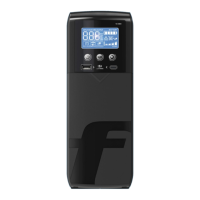
ON/Mute Button
OFF/Enter Button
Select Button
ON/Mute +
Select Button
Turn on the UPS: Press and hold the ON/Mute button for at least 2 seconds
to turn on the UPS.
Mute the alarm: When the UPS is on battery mode, press and hold this
button for at least 5 seconds to disable or enable the alarm system.
This command would not apply when warnings or errors occur.
Up key: Press this button to display previous selection in the UPS
configuration menu.
Switch to UPS self-test mode: Press and hold ON/Mute button for 5 seconds
to perform the self-test in AC mode, ECO mode, or converter mode.
Turn off the UPS: Press and hold this button for at least 2 seconds to turn
off the UPS in battery mode. The UPS will remain in standby mode under
normal power conditions or transfer to Bypass mode provided it has been
enabled previously by pressing this button.
Confirm selection key: Press this button to confirm the selection in the
UPS configuration menu.
Switch LCD message: Press this button to change the LCD message for
input voltage, input frequency, battery voltage, output voltage and output
frequency. The default display will be restored when pausing for 10 seconds.
Setting mode: Press and hold this button for 5 seconds to enter the UPS
configuration menu while UPS is in standby or bypass mode.
Down key: Press this button to display the next selection in the UPS
configuration menu.
Switch to bypass mode: When the utility power is normal, press ON/Mute
and Select buttons simultaneously for 5 seconds to transfer the UPS to
bypass mode. This action will be ineffective if the input voltage is not within
an acceptable range.
Button Function


 To Next Page