31
w
w
w
w
w
w
w
w
w
w
w
w
w
w
w
w
ww.foscam.co
ww.foscam.co
ww.foscam.co
ww.foscam.co
ww.foscam.co
ww.foscam.co
ww.foscam.co
ww.foscam.co
m
m
m
m
m
m
m
m
Shenzhen
Shenzhen
Shenzhen
Shenzhen
Shenzhen
Shenzhen
Shenzhen
Shenzhen
Foscam
Foscam
Foscam
Foscam
Foscam
Foscam
Foscam
Foscam
Intelligent
Intelligent
Intelligent
Intelligent
Intelligent
Intelligent
Intelligent
Intelligent
Technology
Technology
Technology
Technology
Technology
Technology
Technology
Technology
Co.,
Co.,
Co.,
Co.,
Co.,
Co.,
Co.,
Co.,
Limited
Limited
Limited
Limited
Limited
Limited
Limited
Limited
Tel:
Tel:
Tel:
Tel:
Tel:
Tel:
Tel:
Tel:
86
86
86
86
86
86
86
86
755
755
755
755
755
755
755
755
2674
2674
2674
2674
2674
2674
2674
2674
5668
5668
5668
5668
5668
5668
5668
5668
Fax:
Fax:
Fax:
Fax:
Fax:
Fax:
Fax:
Fax:
86
86
86
86
86
86
86
86
755
755
755
755
755
755
755
755
2674
2674
2674
2674
2674
2674
2674
2674
5168
5168
5168
5168
5168
5168
5168
5168
31
31
31
31
3.9
3.9
3.9
3.9
3.9
3.9
3.9
3.9 UPnP
UPnP
UPnP
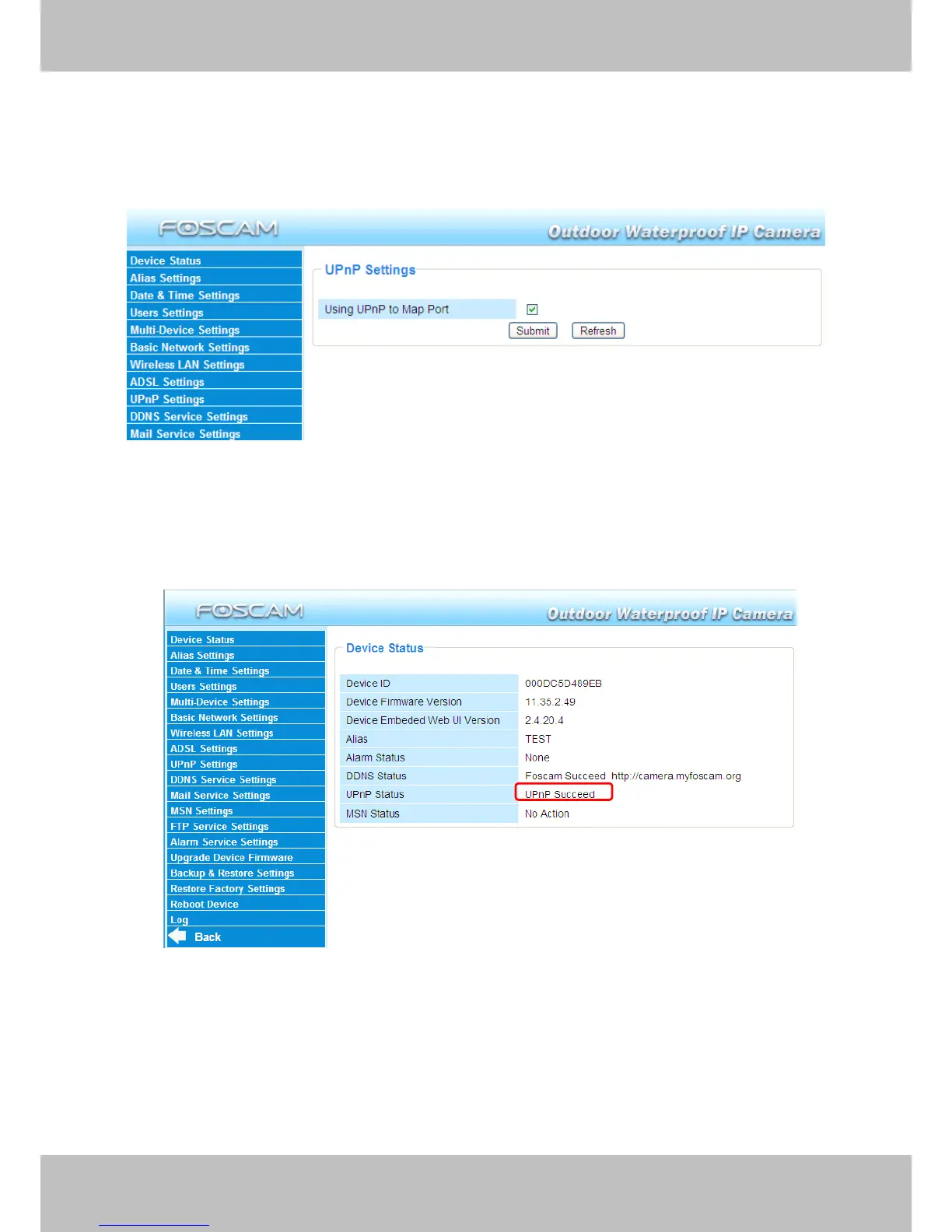
UPnP Settings
Settings
Settings
Settings
Choose Using
Using
Using
Using UPnP
UPnP
UPnP
UPnP to
to
to
to MAP
MAP
MAP
MAP Port
Port
Port
Port and then click Submit.
Submit.
Submit.
Submit.
Figure 3.25
The default UPnP status is closed.
You
can select the checkbox and open UPnP , then t he
camera
’
s software will be configured for port forwarding. Back to the “ Device Status ” panel, you
can see the UPnP status:
There may be issues with your routers security settings, and sometimes may error. We
recommend you configure port forwarding manually on your router (Figure 3.30) .



 To Next Page