w
w
w
w
w
w
.
.
f
f
o
o
s
s
c
c
a
a
m
m
.
.
c
c
o
o
m
m
32
S
S
h
h
e
e
n
n
z
z
h
h
e
e
n
n
F
F
o
o
s
s
c
c
a
a
m
m
I
I
n
n
t
t
e
e
l
l
l
l
i
i
g
g
e
e
n
n
t
t
T
T
e
e
c
c
h
h
n
n
o
o
l
l
o
o
g
g
y
y
C
C
o
o
.
.
,
,
L
L
i
i
m
m
i
i
t
t
e
e
d
d
T
T
e
e
l
l
:
:
8
8
6
6
7
7
5
5
5
5
2
2
6
6
7
7
4
4
5
5
6
6
6
6
8
8
F
F
a
a
x
x
:
:
8
8
6
6
7
7
5
5
5
5
2
2
6
6
7
7
4
4
5
5
1
1
6
6
8
8
32
your camera and enter the same key with your camera. Make sure PC and Camera share the
same subnet.
Open the IP Camera Tool, you can search the camera LAN IP again.
3
3
.
.
8
8
A
A
D
D
S
S
L
L
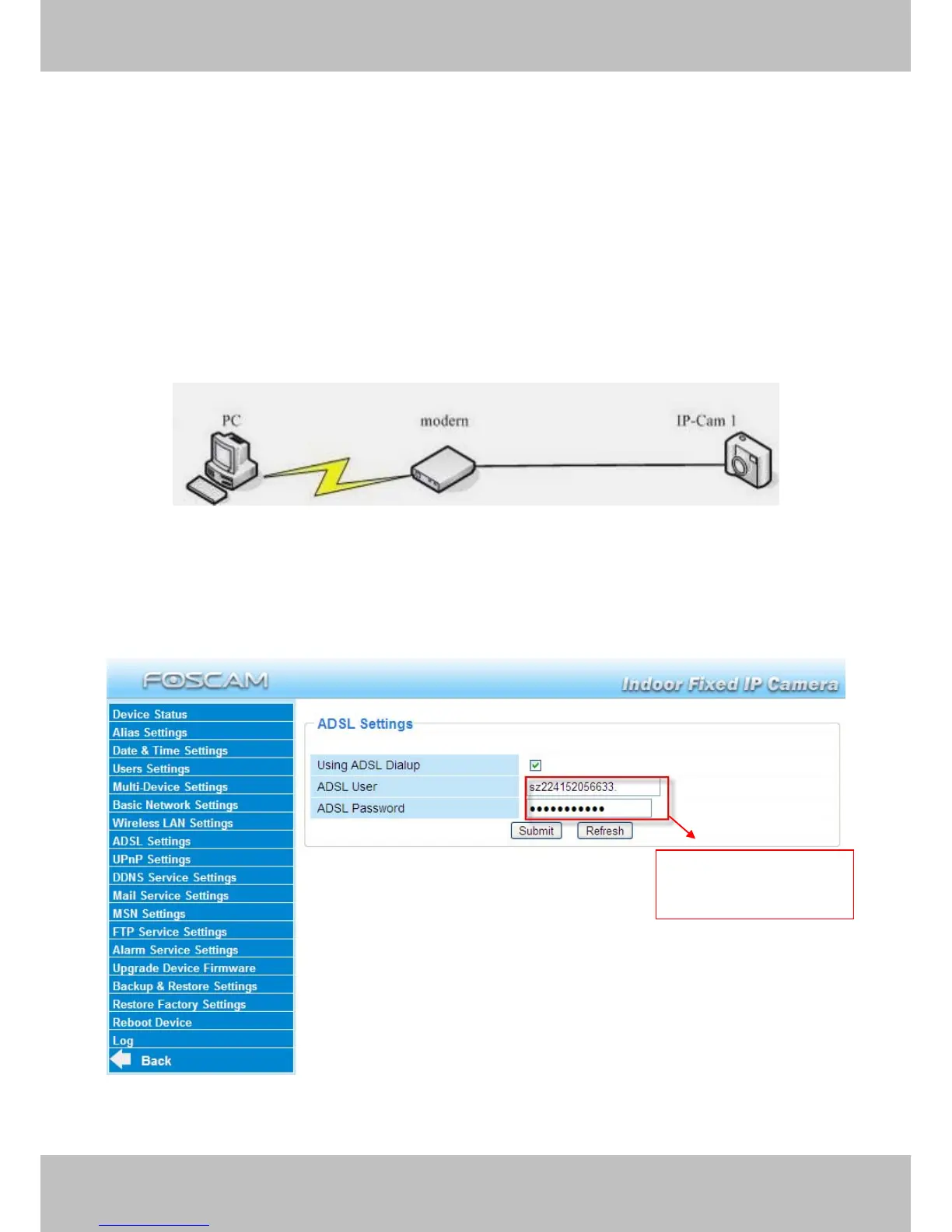
Figure 3.23
If you are connecting the camera directly to a ADSL modem, you can do ADSL settings with your
ADSL account &password provided by the ISP, then make the camera connected to the network.
Figure 3.24
Enter the ADSL user
and password



 To Next Page