w
w
w
w
w
w
.
.
f
f
o
o
s
s
c
c
a
a
m
m
.
.
c
c
o
o
m
m
7
S
S
h
h
e
e
n
n
z
z
h
h
e
e
n
n
F
F
o
o
s
s
c
c
a
a
m
m
I
I
n
n
t
t
e
e
l
l
l
l
i
i
g
g
e
e
n
n
t
t
T
T
e
e
c
c
h
h
n
n
o
o
l
l
o
o
g
g
y
y
C
C
o
o
.
.
,
,
L
L
i
i
m
m
i
i
t
t
e
e
d
d
T
T
e
e
l
l
:
:
8
8
6
6
7
7
5
5
5
5
2
2
6
6
7
7
4
4
5
5
6
6
6
6
8
8
F
F
a
a
x
x
:
:
8
8
6
6
7
7
5
5
5
5
2
2
6
6
7
7
4
4
5
5
1
1
6
6
8
8
7
2
2
S
S
u
u
r
r
v
v
e
e
i
i
l
l
l
l
a
a
n
n
c
c
e
e
S
S
o
o
f
f
t
t
w
w
a
a
r
r
e
e
G
G
U
U
I
I
2
Please refer to the Quick Installation Guide if you install the camera at first time. After finishing
quick installation, you can take time to learn the operation of the software.
Please refer to the Quick Installation Guide if you install the camera at first time. After finishing
quick installation, you can take time to learn the operation of the software.
2
2
.
.
1
1
L
L
o
o
g
g
i
i
n
n
W
W
i
i
n
n
d
d
o
o
w
w
2
2
S
S
u
u
r
r
v
v
e
e
i
i
l
l
l
l
a
a
n
n
c
c
e
e
S
S
o
o
f
f
t
t
w
w
a
a
r
r
e
e
G
G
U
U
I
I
2
.
.
1
1
L
L
o
o
g
g
i
i
n
n
W
W
i
i
n
n
d
d
o
o
w
w
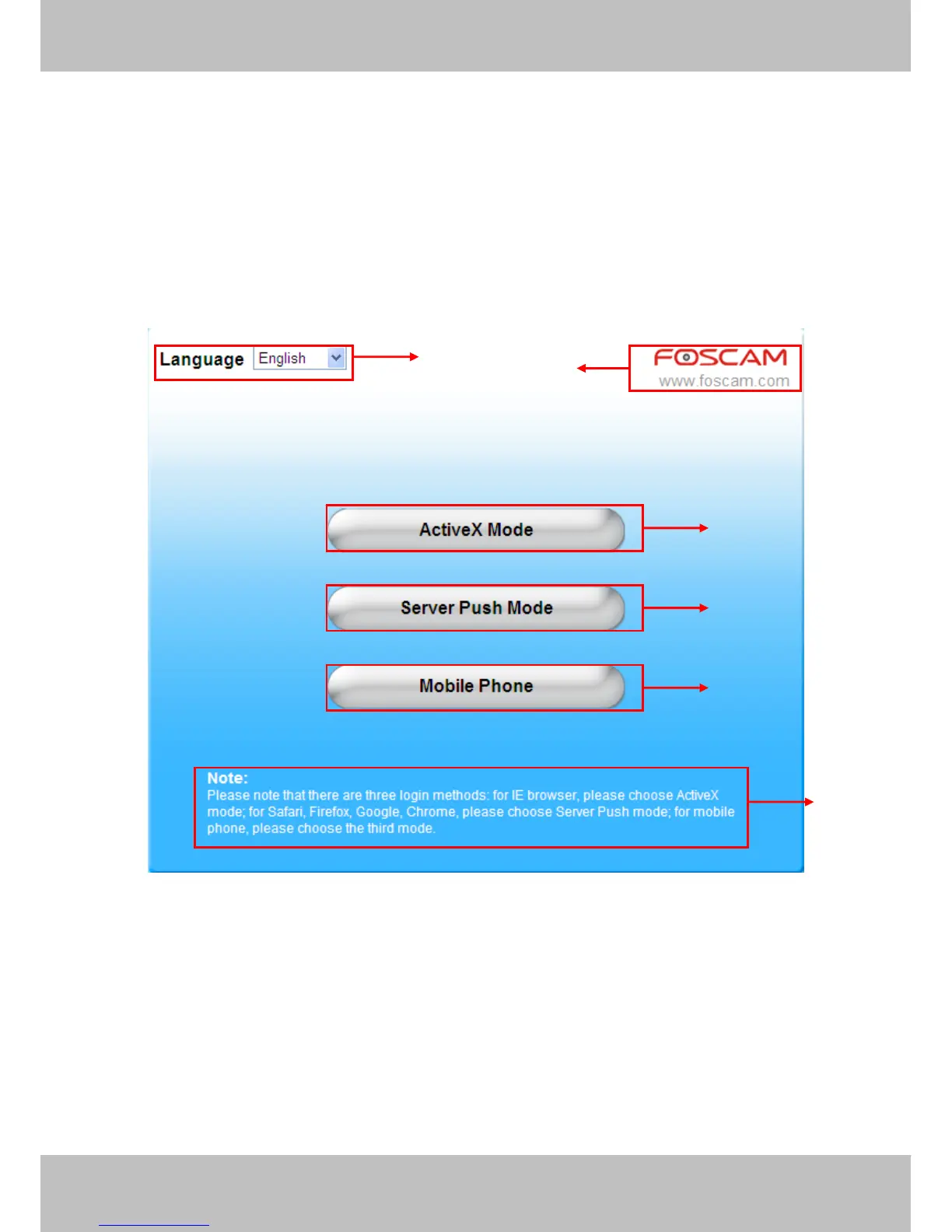
Figure 2.1
Please check the login window above, it was divided to 6 sections from no. 1 to 6.
Section1 Select Language
FOSCAM camera supports up to multi-languages, such as English, Spanish, Deutsch and so on.
You can select the language you need via pull down the dropdown toolbar and click on the
language to switch.
1
2
3
4
5
6



 To Next Page