w
w
w
w
w
w
.
.
f
f
o
o
s
s
c
c
a
a
m
m
.
.
c
c
o
o
m
m
46
S
S
h
h
e
e
n
n
z
z
h
h
e
e
n
n
F
F
o
o
s
s
c
c
a
a
m
m
I
I
n
n
t
t
e
e
l
l
l
l
i
i
g
g
e
e
n
n
t
t
T
T
e
e
c
c
h
h
n
n
o
o
l
l
o
o
g
g
y
y
C
C
o
o
.
.
,
,
L
L
i
i
m
m
i
i
t
t
e
e
d
d
T
T
e
e
l
l
:
:
8
8
6
6
7
7
5
5
5
5
2
2
6
6
7
7
4
4
5
5
6
6
6
6
8
8
F
F
a
a
x
x
:
:
8
8
6
6
7
7
5
5
5
5
2
2
6
6
7
7
4
4
5
5
1
1
6
6
8
8
46
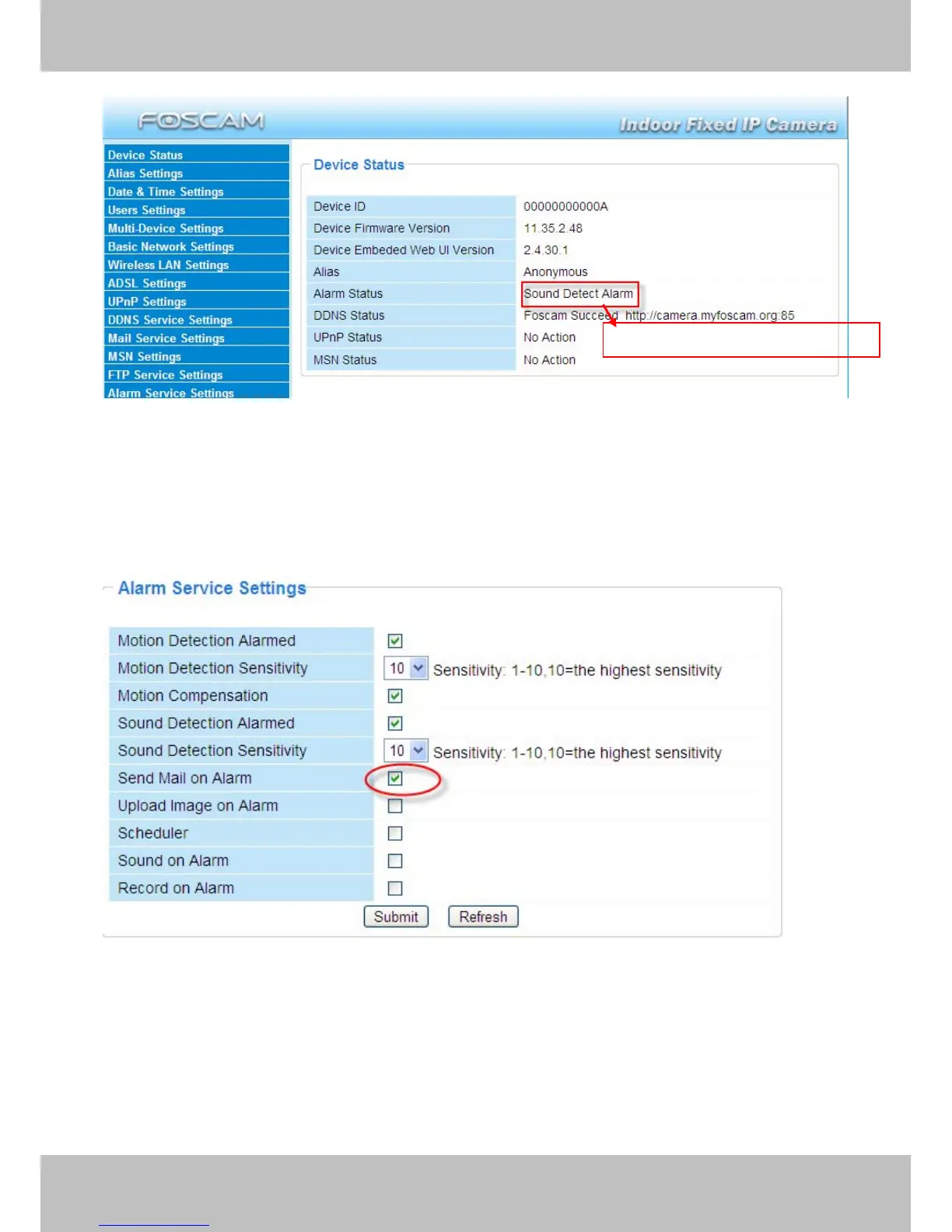
Figure 3.40
There are four alarm indicators:
1) Camera will send emails when motion/sound is activated.
If you want to receive images when motion is detected, you must set Mail Service Settings first.
(Figure 3.31) Then set motion alarm as follows:
Figure 3.41
2) Upload images via FTP server when motion/sound trigger.
To upload images to an FTP server when motion/sound is detected, you must set FTP Service
Settings(Figure 3.36/3.37) first and then set motion/sound alarm as pictured below
Here you can see the alarm status



 To Next Page