40
w
w
w
w
w
w
w
w
www
www
www
www
www
www
www
www
.foscam.com
.foscam.com
.foscam.com
.foscam.com
.foscam.com
.foscam.com
.foscam.com
.foscam.com
Shenzhen
Shenzhen
Shenzhen
Shenzhen
Shenzhen
Shenzhen
Shenzhen
Shenzhen
Foscam
Foscam
Foscam
Foscam
Foscam
Foscam
Foscam
Foscam
Intelligent
Intelligent
Intelligent
Intelligent
Intelligent
Intelligent
Intelligent
Intelligent
Technology
Technology
Technology
Technology
Technology
Technology
Technology
Technology
Co.,
Co.,
Co.,
Co.,
Co.,
Co.,
Co.,
Co.,
Limited
Limited
Limited
Limited
Limited
Limited
Limited
Limited
Tel:
Tel:
Tel:
Tel:
Tel:
Tel:
Tel:
Tel:
86
86
86
86
86
86
86
86
755
755
755
755
755
755
755
755
2674
2674
2674
2674
2674
2674
2674
2674
5668
5668
5668
5668
5668
5668
5668
5668
Fax:
Fax:
Fax:
Fax:
Fax:
Fax:
Fax:
Fax:
86
86
86
86
86
86
86
86
755
755
755
755
755
755
755
755
2674
2674
2674
2674
2674
2674
2674
2674
5168
5168
5168
5168
5168
5168
5168
5168
40
40
40
40
2----- The 2nd camera
’
s name
3----- Fill in the 2nd camera
’
s DDNS host not LAN IP
NOTE:
NOTE:
NOTE:
NOTE: The MJ series have the same HTTP Port no. and Media Port no.
4 ---- Enter the 2nd camera
’
s user name and password
5---- Click Add button and to take effect
NOTE:
NOTE:
NOTE:
NOTE: Here the Host must be entered as the second camera
’
s DDNS domain name, not its LAN
IP.
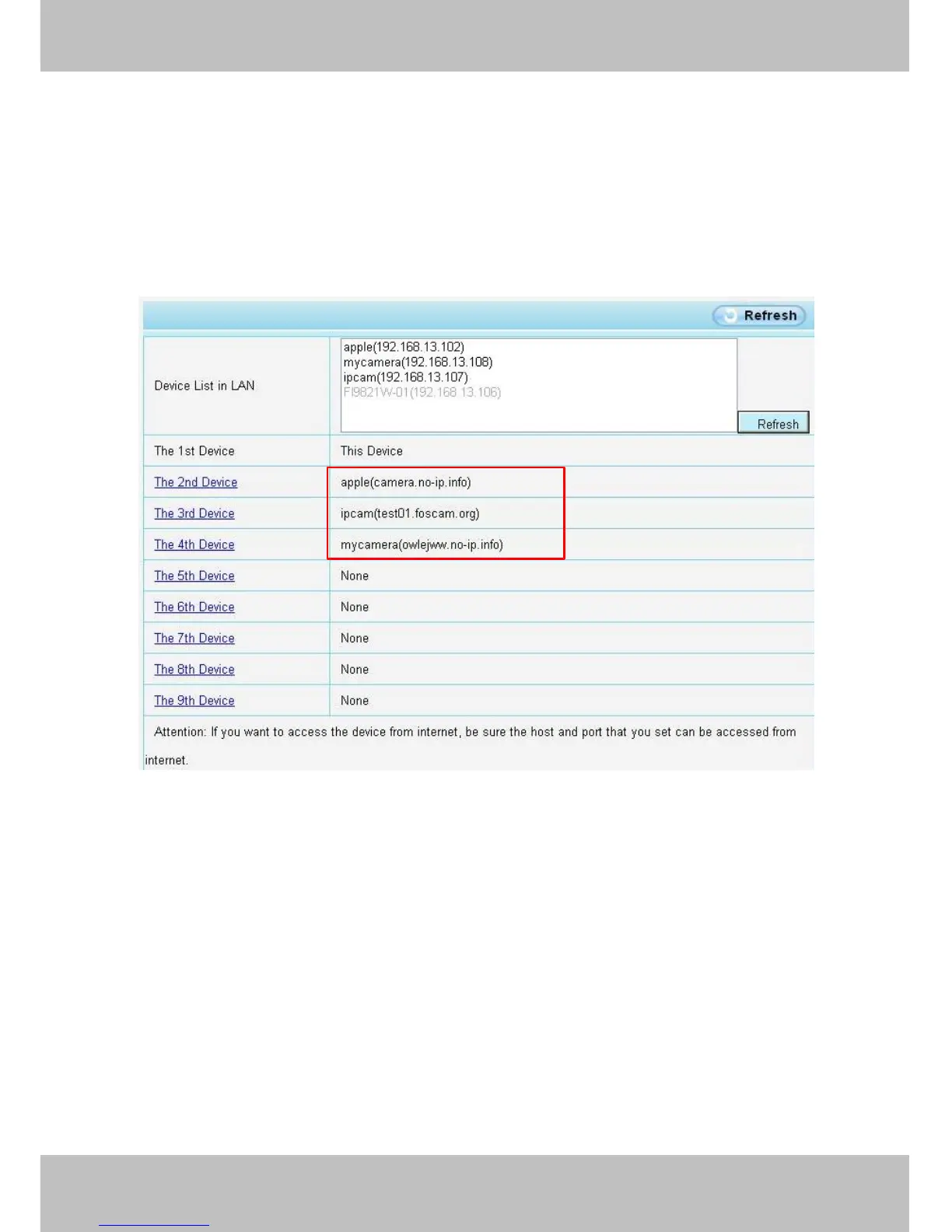
Figure 4 .20
Return to video window.
You
will see all of the cameras accessible through the internet.
When you are away from home, you can use the first camera
’
s DDNS domain name and port to view all the
cameras via internet.



 To Next Page