69
w
w
w
w
w
w
w
w
www
www
www
www
www
www
www
www
.foscam.com
.foscam.com
.foscam.com
.foscam.com
.foscam.com
.foscam.com
.foscam.com
.foscam.com
Shenzhen
Shenzhen
Shenzhen
Shenzhen
Shenzhen
Shenzhen
Shenzhen
Shenzhen
Foscam
Foscam
Foscam
Foscam
Foscam
Foscam
Foscam
Foscam
Intelligent
Intelligent
Intelligent
Intelligent
Intelligent
Intelligent
Intelligent
Intelligent
Technology
Technology
Technology
Technology
Technology
Technology
Technology
Technology
Co.,
Co.,
Co.,
Co.,
Co.,
Co.,
Co.,
Co.,
Limited
Limited
Limited
Limited
Limited
Limited
Limited
Limited
Tel:
Tel:
Tel:
Tel:
Tel:
Tel:
Tel:
Tel:
86
86
86
86
86
86
86
86
755
755
755
755
755
755
755
755
2674
2674
2674
2674
2674
2674
2674
2674
5668
5668
5668
5668
5668
5668
5668
5668
Fax:
Fax:
Fax:
Fax:
Fax:
Fax:
Fax:
Fax:
86
86
86
86
86
86
86
86
755
755
755
755
755
755
755
755
2674
2674
2674
2674
2674
2674
2674
2674
5168
5168
5168
5168
5168
5168
5168
5168
69
69
69
69
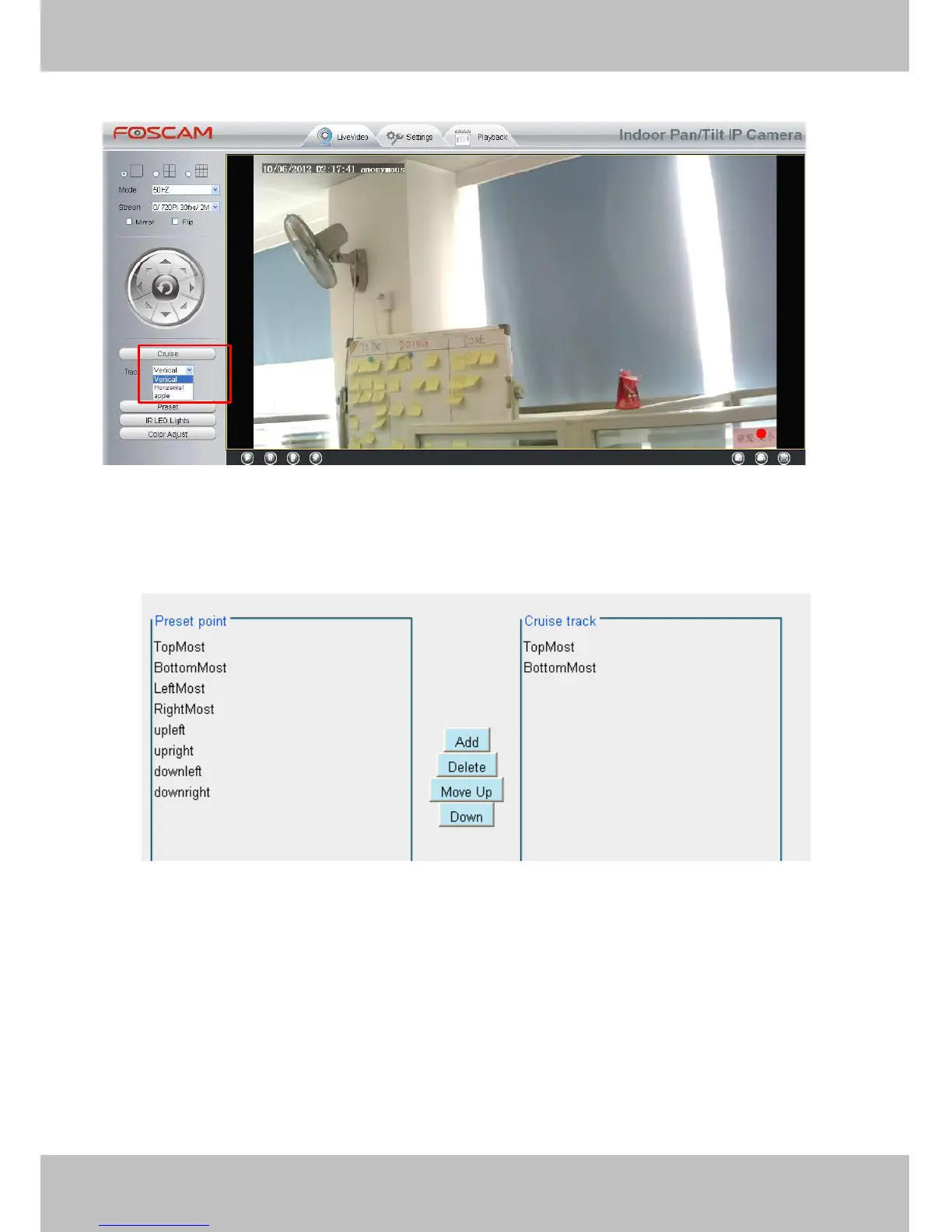
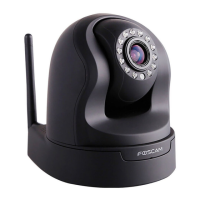
There are other buttons between the Preset points and Cruise track, you can use these buttons to adjust the
order of preset points or add/delete one preset points in one cruise track,
Figure 4 .53
Add:
Add:
Add:
Add: Select one preset points and add it to the selected cruise track.
Delete:
Delete:
Delete:
Delete: Select one preset points you have added to one cruise track, click delete.
Move
Move
Move
Move up/
up/
up/
up/ down:
down:
down:
down: Select one cruise track, adjust the order of preset points in one cruise track.
4
4
4
4 .7.3
.7.3
.7.3
.7.3 Pan/
Pan/
Pan/
Pan/ Tilt
Tilt
Tilt
Tilt Start
Start
Start
Start Mode
Mode
Mode
Mode
Here section will allow you to set the stop position after the camera reboots.


 To Next Page