EasyManua.ls Logo

Foscam FI9821W - Page 79

Foscam FI9821W
104 pages
Print Icon
To Next Page IconTo Next Page
To Previous Page IconTo Previous Page
Loading...
78
w
w
w
w
w
w
w
w
www
www
www
www
www
www
www
www
.foscam.com
.foscam.com
.foscam.com
.foscam.com
.foscam.com
.foscam.com
.foscam.com
.foscam.com
Shenzhen
Shenzhen
Shenzhen
Shenzhen
Shenzhen
Shenzhen
Shenzhen
Shenzhen
Foscam
Foscam
Foscam
Foscam
Foscam
Foscam
Foscam
Foscam
Intelligent
Intelligent
Intelligent
Intelligent
Intelligent
Intelligent
Intelligent
Intelligent
Technology
Technology
Technology
Technology
Technology
Technology
Technology
Technology
Co.,
Co.,
Co.,
Co.,
Co.,
Co.,
Co.,
Co.,
Limited
Limited
Limited
Limited
Limited
Limited
Limited
Limited
Tel:
Tel:
Tel:
Tel:
Tel:
Tel:
Tel:
Tel:
86
86
86
86
86
86
86
86
755
755
755
755
755
755
755
755
2674
2674
2674
2674
2674
2674
2674
2674
5668
5668
5668
5668
5668
5668
5668
5668
Fax:
Fax:
Fax:
Fax:
Fax:
Fax:
Fax:
Fax:
86
86
86
86
86
86
86
86
755
755
755
755
755
755
755
755
2674
2674
2674
2674
2674
2674
2674
2674
5168
5168
5168
5168
5168
5168
5168
5168
78
78
78
78
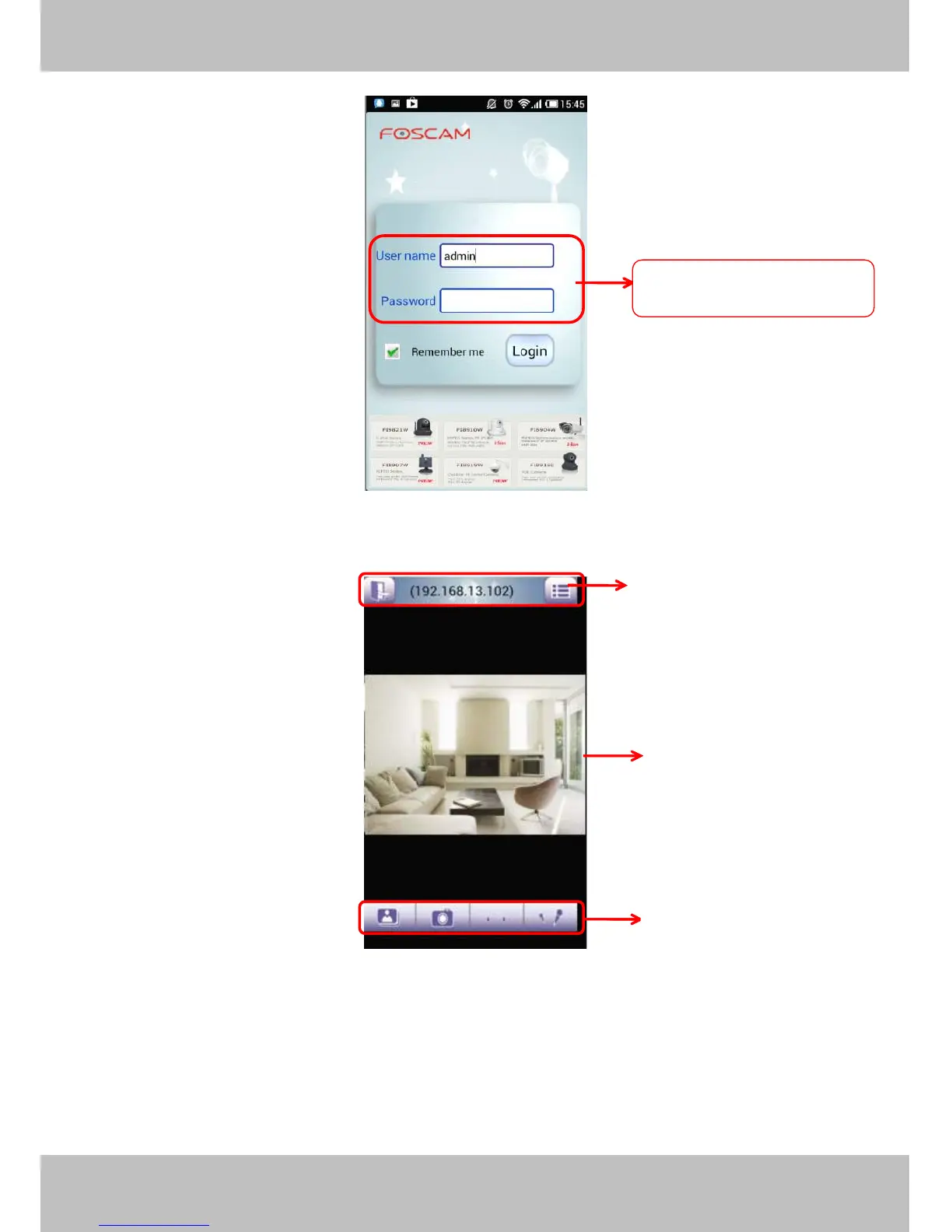
Figure 6 .2
Enter the user name and password then click Login button, you can see the following surveillance windows:
Figure 6 .3
The default surveillance window is black, you need to add devices to it and then connect the device.
Please
Please
Please
Please check
check
check
check the
the
the
the login
login
login
login window
window
window
window above,
above,
above,
above, it
it
it
it was
was
was
was divided
divided
divided
divided to
to
to
to 3
3
3
3 sections
sections
sections
sections from
from
from
from no.
no.
no.
no. 1
1
1
1 to
to
to
to 3.
3.
3.
3.
Default
Default
Default
Default user
user
user
user name
name
name
name is
is
is
is admin
admin
admin
admin
with
with
with
with a
a
a
a blank
blank
blank
blank password
password
password
password
1
1
1
1
2
2
2
2
3
3
3
3

Other manuals for Foscam FI9821W

Related product manuals