91
w
w
w
w
w
w
w
w
www
www
www
www
www
www
www
www
.foscam.com
.foscam.com
.foscam.com
.foscam.com
.foscam.com
.foscam.com
.foscam.com
.foscam.com
Shenzhen
Shenzhen
Shenzhen
Shenzhen
Shenzhen
Shenzhen
Shenzhen
Shenzhen
Foscam
Foscam
Foscam
Foscam
Foscam
Foscam
Foscam
Foscam
Intelligent
Intelligent
Intelligent
Intelligent
Intelligent
Intelligent
Intelligent
Intelligent
Technology
Technology
Technology
Technology
Technology
Technology
Technology
Technology
Co.,
Co.,
Co.,
Co.,
Co.,
Co.,
Co.,
Co.,
Limited
Limited
Limited
Limited
Limited
Limited
Limited
Limited
Tel:
Tel:
Tel:
Tel:
Tel:
Tel:
Tel:
Tel:
86
86
86
86
86
86
86
86
755
755
755
755
755
755
755
755
2674
2674
2674
2674
2674
2674
2674
2674
5668
5668
5668
5668
5668
5668
5668
5668
Fax:
Fax:
Fax:
Fax:
Fax:
Fax:
Fax:
Fax:
86
86
86
86
86
86
86
86
755
755
755
755
755
755
755
755
2674
2674
2674
2674
2674
2674
2674
2674
5168
5168
5168
5168
5168
5168
5168
5168
91
91
91
91
Section1
Section1
Section1
Section1 Back
Back
Back
Back Button
Button
Button
Button
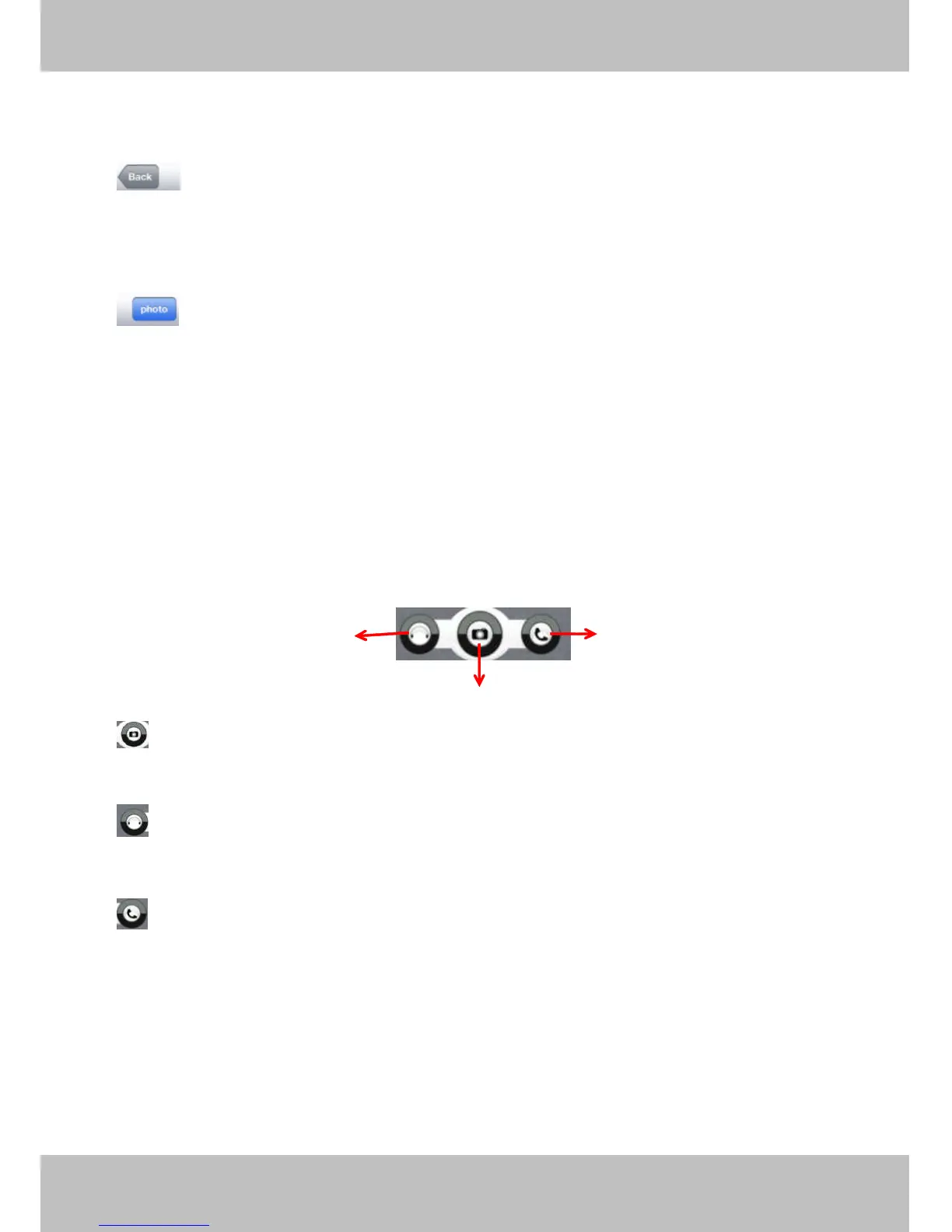
: Click this icon and back to “ ipcam table ” page.
Section2
Section2
Section2
Section2 Photo
Photo
Photo
Photo Button
Button
Button
Button
Click this icon and look the photos you have captured.
Section3
Section3
Section3
Section3 Live
Live
Live
Live view
view
view
view window
window
window
window
If the camera supports PT function, here slide on the screen with your finger, the camera will rotate follow
your finger direction.
Section4
Section4
Section4
Section4 Snapshot/Audio/Talk
Snapshot/Audio/Talk
Snapshot/Audio/Talk
Snapshot/Audio/Talk buttons
buttons
buttons
buttons
Snapshot
Snapshot
Snapshot
Snapshot
Click it to make snapshot.
Audio
Audio
Audio
Audio button
button
button
button
Click it and you will hear sound captured by the camera ’ s built-in microphone. Make sure the camera
supports Audio. Click the icon again and stop Audio.
Talk
Talk
Talk
Talk button
button
button
button
Click it then talk through your cell phone ’ s microphone which will transmit through the camera ’ s speaker .
.
.
.
People will hear your talking through the camera ’ s built-in speaker. Make sure the camera supports Talk.
Click the icon again and stop talking.
Talk
Talk
Talk
Talk
Snapshot
Snapshot
Snapshot
Snapshot
Audi
Audi
Audi
Audi
o
o
o
o



 To Next Page