NOTE:
If the QR code scanning is not successful, please input the UID on the bottom of the camera manually.
4.4 Video
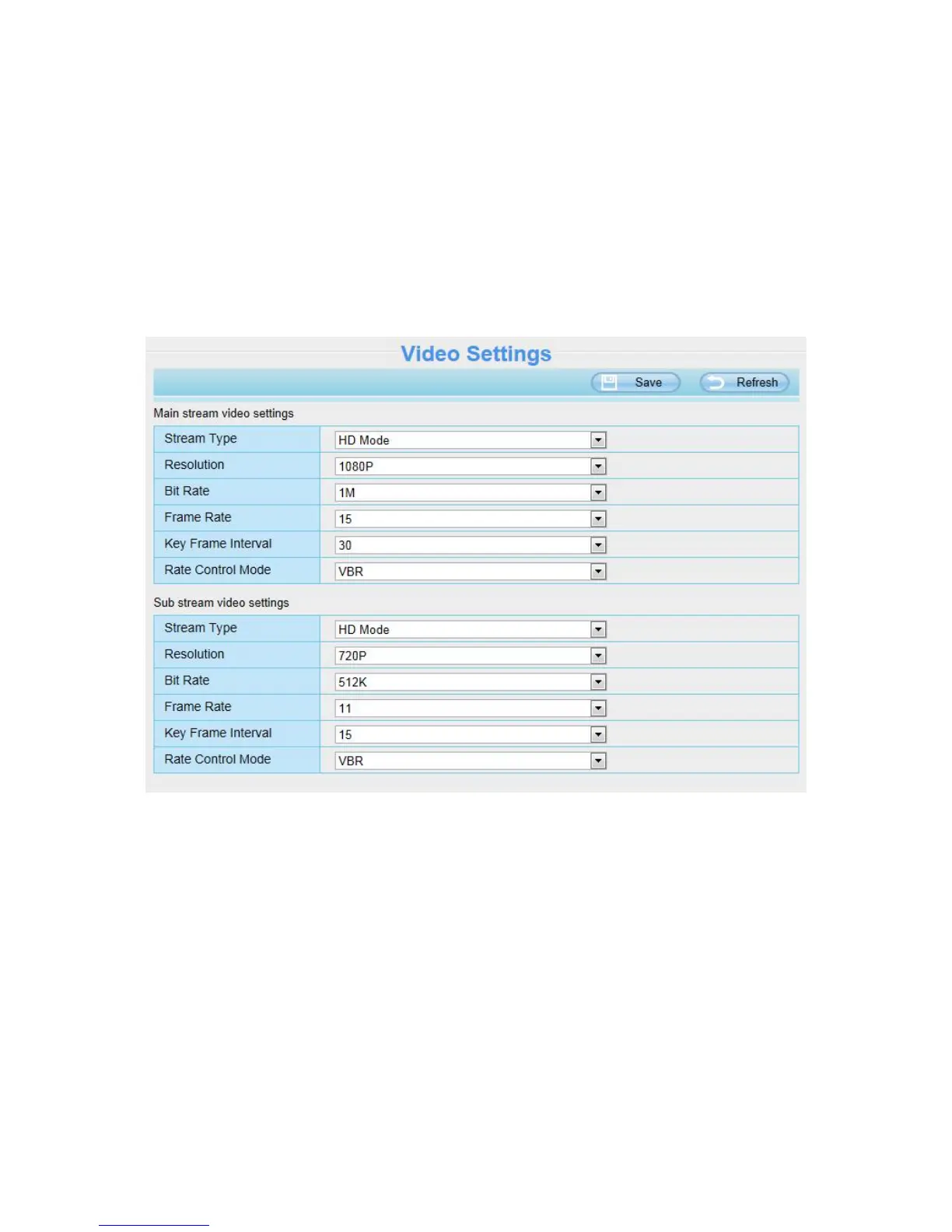
This section allows you to configure video settings, on screen display, snapshot settings and so on.
4.4.1 Video Settings
Stream Type: There are four types to identify different streams you have set. If select the HD Mode, the
clearer video will become, and it will take up more bandwidth; If select the Smooth Mode, the bandwidth is very
narrow, and bit rate is large, that will lead to video can not play well. The Equilibrium Model is a value between
HD Mode and Smooth Mode.
Resolution: The camera supports five types: 1080P, 720P, 960P, VGA (640*480), and QVGA (320*240). The
higher the resolution is, the clearer video will become. But the code flux will become larger too, and it will take
up more bandwidth.
Bit Rate: Generally speaking, the larger the bit rate is, the clearer video will become. But the bit rate
configuration should combine well with the network bandwidth. When the bandwidth is very narrow, and bit rate
is large, that will lead to video can not play well.
Frame Rate: Note that a larger frame size takes up more bandwidth. When the video format is 50Hz, the



 To Next Page