EasyManua.ls Logo

Foscam FI9928P - Interface View

Foscam FI9928P
98 pages
Print Icon
To Next Page IconTo Next Page
To Previous Page IconTo Previous Page
Loading...
4
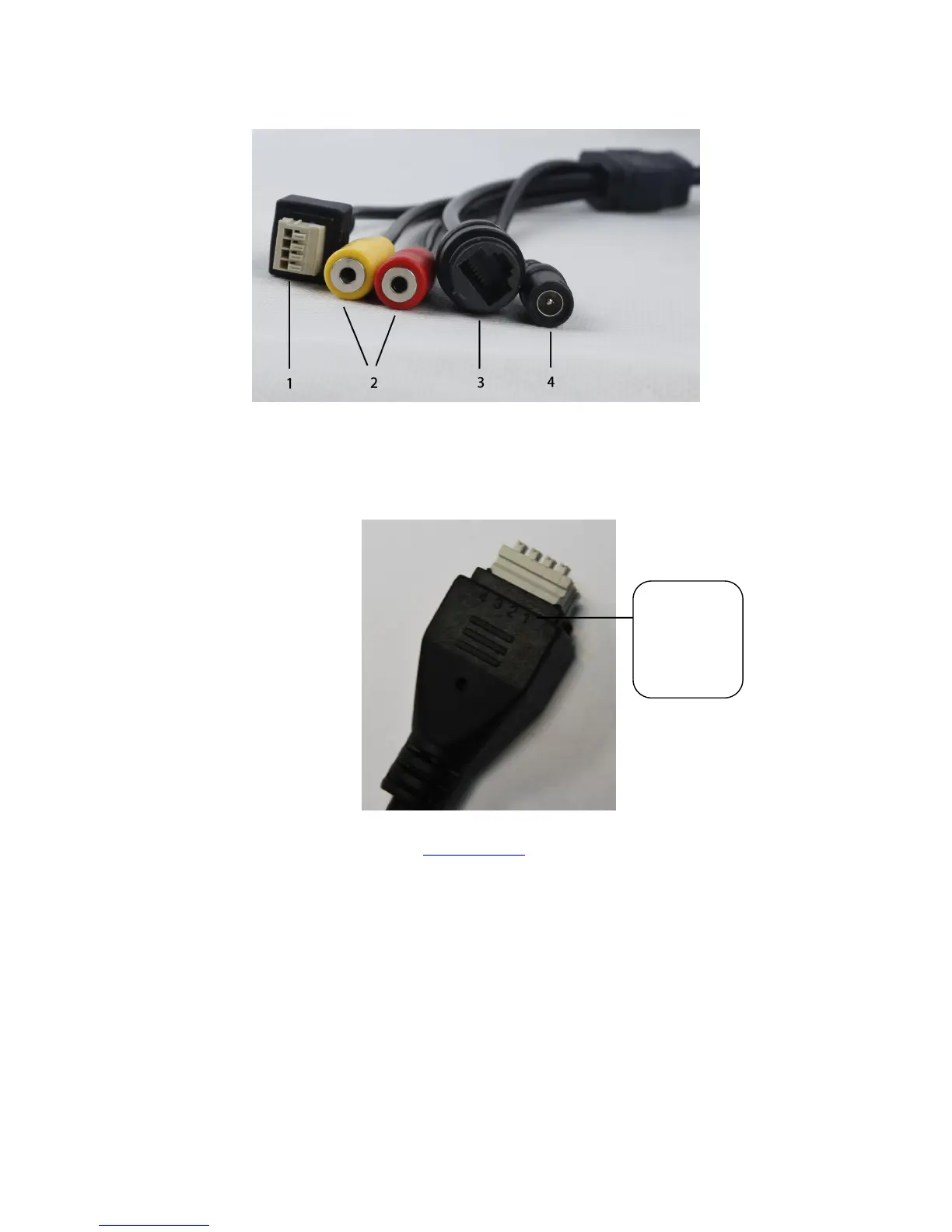
Interface View
1) I/O alarm terminal block
This network camera provides a I/O alarm terminal block which is used to connect to external input / output
device. The pin (there are four number in the terminal block from NO.1 to NO.4) definitions are described
below:
This camera supports I/O alarm, you can go to 4.5.3 I/O Alarm Settings > Alarm > I/O page to configure it.
2) Audio Input / Output
Audio input interface
The jack is used to plug external input device such as sound pick up device directly. Here microphone cannot
directly insert to the interface, it must connect to the adapter first.
Audio output interface
The jack is used to plug external output device such as loud speaker directly. Here microphone cannot directly
insert to the interface, it must connect to adapter first.
3) LAN
1- input
2- GND
3- output
4- output

Other manuals for Foscam FI9928P

Related product manuals