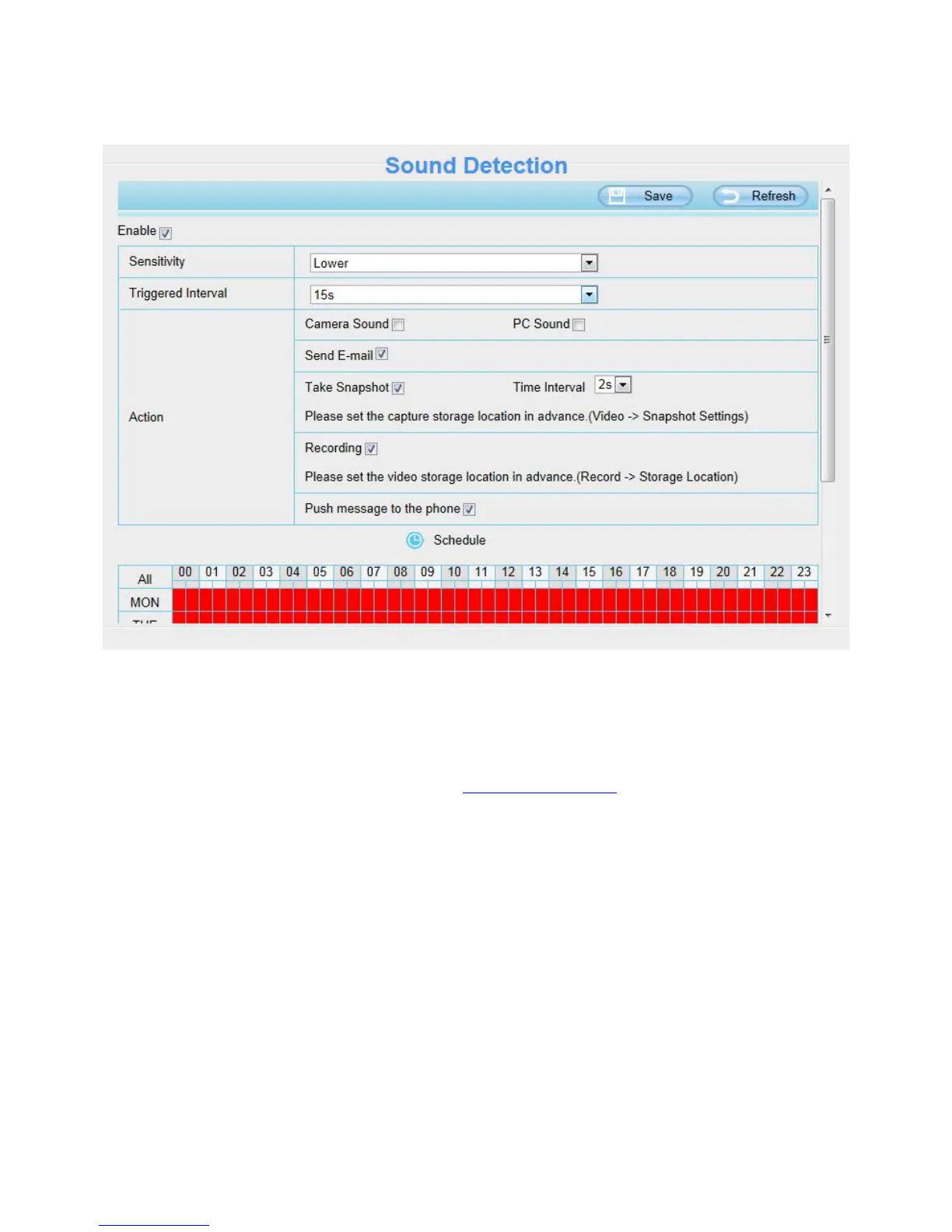
4.5.2 Sound Detection
On the Sound Detection page, Enable the Sound Detection, select the Send E-mail and Take Snapshot
before you have configured the mail and FTP.
To enable
For how to enable Sound Detection, please refer to 4.5.1 Motion Detection.
It will always alarm when Sound Detection is triggered if the alarm output device is connected to the IP camera
(audible alarm is issued a warning sound).
4.5.3 I/O Alarm
This IP camera provides a I/O alarm terminal block which is used to connect to external input / output device.
The alarm device (door sensor, infrared sensor, smoke detectors, etc) send input command to the network
camera, then the network camera send output command to the alarm output device (local audible alarm, lights
alarm,etc.).



 To Next Page