NVR User Manual
www.foscam.com
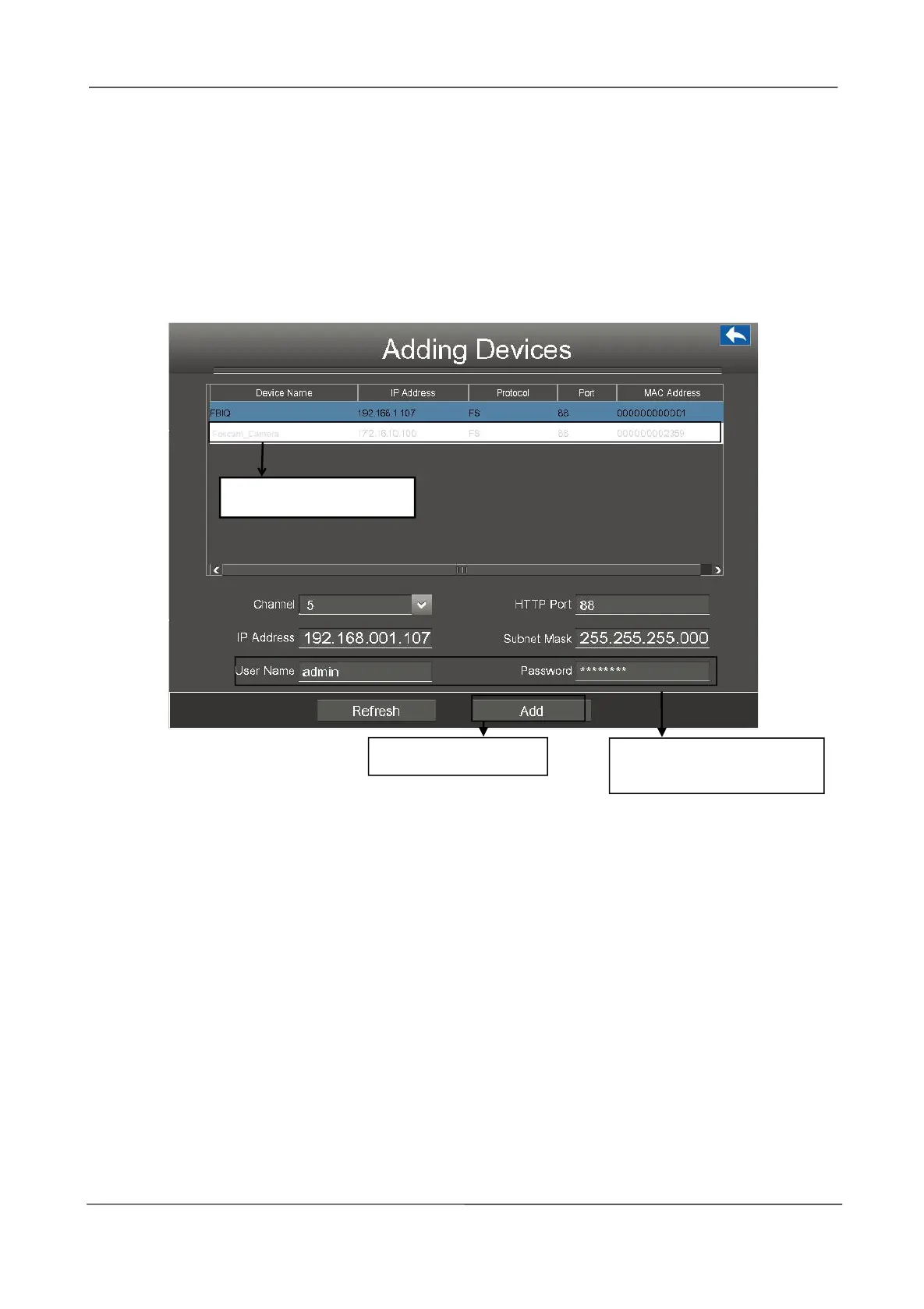
Manually Adding IP Cameras
If the connected camera which is not the equipmented in the package. You can manually add the
camera to your NVR.
1.Uncheck the Automatic adding IP camera checkbox.
2.Click the Manually Add button to adding devices page.
Note:
Make sure that the IP address of the IPC and NVR's in the same network segment, and the
subnet mask and gateway are the same as the NVR's.
2. Input the User Name
and Password of the IPC.



 To Next Page