NVR User Manual
www.foscam.com
You can use the UPnP function to enable the fast connection of the device to the WAN
via a router without port mapping.
Note:
If you want to enable the UPnP function of the NVR, you must enable the UPnP
function of the router to
which your NVR is connected.
You can enable or disable the UPNP function.
Click Save button to take effect.
How to configure the IP Address, Subnet Mask, Gateway, Primary DNS Server, Secondary DNS
Server, please refer to 4.2 Common Operations 2. Configure the IP Parameters.
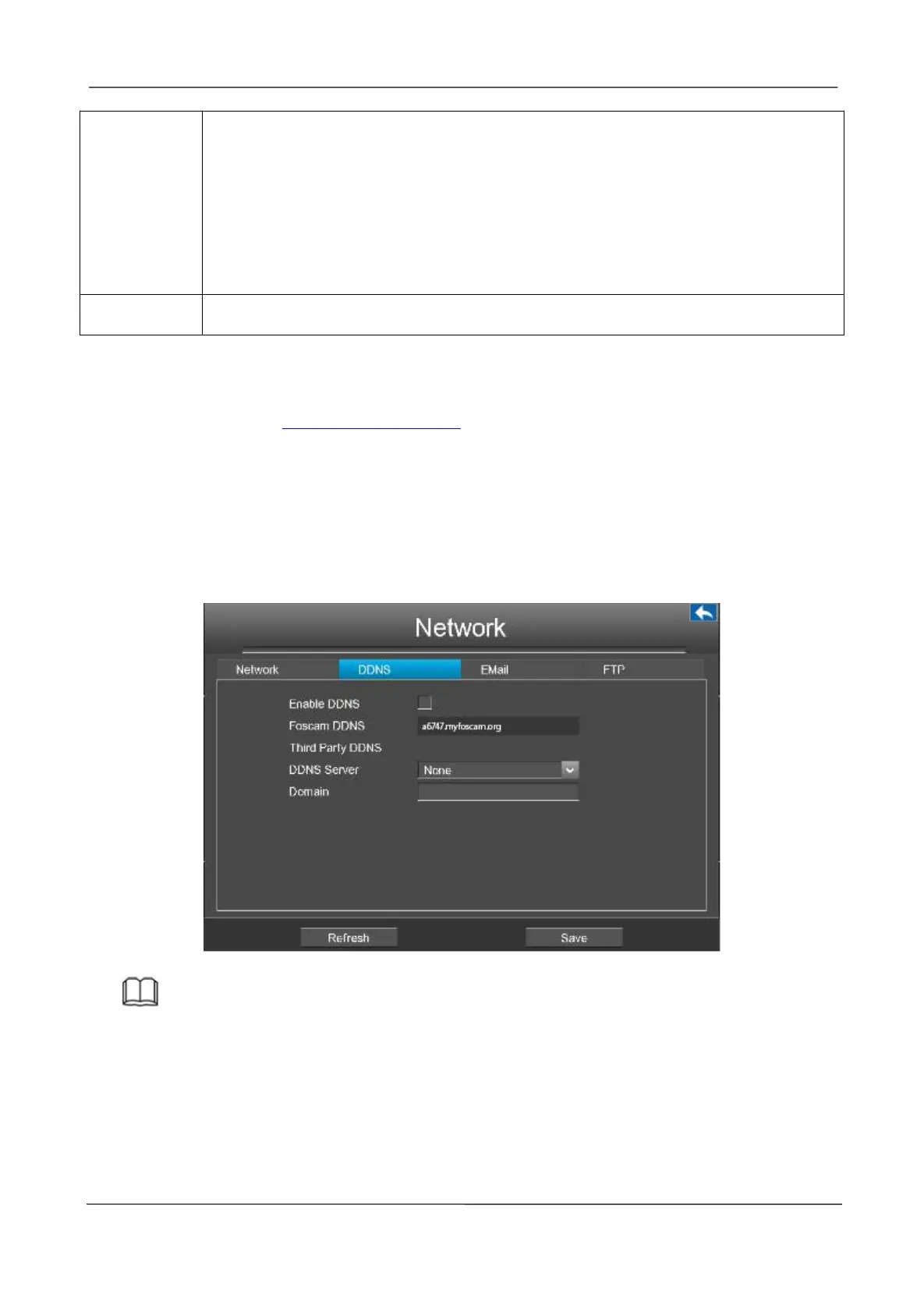
[DDNS]
Select the DDNS page, you can configure the DDNS information of the NVR.
The NVR has embedded a unique DDNS domain name when producing, and you can directly use
the domain name, you can also use the third party domain name.
Note
Here take a6747.myfoscam.org for example.
Enable DDNS:Check the DDNS checkbox to enable this feature.
Click Save button to take effect. Then you can use http:// Domain name + HTTP Port to access the
NVR via internet.
Take hostname a6747.myfoscam.org and HTTP Port. 88 for example, the accessing link of the



 To Next Page