NVR User Manual
www.foscam.com
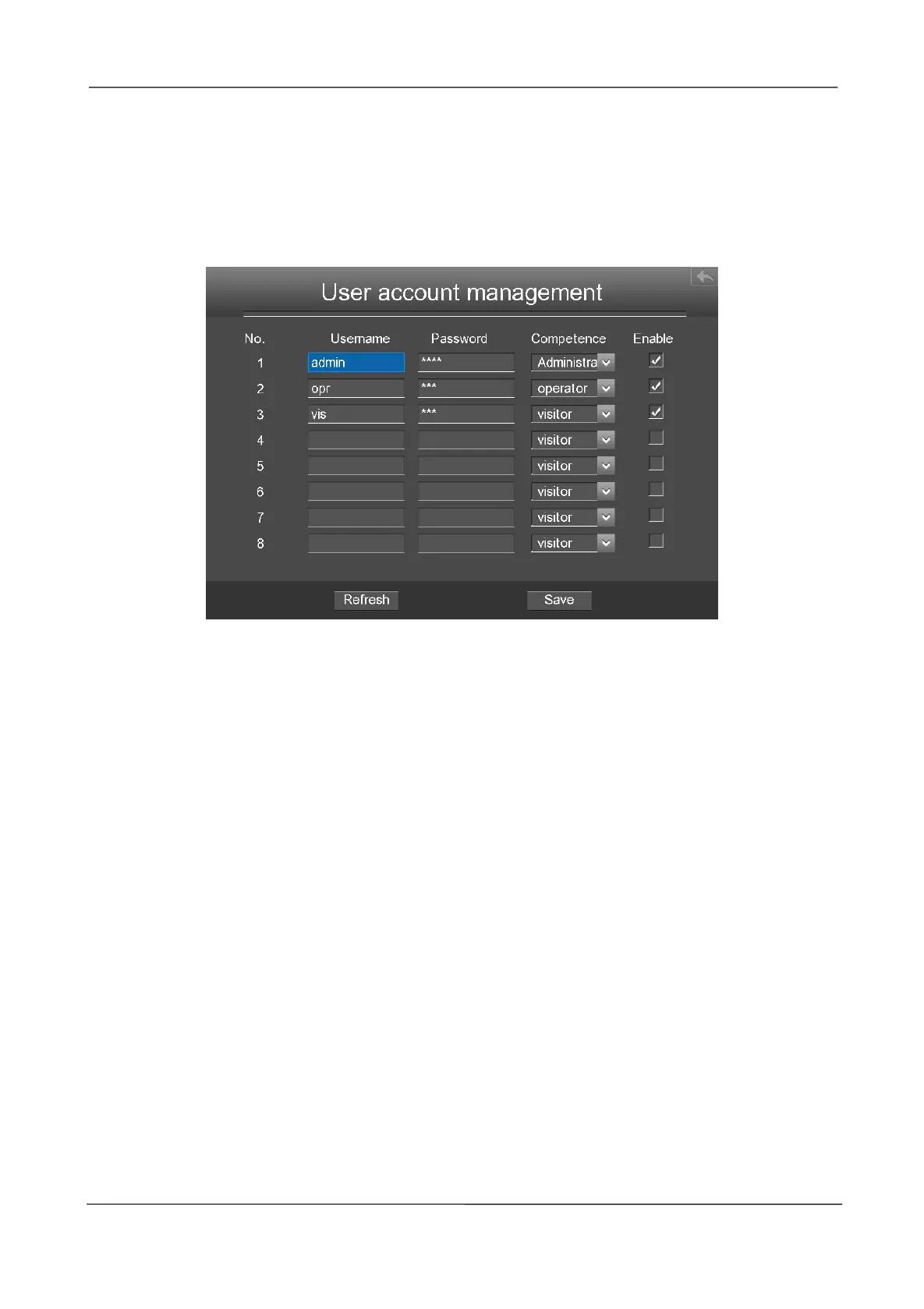
The administrator has the permission to add and delete all users and configure user parameters.
You can add, modify, delete username / password or distribute authority for users.
The valid value range of Username and Password is 1 ~ 20 characters, it contains the English
letter, numeric and symbol.
After configure the username, password and competence, you need to check Enable checkbox.
Then click Save button to take effect.
Upgrade
Choose Menu > System in the Menu interface, then click upgrade in the System interface. You can
check for updates by network or upgrade by local.
[Local upgrade]
First, a mobile storage device needs to be inserted by the USB interface and the NVR system
upgrade file upgrade.bin has been stored in the root directory of the mobile storage device.
Click Local upgrade in the Upgrade interface, and then click OK button to start upgrade in the
pop-up message box.
[Remote Upgrade]
Click the Remote Upgrade button, the system will check the software version. If your software is not
latest, you can upgrade it by remote upgrading.
NOTE:
Don't shut down the power during upgrade. After upgrading, you can see the upgrade result.



 To Next Page