NVR User Manual
www.foscam.com
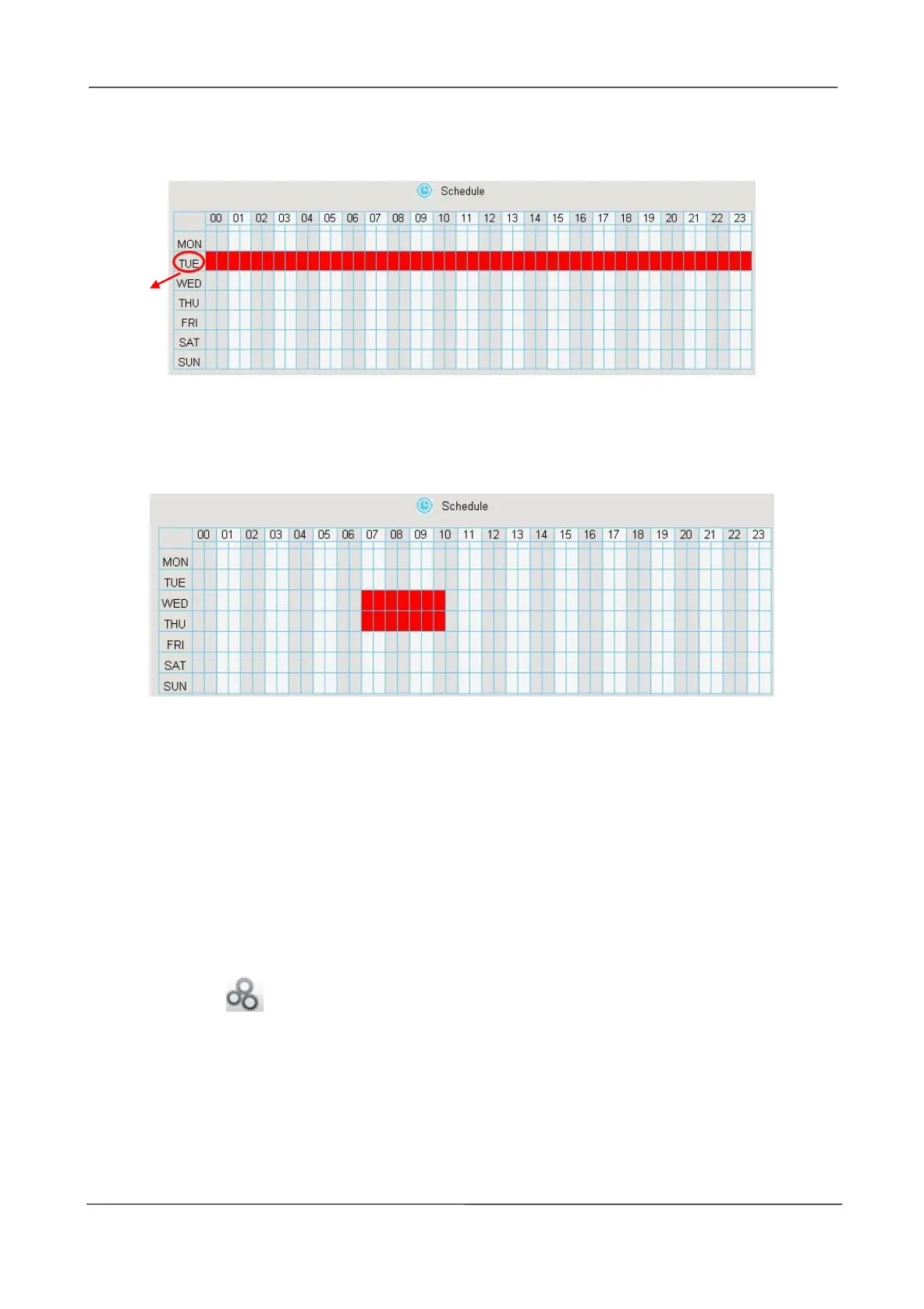
For example, click TUE, the all column of TUE turns to red, that means during Tuesday whole day,
when something moving in the detection area, the camera will alarm.
Choose the Certain Time Period
Press the left mouse and drag it on the time boxes, you can select the serial area.
Step7 Click Save button to take effect.
When the motion has been detected during the detection time in the detection area, the NVR will
alarm and adopt the corresponding alarm linkage.
Note: You must set the detection area and detection schedule, or else there is no alarm anywhere
and anytime.
-------End
Other Alarm
Step1 Choose (Parameter Configuration) > Alarm > Other Alarm, The Other Alarm page
is displayed.



 To Next Page