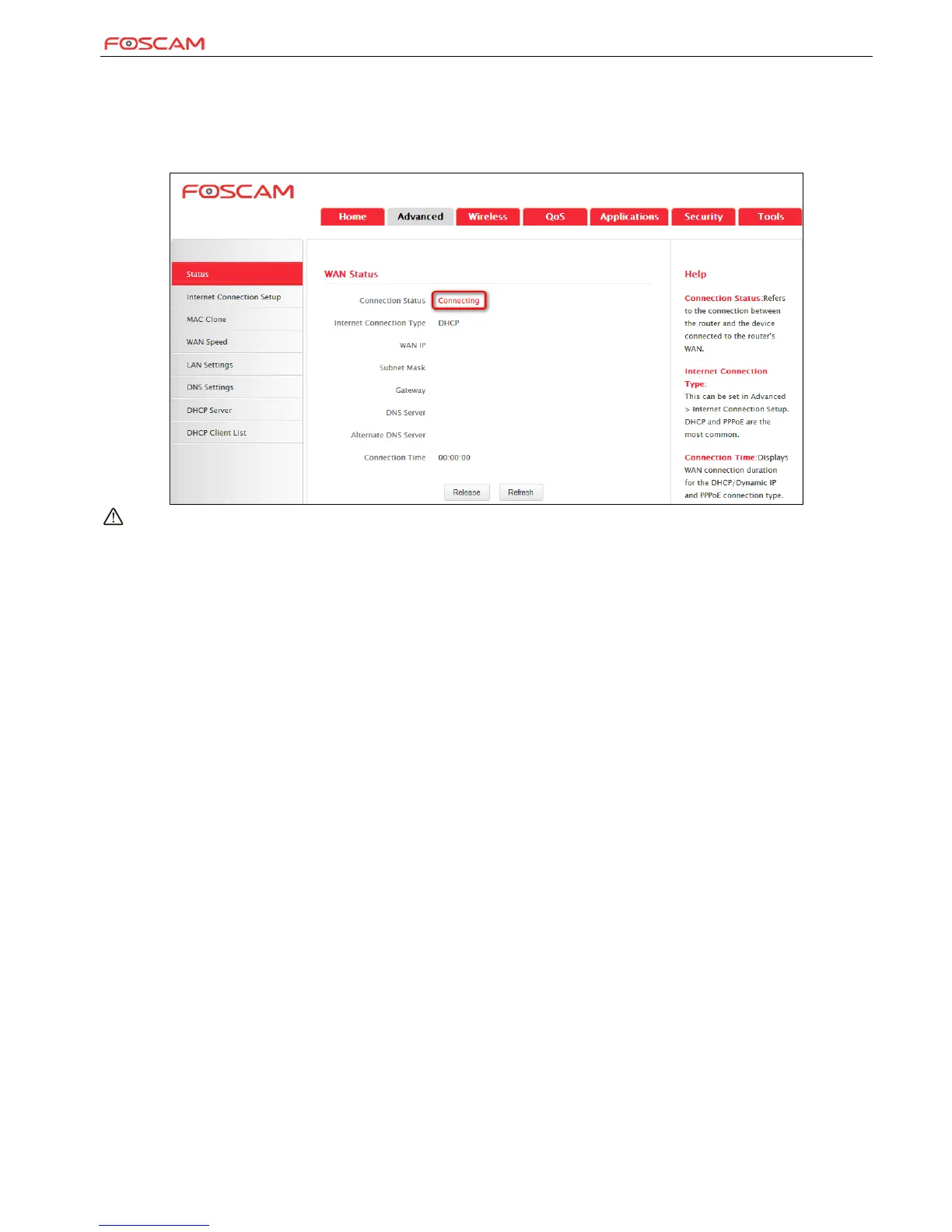
3. If "Connecting" is displayed and no WAN IP address is seen, try refreshing the page five times. And if it still displays "Connecting" try steps
below:
1). Contact your ISP for assistance if you are using the DHCP connection type.
2). Read the connection diagnostic info on WAN status.
Note:
Below diagnostic info will be displayed on particular occasions for your reference:
Yo u have connected to the Internet successfully.
You might have entered a wrong user name and/or a wrong password. Please contact your ISP for the correct user name and password and
enter them again.
Ethernet cable is not connected or not properly connected to the WAN port on the device. Please reconnect it properly.
No response is received from your ISP. Please verify that you can access the Internet when you directly connect your PC to an
Internet-enabled modem. If not, contact your local ISP for help.


 To Next Page