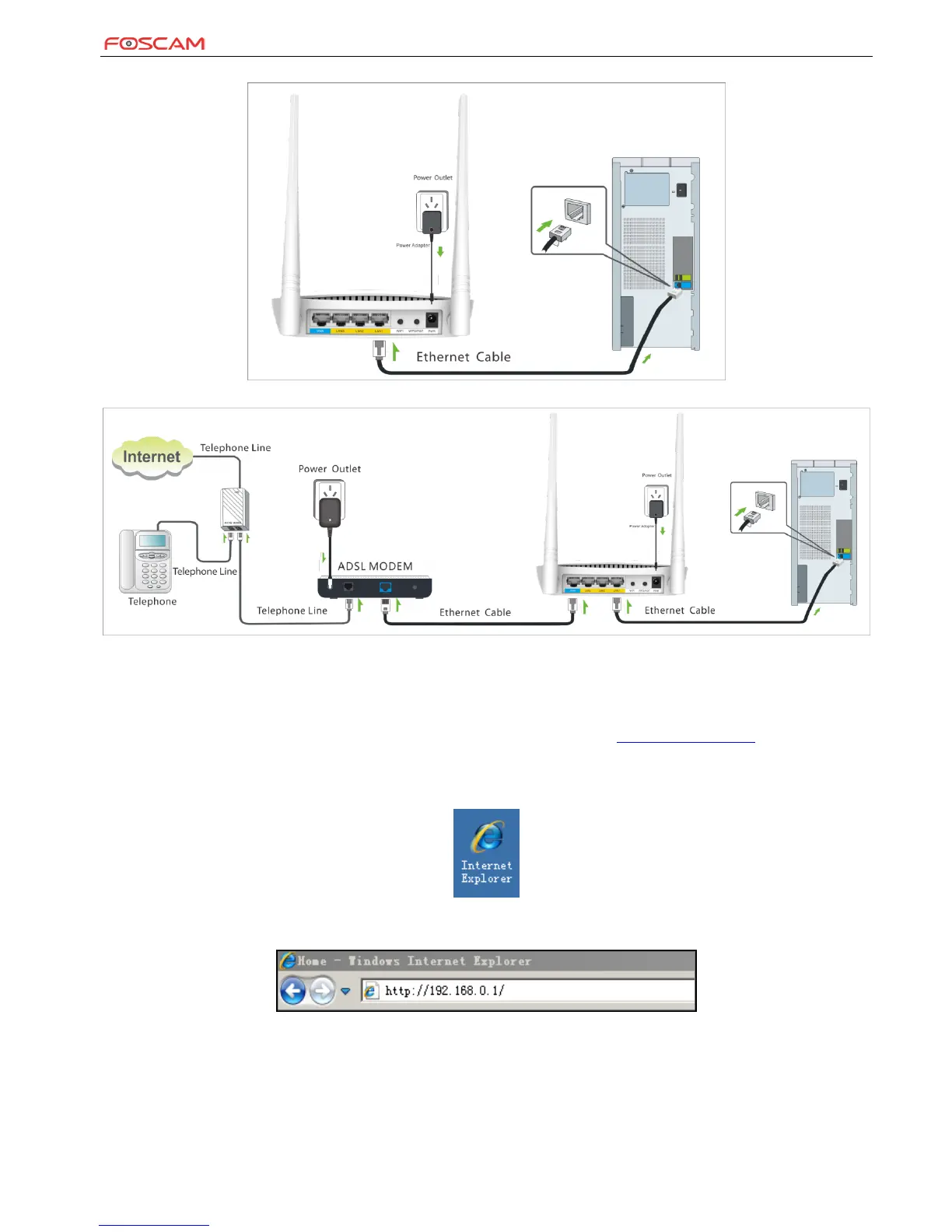
2. Connect one of the LAN ports on the Device to the NIC port on your PC using an Ethernet cable.
3. Connect your router’s WAN port to the existing modem’s RJ45 port (usually blue) with an Ethernet cable.
4. Log in to Web manager to set up Internet connection.
2 Internet Connection Setup
2.1 Configure PC
Configure your PC obtain IP address automatically. If you are not clear about this, please refer to Appendix 1 Configure PC.
2.2 Log in to Web Manager
1. Launch a web browser, such as IE Web browser;
2. In the address bar, input 192.168.0.1 and press Enter;


 To Next Page