Wireless N300 High power Router
.
Chapter 1 Product Overview
1 Package Contents
Unpack the box and verify that the package contains the following:
Wireless N300 High Power Router
Power Adapter
Install Guide
Ethernet Cable
Resource CD
If any of the above items is incorrect, missing, or damaged, please contact your reseller for immediate replacement.
2 Getting to Know Your Router
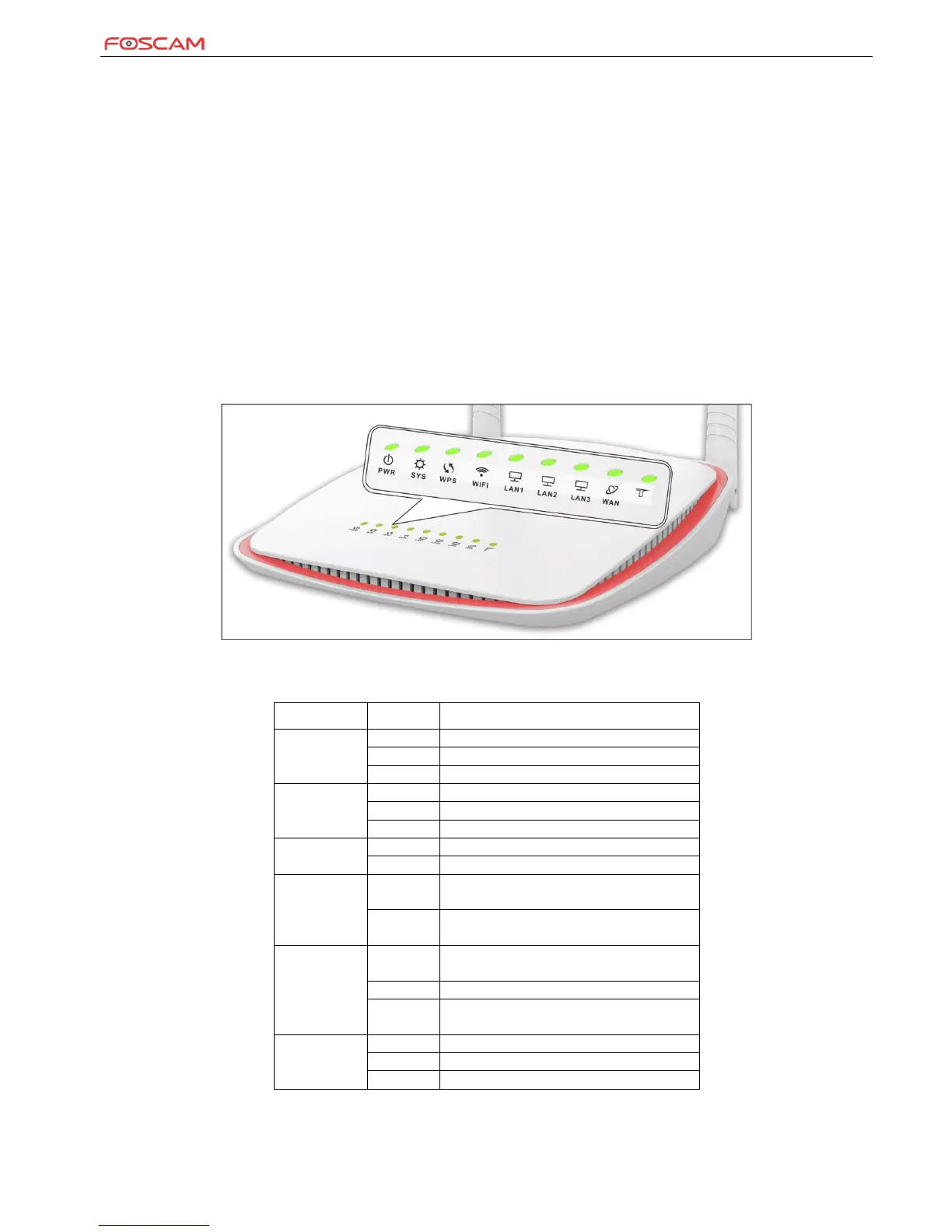
Before you cable your router, take a moment to become familiar with the front and back panels and the label. Pay particular attention to the
LEDs on the front panel.
◈ Front Panel
LED Overview:
LAN port connected correctly
LAN port is transferring data.
LAN port connected incorrectly
WAN port connected correctly
WAN port is transferring data.
WAN port connected incorrectly
Indicates system is functioning properly
Indicates system is functioning improperly
Indicates a proper connection to the power
supply
Indicates an improper connection to the
power supply
Device is performing WPS authentication on
a client device.
WPS is disabled or WPS authentication
finished.


 To Next Page