4 Connect to Device Wirelessly
Having finished above settings, you can search the device's wireless network (SSID) from your wireless devices (notebook, iPad, iPhone, etc)
and enter a security key to connect to it wirelessly.
Windows 7
1. If you are using Windows 7 OS, do as follows:
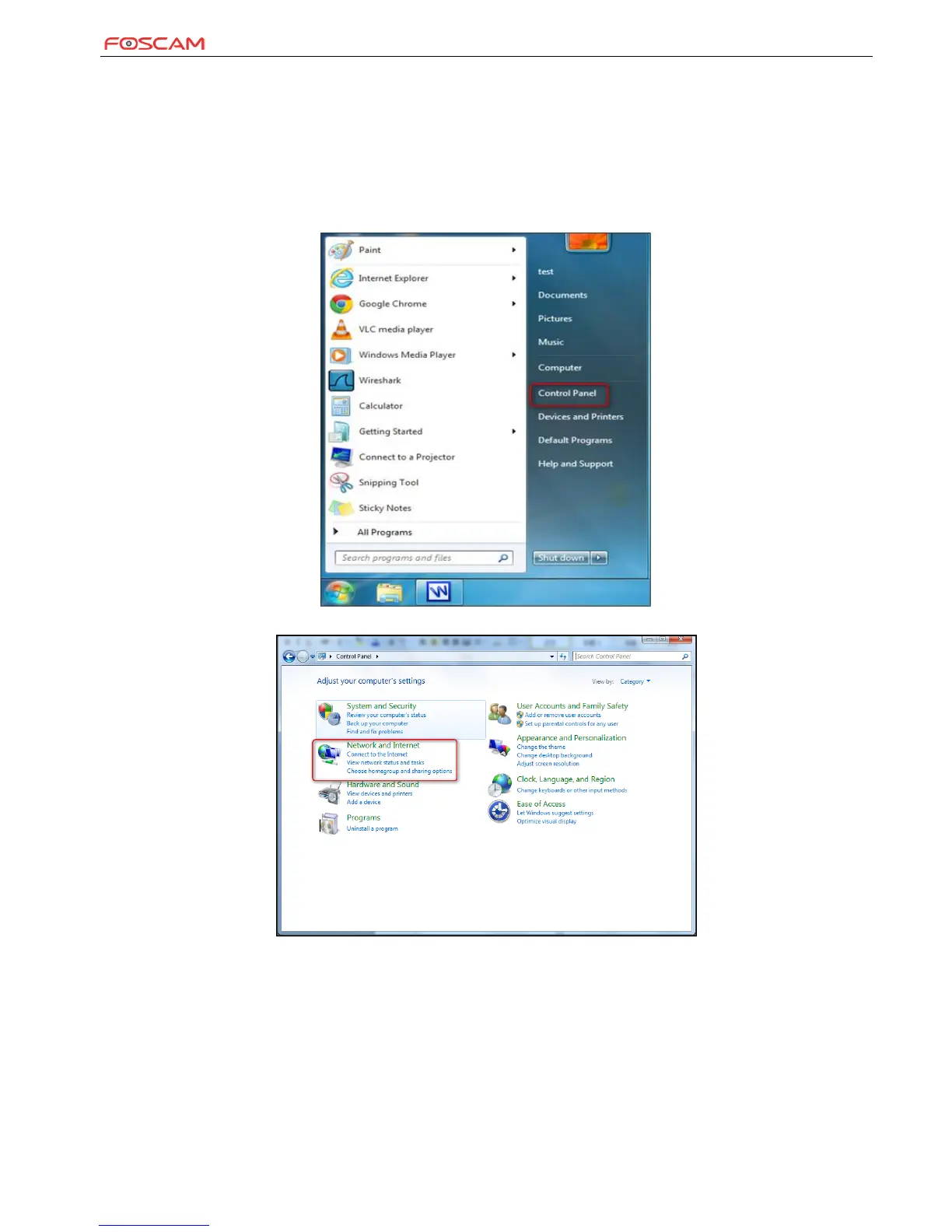
1) Click Start and select Control Panel.
2) Click Network and Internet.


 To Next Page