3 Verify Internet Connection Settings
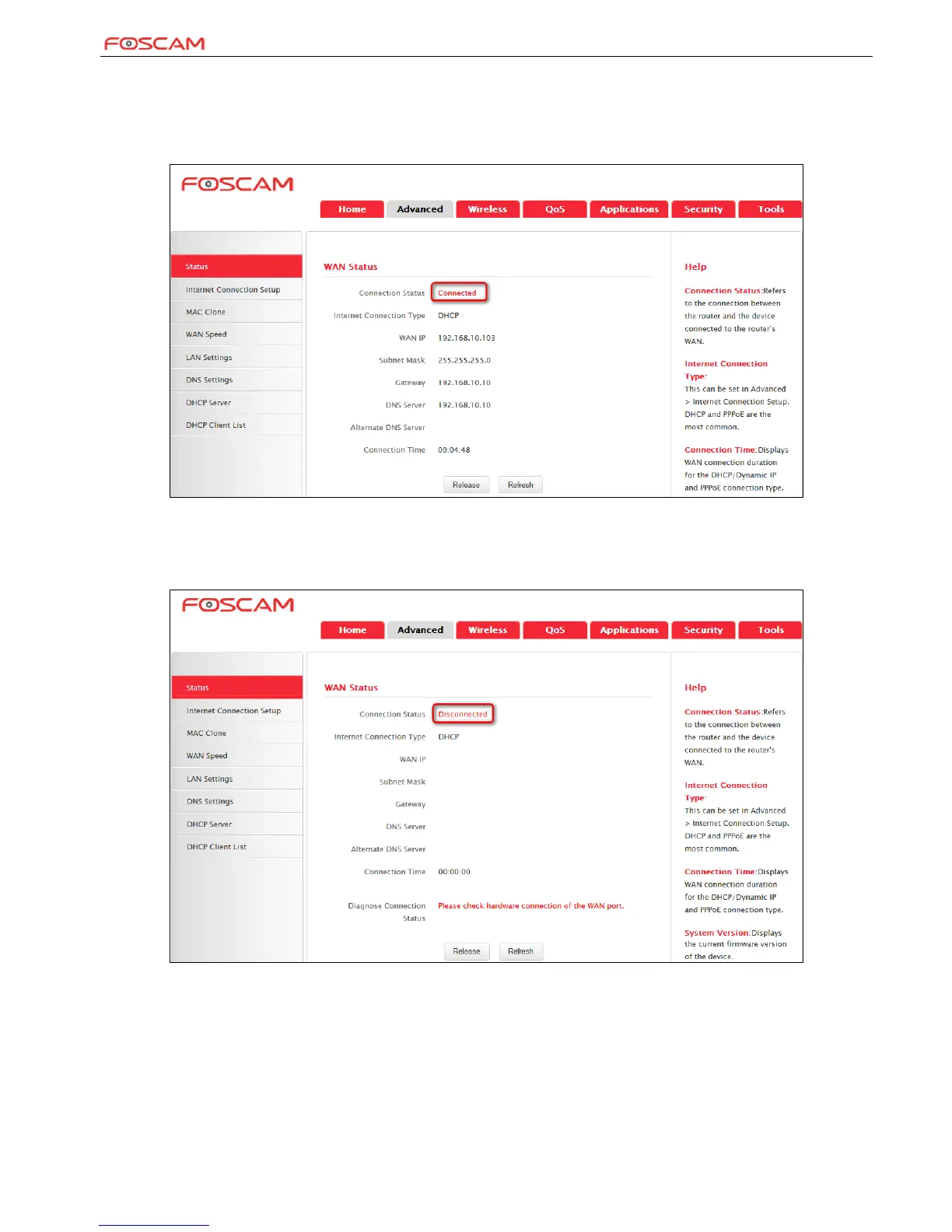
System automatically skips to the status page when you finish all needed settings on the home page. Here you can see the system status and
WAN connection status of the device.
1. If you find "Connected" and a WAN IP address displayed there (as shown below), you have got a wired internet access now.
2. If connection status displays "Disconnected" and there is no WAN IP address displayed (as seen below), connection between the
Internet-enabled modem and your device may have failed. Please double check or re-connect all involved devices and cables properly and then
refresh the page. If nothing is wrong, "Connecting" or "Connected" will be displayed.


 To Next Page