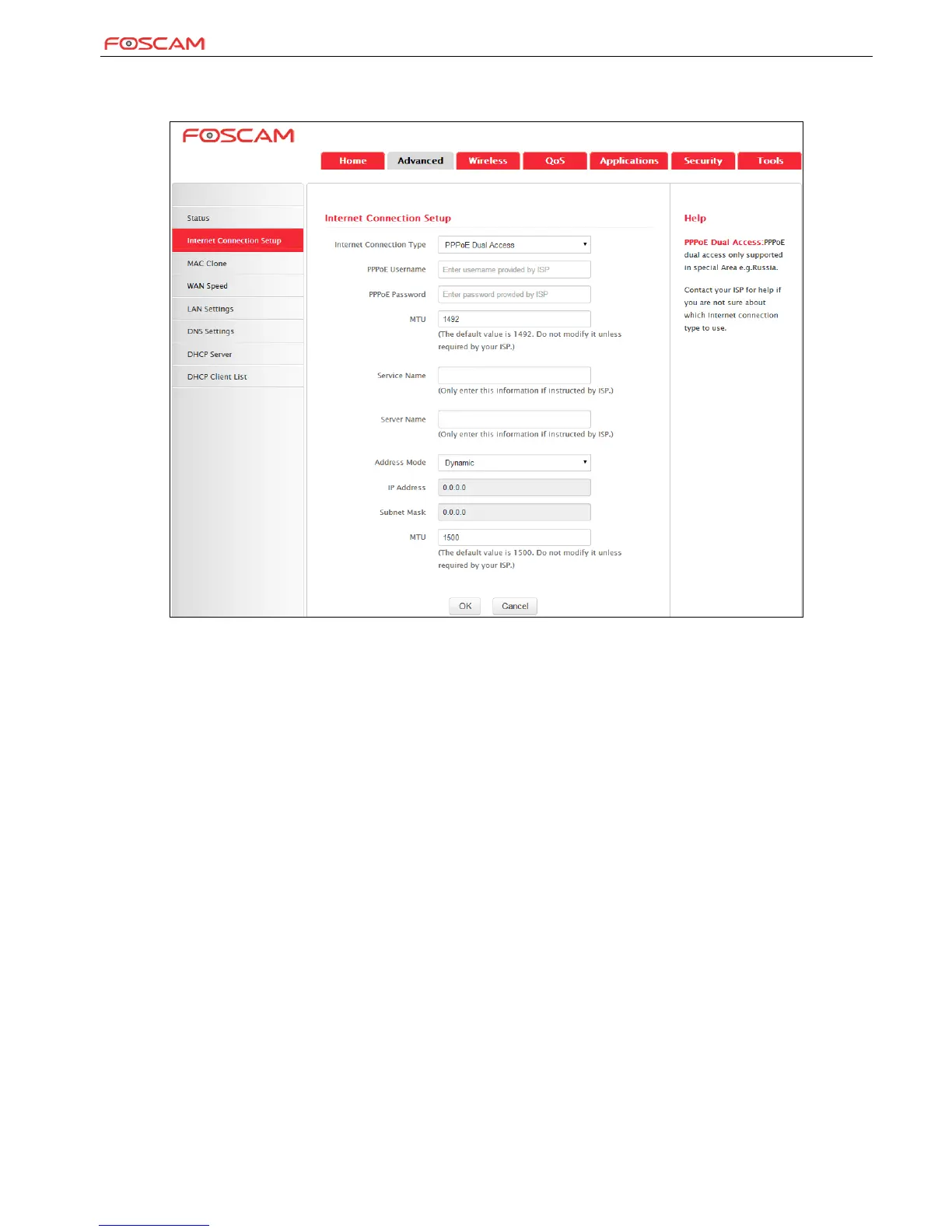
PPPoE Dual Access
PPPoE dual access only supported in special Area e.g. Russia.
Internet connection Type: Displays the current Internet connection type.
PPPoE User Name: Enter the User Name provided by your ISP.
PPPoE Password: Enter the password provided by your ISP.
MTU: Maximum Transmission Unit. DO NOT change it from the factory default value unless necessary.
Service Name: Description of PPPoE connection. Leave blank unless otherwise required.
Server Name: Description of server. Leave blank unless otherwise required.
Address Mode: Select "Dynamic" if you don’t get any IP info from your ISP, otherwise select "Static". Consult your ISP if you are
not clear.
IP Address: Enter the IP address provided by your ISP. Consult your ISP if you are not clear.
Subnet mask: Enter the subnet mask provided by your ISP.


 To Next Page