WDS Bridge Mode
Wireless distribution system (WDS) is a system enabling the wireless interconnection of access points in an IEEE 802.11 network. It allows a
wireless network to be expanded using multiple access points without the traditional requirement for a wired backbone to link them. Note: The
Access Points you select must support WDS.
For example:
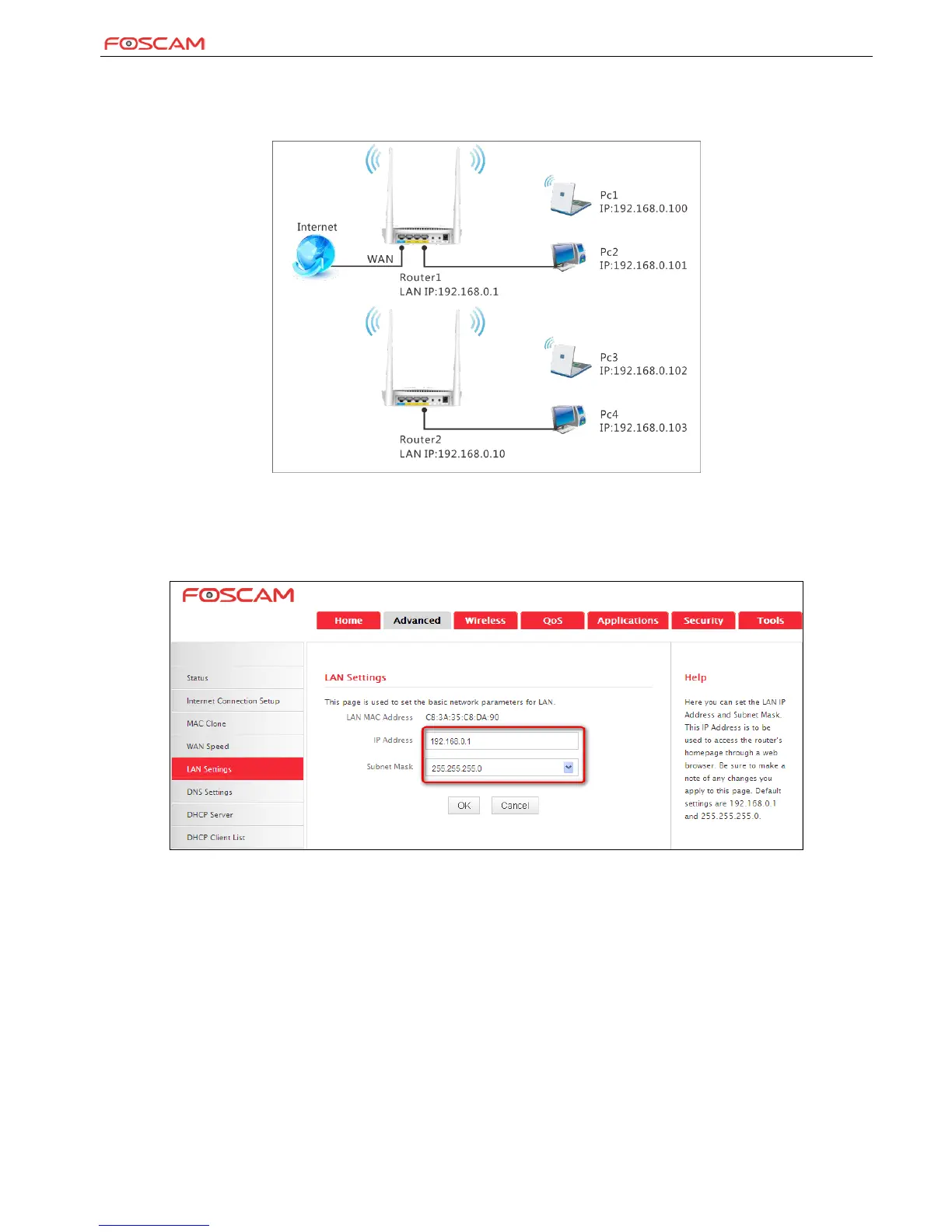
As seen in the figure above, PC1 and PC2 access the Internet via a wireless connection to Router 1. While PC3 and PC4 are too far to directly
connect to Router 1 for Internet access. Now you can use the WDS bridge feature to let PC3 and PC4 access the Internet.
Before you get started:
1. View and note down the wireless security settings: security mode, cipher type, security key, etc. on Router 1; Click Status>LAN Settings and
check the IP address.
2. Click Wireless>Wireless Basic Settings to check router one’s wireless basic settings.


 To Next Page