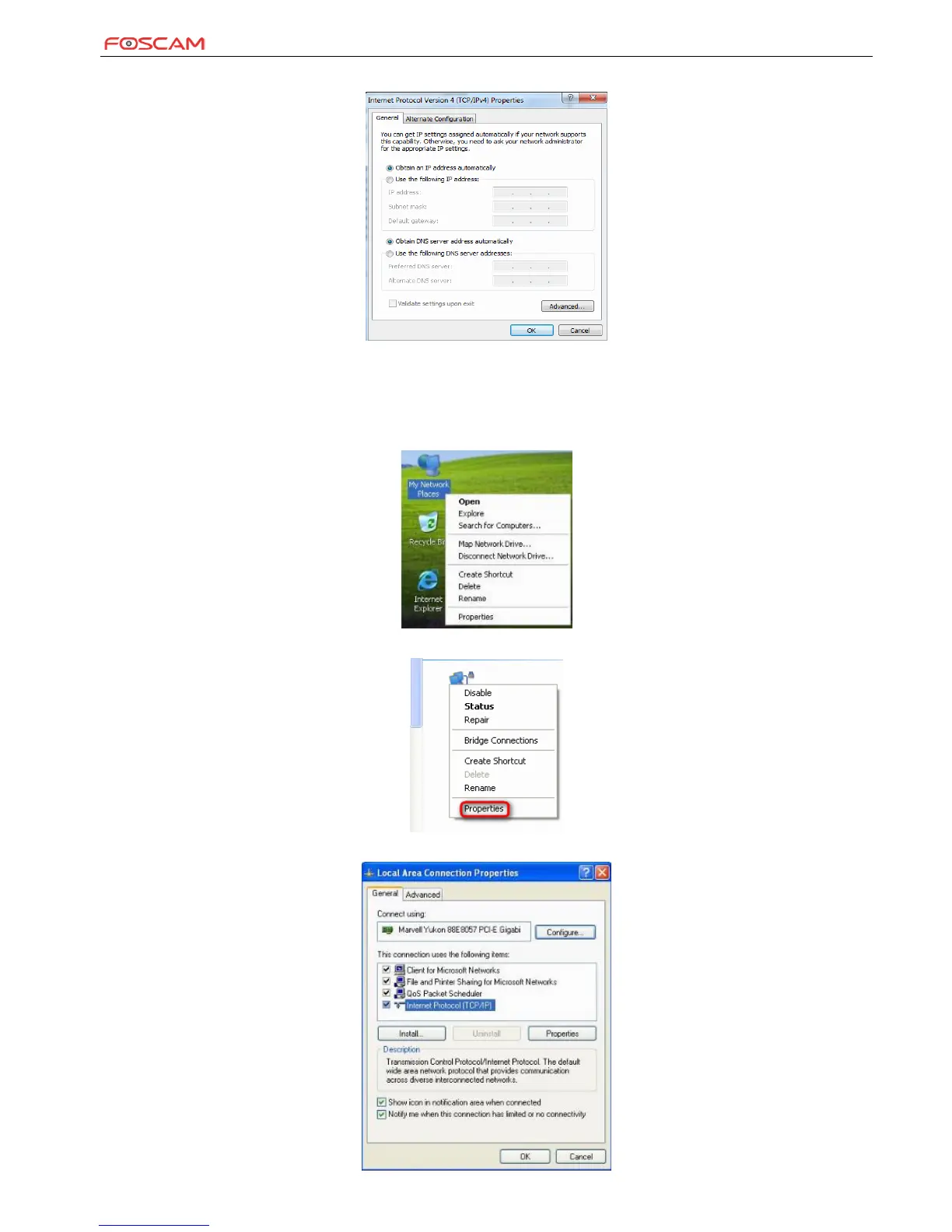
Step 5: Select Obtain an IP address automatically and Obtain DNS server address automatically and click OK.
Step 6: Click OK on the Local Area Connection Properties window (see Step 4 for the screenshot).
Windows XP
Step 1: Right click My Network Places on your desktop and select Properties.
Step 2: Right click Local Area Connection and select Properties.
Step 3: Scroll down to find and double click Internet Protocol (TCP/IP).


 To Next Page