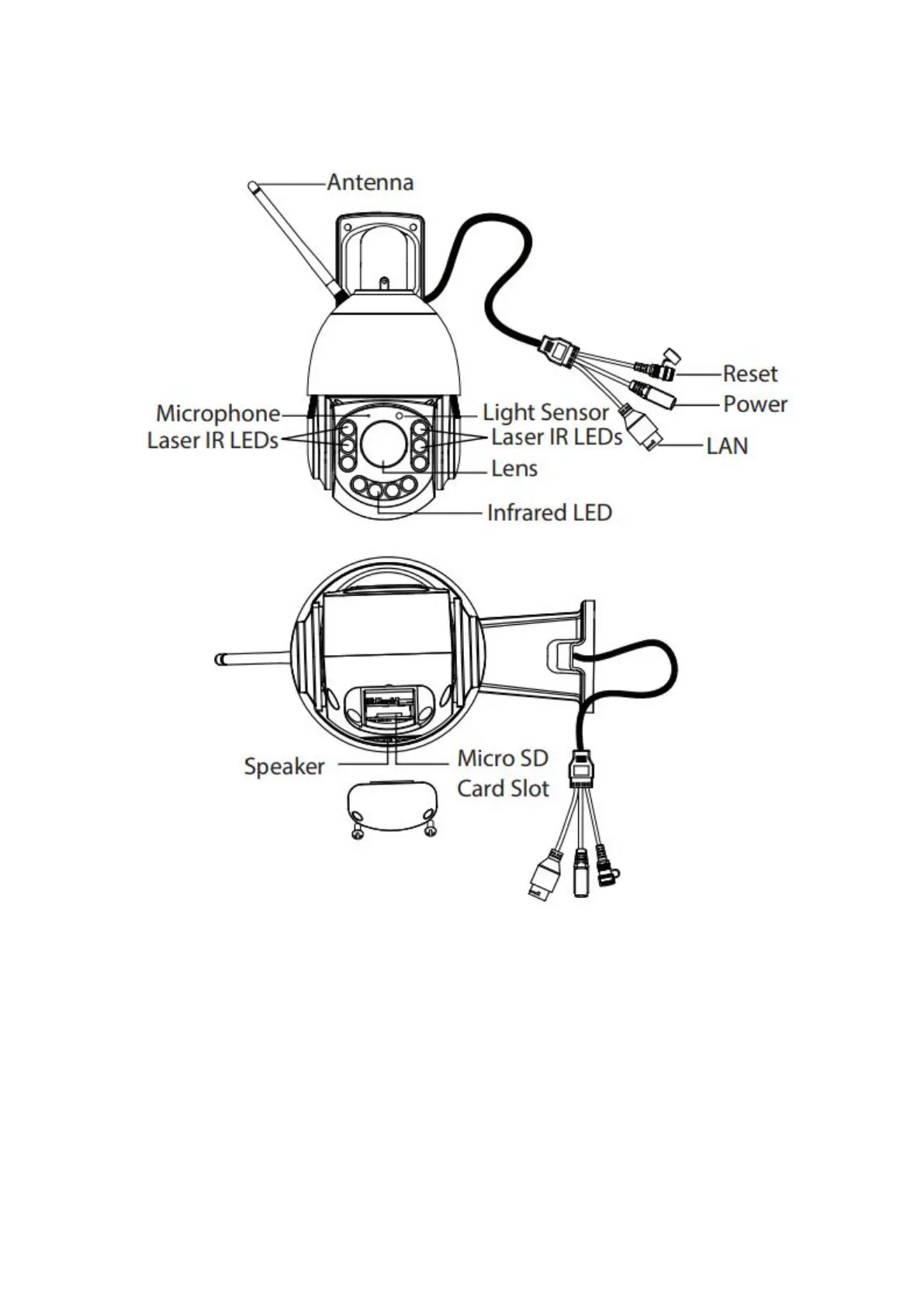
1.4 Physical Description
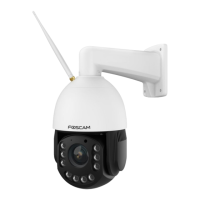
LED: 6pcs Infrared-LEDs + 4pcs Laser LEDs, night Vision range up to 200 meters (656ft).
Lens: High Definition Color CMOS Sensor sensor with zoom lens.
Antenna: Wireless Antenna
Power: Connect the external power adapter, request for 12V / 4A power.
LAN: 10/100M adaptive Ethernet interface. Through this interface, IP camera can be connected with various
network devices, such as hub, router, etc.
Reset Button
Press and hold on the reset button for 5 seconds. Releasing the reset button, the password will back to the
factory default administrator password. The default administrator user is admin with no password.


 To Next Page