FFAAPP VV11
Calibration
2255
You are ready to begin Calibration.
Start by playing track one while seated in the listening position. Track one will allow you to locate each
surround channel in your system and determine whether the cabling to your amplifiers and speakers
are correct. The track will begin with the Center Front (CF) speaker and rotate around in a clockwise
direction, each test tone will play for approx. 5 seconds before moving to the next channel. If you find
there are any errors in your cabling take corrective action to ensure you are hearing the proper
information through the different surround speaker channels. Track two will provide a nose sequencer,
which will pan through all surround channels with duration of one second at each channel location.
Track three will provide the same noise sequencer with duration of 5 seconds at each channel location.
Once speaker locations have been verified you are ready to move on to speaker Sound Pressure Level
(SPL) level calibrations.
Sound Pressure Level (SPL) level calibrations
Proper SPL (Sound Pressure Level) calibration is critical to ideal system performance. The SPL of all
surround speakers in your system should measure within 1dB (Decibel) of each other. Experiment with
level settings to determine any personal preferences you have regarding channel SPL levels. Some people
prefer the rear channels a bit louder than others.
To complete the speaker SPL level calibration you will need the following tools:
• Test Disc tracks 4-9
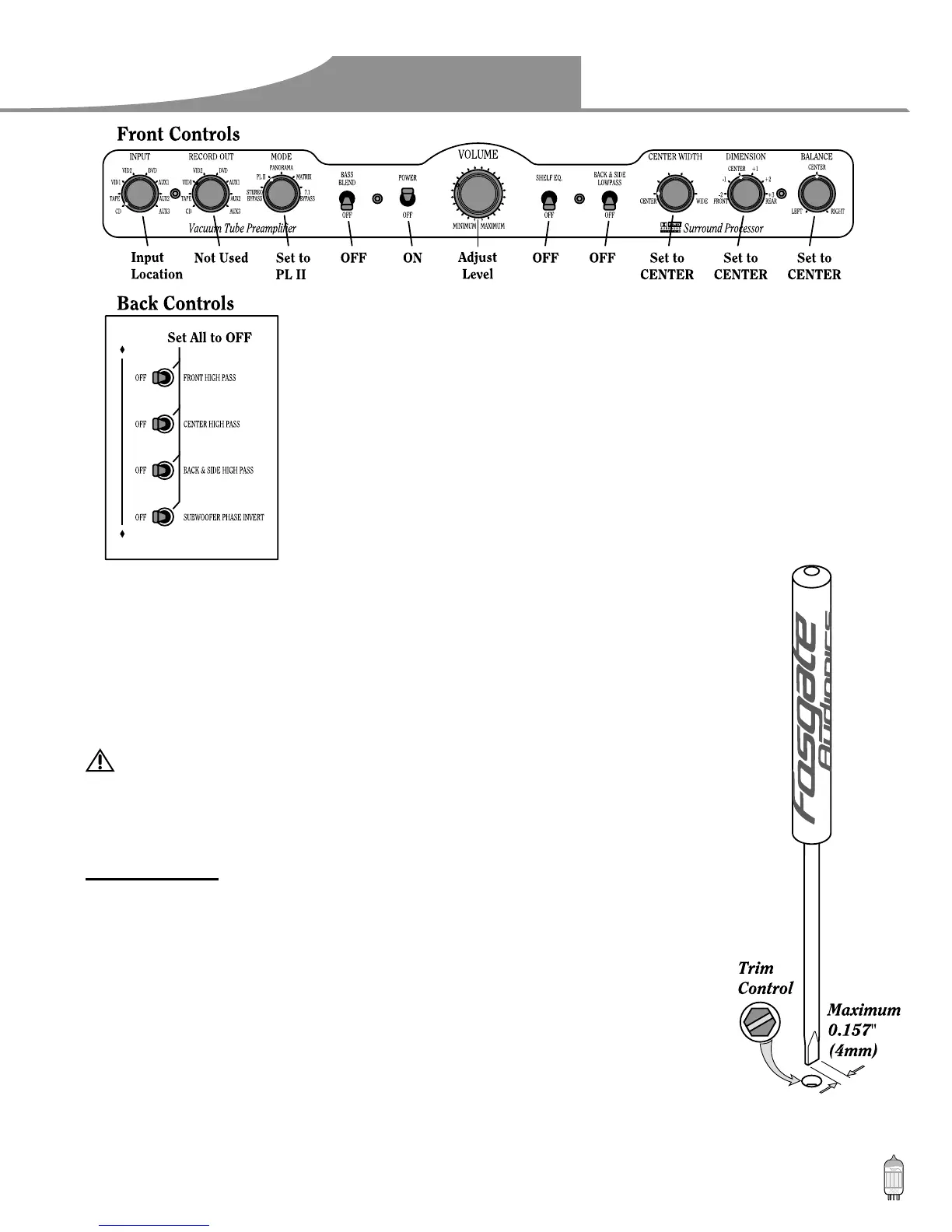
• Screwdriver included with your FAP V1 (or small slotted screwdriver – 4mm wide tip maximum)
CAUTION! DO NOT insert the screwdriver into any opening of the unit other than the
channel adjustment trim control points. There is risk of severe shock.
• SPL meter (Radio Shack Cat. No. 33-2050) or RTA meter
• Friend or helpful family member
Getting Started:
First pick an SPL target figure. Many people find a level between 75 and 85dB comfortable and effective
for calibration. Ensure you choose a safe SPL level to calibrate your speakers to, levels above 105dB can
become damaging to your hearing. For example purposes we will use 80dB as our target SPL level.
Step 1: Ask your friend or family member to either hold the SPL meter or stand near the FAP V1 to
adjust the channel level trim controls. (You will perform the other task).
Step 2: Position the SPL meter at ear level while seated at the listening position. Locate the meter
directly in front of your face. The meter will need to be turned on and set to “A” Weighting
with fast response. Ensure the meter is set to read SPL levels within your target SPL range
(80dB for our example purposes).
Step 3: Que track 4 on the test disc. As it plays you will need to adjust the master volume level
control on your FAP V1 until you begin to see SPL readings within your target SPL range.
Adjust the volume level until your SPL level is as close as possible to the target SPL level, you
will now make fine adjustments to the trim level controls to reach the exact target SPL level.


 To Next Page