EasyManua.ls Logo

Fosi Audio BT10A - User Manual

Fosi Audio BT10A
12 pages
Print Icon
To Next Page IconTo Next Page
Loading...
Thanks for choosing us!
Fosi Audio BT10A User Manual
Question and Answer IconNeed help?

Do you have a question about the Fosi Audio BT10A and is the answer not in the manual?

Summary

Product Specifications

Product Overview & Controls

Front Panel Controls

Details the power indicator, bass, treble, and volume/power controls on the front.

Back Panel Connections

Identifies AUX input, antenna interface, speaker output, and DC input on the back.

Package Contents

Quick Setup Guide

Connection Methods

Speaker Wire and Banana Plug Connection

Illustrates bare wire and banana plug methods for connecting passive speakers.

Bluetooth Device Pairing

Step-by-step guide to connect and play audio wirelessly via Bluetooth.

3.5 mm AUX Connection

Troubleshooting Common Issues

Speaker Compatibility & Turntable Issues

Covers speaker impedance, passive speakers, and turntable preamp requirements.

Power & Indicator Problems

Troubleshoots issues related to the power indicator not lighting up.

Sound Quality & Interference

Addresses cracking noise, electric interference, and headphone compatibility.

Input Switching & No Sound Output

Explains switching between Bluetooth/AUX and resolving no audio output.

Bluetooth Pairing & Stability

Addresses Bluetooth pairing failures and intermittent connection problems.

Operation, Power & Sound Adjustments

Clarifies knob functions, standby power, and improving sound quality.

Usage & Limitations

Covers unplugging advice, standby power, and channel bridging limitations.

Connectivity, Microphones & Model Differences

Details TV connection, microphone input, sound cut-outs, and model comparisons.

Warranty Information

About Fosi Audio

Overview

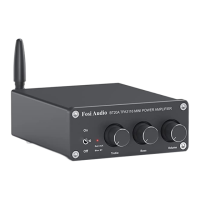
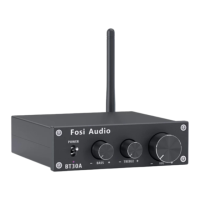
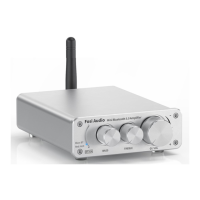
The Fosi Audio BT10A is a Hi-Fi wireless stereo 2-channel amplifier designed for home audio systems, offering both Bluetooth 5.0 and 3.5mm AUX input options. This mini power amplifier is equipped with bass and treble controls, allowing users to fine-tune their audio output. Its compact design makes it practical for various setups while delivering powerful sound. The amplifier is intended for customers who prioritize high-fidelity sound in their home audio experience.

Function Description

The primary function of the Fosi Audio BT10A is to amplify audio signals for passive speakers. It supports two main input modes: Bluetooth 5.0 for wireless streaming and a 3.5mm AUX input for wired connections. The amplifier delivers 50W x 2 output, making it suitable for driving a range of passive speakers.

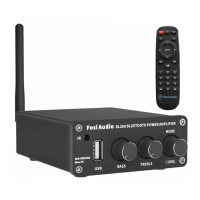
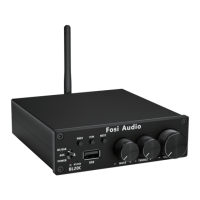
The front panel of the BT10A features several controls for easy operation. A power indicator light shows the device's status, illuminating blue for Bluetooth mode and red for AUX mode. The multi-function knob serves as both a volume control and a power switch. Turning the knob clockwise powers on the device and increases the volume, while turning it counter-clockwise decreases the volume and eventually powers off the unit. Dedicated bass and treble control knobs allow users to adjust the low and high frequencies of the audio output, enabling personalized sound profiles.

On the back panel, the amplifier provides the necessary interfaces for connecting to speakers and power. It includes a 3.5mm AUX input jack for connecting audio sources via a cable. A Bluetooth antenna interface is present for attaching the included antenna, which enhances the wireless reception range. The speaker output terminals are designed for passive speakers, accommodating either bare speaker wires or banana plugs. Finally, a DC input jack is provided for connecting the external power supply.

Usage Features

Setting up the Fosi Audio BT10A is straightforward. Before connecting the power supply, it is crucial to ensure that the volume/power switch is in the OFF position.

For connecting speakers, two methods are supported: bare wire connection and banana plug connection. For bare wire connection:

  1. Release the horn terminals block terminals.
  2. Insert the two ends of the speaker wire into the amplifier and speaker terminal holes.
  3. Tighten the horn terminals. It is important to ensure that the positive and negative speaker wires do not touch each other, as this can lead to no sound output.

For banana plug connection:

  1. Release the banana jacket.
  2. Loosen the screw.
  3. Insert the speaker wire and tighten the screw.
  4. Tighten the banana jacket.
  5. Insert the banana plug into the horn terminals of both the speaker and the amplifier. Similar to bare wire connections, care must be taken to prevent the positive and negative speaker wires from contacting each other.

To use the Bluetooth input:

  1. Install the Bluetooth antenna to the BT10A.
  2. Turn on Bluetooth on your audio device (e.g., phone) and search for "Fosi Audio" or "Fosi Audio BT10A."
  3. After connecting, the indicator light on the amplifier will show blue.
  4. Open your audio application and start playing music. The Bluetooth transmission distance is up to 50ft (15m).

To use the 3.5mm AUX input:

  1. Connect your audio device to the BT10A's AUX interface using a 3.5mm AUX cable (or a 3.5mm AUX to RCA cable if needed for certain devices).
  2. After connecting, the indicator light on the amplifier will show red.
  3. Open your audio application and start playing music.

The BT10A features an input priority system: Bluetooth input takes precedence over the 3.5mm AUX input. If Bluetooth is connected, playback from the AUX input will be interrupted. To use the AUX input when Bluetooth is paired, you must first turn off Bluetooth on your connected device.

The amplifier is designed to work with any 2-8 Ω passive speakers. It is not compatible with powered speakers or subwoofers.

Maintenance Features

The Fosi Audio BT10A is designed for durability, but some maintenance considerations and troubleshooting tips are provided to ensure optimal performance and longevity.

Troubleshooting for common issues:

  • Low volume with a turntable: If connecting a turntable, ensure it has a built-in preamp and that the preamp is switched on. If the turntable does not have a built-in preamp, an external phono preamp must be added before connecting to the BT10A.
  • Power indicator not lighting up:
    • Check that the AC power cord is securely connected to both the power supply and an AC power outlet.
    • Verify that the AC power outlet is supplying power and that the power LED on the power supply is on.
    • If necessary, try replacing the power supply with another 9-24V DC power supply. If the power supply is confirmed defective, contact customer support for an exchange.
  • Cracking sound or electric noise:
    • Ensure all cables are fully pushed into their respective devices; incomplete connections can cause cracking.
    • Remove all inputs and check if the cracking noise disappears. The noise might originate from the audio source or input cables.
    • If not using the original factory standard power supply, replace it with the original or a high-quality alternative. Many aftermarket power supplies can have high interference coefficients, leading to current noise.
  • No sound from the amplifier:
    • Confirm that the power supply cable is connected to the BT10A and that the power indicator light is on.
    • Ensure the BT10A and all source components are turned on and not set to minimum volume. Try replacing the audio source to test.
    • Check that speaker wire connections from the audio source to each speaker are correctly made and secure. Loose or damaged cables are a common cause of no sound.
    • If using AUX input, ensure Bluetooth is not paired, as Bluetooth takes priority. You may need to disconnect Bluetooth first.
  • Bluetooth device cannot pair:
    • Verify that the BT10A is powered on.
    • Ensure the BT10A is not already paired with another device.
    • Reduce the distance between your device and the BT10A and ensure there are no obstacles that could interfere with the Bluetooth signal.
    • Try pairing with a different Bluetooth audio source.
    • Reconnect the power supply to the BT10A and try moving the amplifier to another room.
    • Restart the BT10A and attempt to connect again, possibly with a different Bluetooth device.
  • Intermittent Bluetooth connection:
    • Try using another Bluetooth device.
    • Ensure there is no interference from other electronic devices between the BT10A and the audio source.
    • Place your device closer to the BT10A.
    • Plug in the power adapter again.
  • Poor sound quality:
    • Ensure all cables are fully connected.
    • Adjust the treble and bass controls to achieve the desired tone.
    • Try changing the sound source and cables to test for improvements.
  • Sound cutting in and out:
    • Try reducing the volume of the sound source.
    • Change the audio source to test.
    • Reduce the volume of the treble and bass knobs on the BT10A.
    • Ensure that the positive and negative poles of the speaker output do not touch each other, especially with larger banana plugs that might easily cause a short circuit.

General Maintenance and Care:

  • Power Management: The BT10A is a Class D amplifier, consuming very low power in standby mode. It is safe to leave it connected all the time without significant power consumption. However, if the amplifier will not be used for an extended period, it is recommended to unplug the power cord to protect it from potential damage due to lightning strikes.
  • Compatibility: The BT10A cannot be connected to headphones; it only supports passive speakers.
  • Bridging: This amplifier cannot be bridged to combine channels for higher wattage output.
  • TV Connection: The 3.5mm AUX jack can be used to connect to a TV's audio output.
  • Bluetooth Microphone: The BT10A can accept a signal from a Bluetooth microphone if the microphone acts as a Bluetooth transmitter, as the amplifier functions as a Bluetooth receiver.

Fosi Audio products come with an 18-month limited warranty on parts and labor from the date of purchase. For any problems or support, customers can contact Fosi Audio's customer support via email.

Fosi Audio BT10A Specifications

General IconGeneral
TypeBluetooth Amplifier
Output Power50W x 2
Bluetooth Version5.0
Frequency Response20Hz - 20kHz
Signal to Noise Ratio≥ 98dB
InputRCA, Bluetooth
SNR≥ 98dB
Frequency Range20Hz - 20kHz
Speaker Impedance4Ω - 8Ω
Power Output (4Ω)50W x2
Bluetooth ChipCSR
OutputSpeaker Output
Power AdapterDC 19V (Included)
Bluetooth Range33 feet

Related product manuals