EasyManua.ls Logo

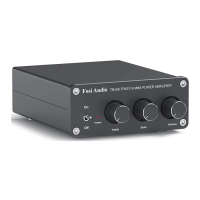
Fosi Audio DA2120A User Manual

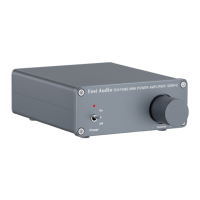
Fosi Audio DA2120A
2 pages
To Next Page IconTo Next Page
Page #1 background imageLoading...
Page #1 background image
English Fosi Audio Hi-Fi Home Amplifier DA2120A
Troubleshooting
No sound
- Check the correct input mode is selected at the power amplifier terminal.
- Check the speaker terminal / banana head contact for short circuit, please use
bare wires to connect the device.
- Check that the TV / DVD / other device's audio output is PCM output. The device
does not allow DTS / Dolby output.
Noise
- Check the power plug for poor contact. Replace the socket or power supply for
testing.
- Please unplug the signal cable to check whether the noise is still emitted, check
whether the signal cable is damaged or dirty, use shielded signal cable.
Insufficient power
- The maximum output power of the amplifier can reach 50W x2 @ 4ohm, suitable
for 2-8ohm, the larger the impedance, the power will gradually decay.
Optical failure
- Check that the optical interface is free of dirt and clogging.
- Check that the optical cable is not folded.
- Multiple plug tests to ensure a good connection.
Question and Answer IconNeed help?

Do you have a question about the Fosi Audio DA2120A and is the answer not in the manual?

Fosi Audio DA2120A Specifications

General IconGeneral
BrandFosi Audio
ModelDA2120A
CategoryAmplifier
LanguageEnglish

Summary

Troubleshooting

No sound

Check input mode, speaker connection, and PCM output settings for no audio issues.

Noise

Troubleshoot noise by checking power plug, signal cable integrity, and using shielded cables.

Insufficient power

Amplifier power output varies with impedance (50W x2 @ 4ohm, 2-8ohm range).

Optical failure

Check optical interface cleanliness, cable folds, and connection for optical signal problems.

Bluetooth failure

Verify Bluetooth input, device limits (2), and transmission distance (65ft/20M).

Related product manuals