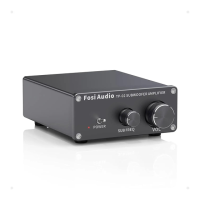
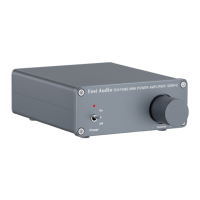
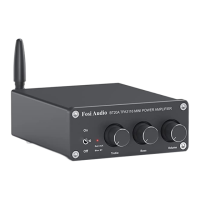
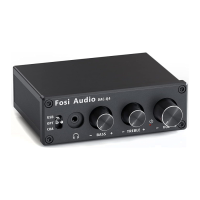
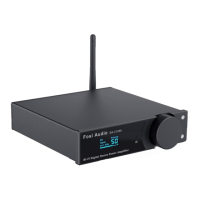
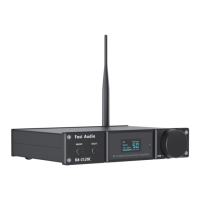
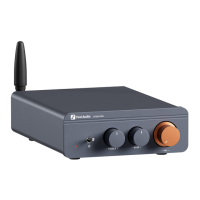
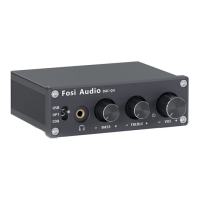
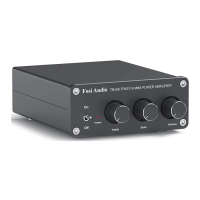
The Fosi Audio TB10A is a Hi-Fi stereo 2-channel mini power amplifier designed for home audio enthusiasts who seek high-fidelity sound. It features 100W x 2 output and is equipped with bass and treble controls, offering a simple, compact, yet powerful design.
Function Description:
The TB10A serves as a stereo power amplifier, taking an RCA audio input and amplifying it for passive speakers. It includes controls for power, treble, bass, and volume, allowing users to fine-tune their audio experience. The amplifier is designed to be user-friendly with a straightforward setup process.
Important Technical Specifications:
- Audio Input: RCA Input
- Power Supply: 24V 4.5A (included)
- Power Supply Voltage Range: 12V-24V
- THD (Total Harmonic Distortion): ≤ 0.5%
- SNR (Signal-to-Noise Ratio): ≥ 98dB
- Frequency Range: 20Hz - 20kHz (±1 dB)
- Input Sensitivity: ≤ 280mV
- Terminating Impedance: 2Ω-8Ω
- Output Power: 100W + 100W
- Product Size: 130 x 100 x 35 mm
- Product Weight: 650g
Usage Features:
Quick Setup:
- Preparation: Gather the TB10A amplifier, 24V power supply, passive speakers, and speaker wires or banana plugs.
- Speaker Connection: Connect the TB10A to the passive speakers using speaker wire or banana plugs.
- Power Connection: Connect the 24V power supply to the DC input on the amplifier.
- Power On: Toggle the power switch on the front panel upwards to turn on the TB10A amplifier.
- Note: Ensure the volume/power switch is in the OFF position before connecting the power supply.
Speaker Wire Connection Methods:
- Preparation: Have an audio source (e.g., phone), an RCA cable, or a 3.5mm AUX to RCA cable (if needed for your device).
- Connection: Connect your phone (or other audio source) to the TB10A via a 3.5mm to RCA cable.
- Indicator: After a successful connection, the input mode indicator light will turn red.
- Playback: Open your audio application, play music, and enjoy.
- Note: Keep the TB10A away from other electrical devices. The TB10A cannot be used simultaneously with a radio due to potential noise interference.
Troubleshooting / QA:
- Speaker Compatibility: Works best with any 2-8 Ω passive speakers. Not for powered speakers or subwoofers.
- Noise with Radio: Class D amplifiers can cause serious noise when used with or too close to a radio. It's not recommended to use them together.
- Turntable Connection / Low Volume:
- If the turntable lacks a built-in preamp, an external phono preamp is required before connecting to the TB10A.
- If the turntable has a built-in preamp, ensure it is switched on before connecting.
- Power Indicator Not Lit:
- Check secure connection of AC power cord to power supply and outlet.
- Verify the AC power outlet is supplying power and the power LED on the power supply is on.
- Try a different 12-24V DC power supply.
- If the power supply is defective, contact support for exchange.
- Cracking Sound / Electric Noise:
- Ensure all cables are fully inserted.
- Remove all inputs to check if the noise disappears, as it may originate from the audio source or input cables.
- If not using the original factory power supply, replace it for testing. Many aftermarket power supplies have high interference coefficients.
- Headphone Use: The TB10A does not support headphones; it only supports passive speakers.
- No Voice from Amplifier:
- Check power supply cable connection and confirm the power indicator is on.
- Ensure the TB10A's indicator light is on when powered.
- Verify the TB10A and source components are on and not set to minimum volume. Try a different source if possible.
- Check correct wire connections from the audio source to each speaker.
- Ensure cables are not loose or damaged, as incomplete connections are a common cause of no sound.
- Standby Power Consumption: As a Class D amplifier, it consumes very low power in standby mode and can be left on safely without significant power consumption.
- Sound Quality Issues:
- Ensure all cables are fully connected.
- Adjust treble and bass controls for the desired tone.
- Try changing the sound source and cables for testing.
- Unplugging Power Cord: Unplug the power cord if the item will not be used for a long time to prevent damage from lightning strikes.
- Bridging Channels: This amplifier cannot be bridged to achieve 200 watts.
- Connecting to TV: The TB10A can be connected to a TV via its RCA input.
- TV Remote Volume Control: The TV's remote control does not control the amplifier's volume. Volume must be adjusted manually using the amplifier's volume control buttons. The signal size from the TV will affect the amplifier's sound output.
- Sound Cutting In/Out:
- Reduce the sound level of the audio source.
- Try a different audio source.
- Reduce the volume of the treble and bass knobs on the TB10A.
- Ensure positive and negative poles of the speaker output do not touch, as large banana plugs can easily touch and cause a short circuit.
- Subwoofer Connection: If you have a Fosi Audio subwoofer amp or a 2.1 channel amplifier with a sub output, you can connect a subwoofer. However, with a 2.0 channel amp like the TB10A, you cannot connect a subwoofer.
- Exchanging Power Supply for More Power: The TB10A comes with a 24V 4.5A power supply, sufficient for most bookshelf speakers. For more power, you can use a 24V 8A or 24V 10A power supply (voltage range DC12-24V).
- International Use: The wide voltage AC 110-240V power input allows use in any country; only the power cord adapter needs to be matched to the corresponding country.
Maintenance Features:
The manual does not explicitly detail maintenance features beyond troubleshooting common issues and recommending proper cable connections. It implies that ensuring secure connections and using appropriate power supplies are key to maintaining optimal performance and preventing faults. The 18-month limited warranty covers parts and labor, suggesting that any significant issues requiring repair should be handled by contacting customer support.


 To Next Page
 General