
 Need help?
Do you have a question about the Fosi Audio T3 and is the answer not in the manual?
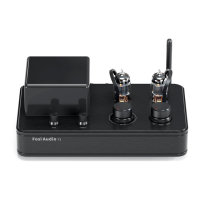
Illustrates and labels the control knobs and tubes on the top surface of the T3 amplifier.
Shows and explains the various input/output ports and the power switch on the rear of the T3.
The Fosi Audio T3 is a Hi-Fi Bluetooth stereo 2.1-channel tube amplifier designed to enhance your audio experience by delivering warm and natural sound quality. This user manual provides comprehensive instructions for operating and maintaining the T3, ensuring you get the most out of your purchase.
The T3 Tube amplifier serves as a central hub for your audio setup, offering multiple input options and a robust output to drive your speakers and headphones. Its primary function is to amplify audio signals, imparting the characteristic warmth and richness associated with tube amplification, while its solid-state power amplifier section ensures superb audio fidelity and efficiency.
The Fosi Audio T3 is designed for ease of use, offering intuitive controls and versatile connectivity options.
To begin using your T3, first ensure all necessary connections are made. The amplifier operates on AC110-240V, making it suitable for various power environments.
Locate the power switch on the real panel of the amplifier. Turn it on to power up the device.
The T3 offers multiple input sources: Bluetooth (BT), AUX1, and AUX2. A source selector knob on the top panel allows you to switch between these inputs.
Upon booting, the T3 Tube Amplifier defaults to Bluetooth mode and automatically enters pairing mode.
The T3 supports up to two stereo line output sources via its RCA inputs, labeled "AUX 1/AUX2."
The large knob on the top panel is the master volume control. Rotate it clockwise to increase the volume and counter-clockwise to decrease it.
The T3 features dedicated bass and treble knobs on the top panel. These allow you to fine-tune the low and high frequencies of your audio to match your preferences or the acoustics of your listening environment.
The T3 is designed to work with passive speakers. Connect your speakers to the speaker output terminals on the real panel. Ensure proper polarity (+ to + and - to -) for optimal sound. The amplifier supports 4-8Ω passive speakers.
For enhanced bass, the T3 includes an active subwoofer output. Connect an active subwoofer to this output for a more immersive audio experience. Note that this output does not support passive subwoofers.
The T3 also functions as a headphone amplifier. Plug your headphones into the headphone output jack on the real panel. When headphones are plugged in, the speaker output connections are automatically disengaged, allowing for private listening. The T3 is capable of driving most headphones to deliver a colossal sound stage and effortless dynamic range.
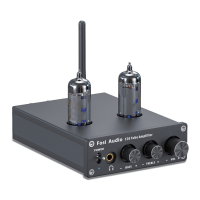
The T3 incorporates two 6F2 tubes, which are visible on the top panel. These tubes are integral to the amplifier's warm and natural sound signature.
Proper maintenance and troubleshooting can help ensure the longevity and optimal performance of your Fosi Audio T3 amplifier.
No Sound from Amplifier:
Cracking Sound or Electric Noise:
Intermittent Bluetooth Connection:
Bluetooth Device Cannot Pair with T3:
Always use the original factory standard power supply provided with the T3. Using third-party power supplies with high interference coefficients can lead to unwanted current noise.
The T3 is designed for passive speakers with an impedance of 4-8Ω. Ensure your speakers meet these requirements for optimal performance and to prevent damage to the amplifier.
If you encounter any problems or have suggestions for the product, Fosi Audio provides dedicated customer support. You can reach them via email at support@fosiaudio.com. Additional resources, including their website (www.fosiaudio.com), Amazon store (www.amazon.com/fosiaudio), Youtube channel (Fosi Audio), and Facebook page (Fosi Audio), are available for further assistance and information.
By following these guidelines, you can ensure a smooth and enjoyable experience with your Fosi Audio T3 Tube amplifier, bringing the sound to your heart with its rich and engaging audio performance.
 General
| Product Type | Tube Amplifier |
|---|---|
| Input | RCA, Bluetooth |
| Output | Speaker Output |
| Power Supply | DC24V/4.5A |
| Power Output | 50W x2 @4Ω |
| Bluetooth Chip | QCC3031 |
| Frequency Response | 20Hz-20kHz |

 To Next Page