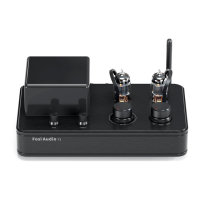
Need help?
Do you have a question about the Fosi Audio T10 and is the answer not in the manual?
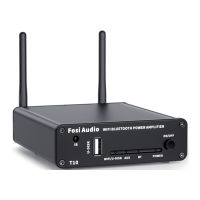
Details the IR receiver, USB interface, indicator lights, and power switch located on the front panel.
Explains the function and behavior of the device's indicator lights and the ON/OFF power switch.
Describes the 3.5mm AUX input and Ethernet LAN input ports for audio and network connectivity.
Details PRE-OUT signal, speaker outputs for passive speakers, and the DC power input socket.
Covers Wi-Fi/Bluetooth antenna ports and the WPS/MODE selection buttons for mode management.
Details controls for playback, volume adjustment, and track skipping on the remote.
Explains bass, treble adjustments, and mode selection functions via the remote.
Covers the power switch and mute button functionalities of the remote control.
Outlines the necessary steps and items for preparing the T10 amplifier setup.
Illustrates the method for connecting speaker wires using bare wire terminals.
Provides steps for connecting speaker wires using banana plugs.
Step-by-step instructions for pairing and using Bluetooth devices with the T10.
Guide for connecting audio sources via the 3.5mm AUX input.
Instructions for connecting via Ethernet and Wi-Fi networks.
Steps to connect and use the T10 via Wi-Fi using the Muzo APP.
How to play music directly from a USB flash drive.
Instructions for pairing the T10 with the Muzo APP for network control.
Explains how to name devices and manage them within the Muzo APP.
Details sync playback, search, favorites, and local music management features in the Muzo APP.
Lists supported music streaming services like Spotify, Tidal, and Qobuz.
Instructions on how to use Airplay for audio streaming from Apple devices.
Explains how to set up a 2.1 channel system using the T10's outputs.
Discusses controlling multiple speakers in different rooms via the Muzo APP.
Provides solutions for cracking or electric noise issues, checking connections and power supply.
Guides on playing music using Wi-Fi, multi-room setups, and various apps.
Addresses connecting headphones and using multiple phones with the T10.
Explains Spotify streaming (iOS/Android) and troubleshooting Bluetooth pairing issues.
Solves the problem of not finding the Wi-Fi name by using the WPS/MODE button.
Provides steps to troubleshoot a non-working audio channel in specific modes.
Addresses the safety and power consumption of leaving the T10 powered on continuously.
 General
| Type | Tube Amplifier |
|---|---|
| Frequency Response | 20Hz - 20kHz |
| Input Impedance | 47kΩ |
| Bluetooth Version | 5.0 |
| Frequency Range | 20Hz - 20kHz |
| Speaker Impedance | 4Ω - 8Ω |
| Outputs | Speaker Outputs |
| Total Harmonic Distortion | <0.1% |
| THD | <0.1% |
| Input Mode | Bluetooth, RCA |
| Bluetooth Chip | QCC3031 |
| Output Impedance | 4-8Ω |

 To Next Page