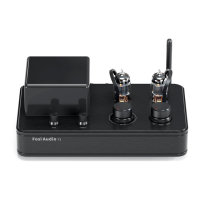
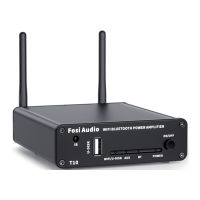
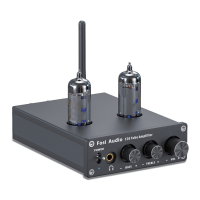
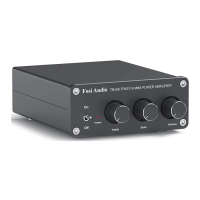
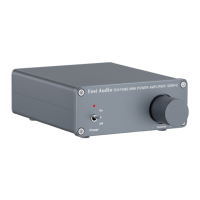
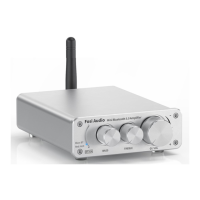
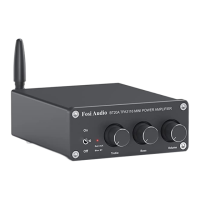
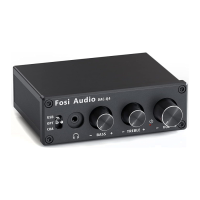
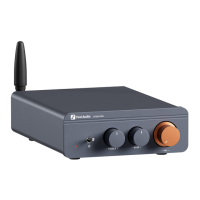
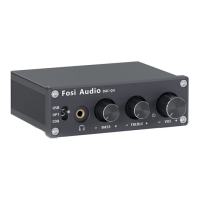
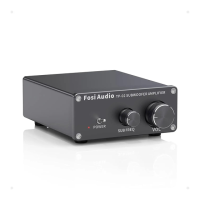
The Fosi Audio TP-02 is a compact yet powerful Hi-Fi stereo mono channel subwoofer amplifier designed to enhance your home audio experience. It delivers a delicate and clear sound, allowing for immersive music enjoyment.
Function Description:
The TP-02 functions as a dedicated subwoofer amplifier, capable of driving both passive and active subwoofers. It takes an RCA input signal and amplifies it to power your subwoofer, providing a robust bass foundation for your audio system. The amplifier features controls for power, subwoofer frequency, and overall volume, giving you precise command over your sound output. Its design focuses on delivering high-quality bass performance within a compact form factor, making it suitable for various home audio setups.
Usage Features:
Setting up the Fosi Audio TP-02 is straightforward. To begin, ensure you have the TP-02 amplifier, a 24V power supply, a passive or active subwoofer, and either speaker wires or banana plugs.
-
Connecting to a Passive Subwoofer: The TP-02 connects to a passive subwoofer using speaker wires. You can either use bare wire connections or banana plugs.
- Bare Wire Connection: To connect using bare wire, first release the horn terminals on the amplifier. Insert the two ends of the speaker wire into the amplifier's and speaker's terminal holes, then tighten the horn terminals securely. It's crucial to ensure the speaker wire does not touch the chassis and that positive and negative poles do not come into contact, especially given the relatively small space.
- Banana Plug Connection: For banana plugs, release the banana jacket, loosen the screw, insert the speaker wire, tighten the screw, and then tighten the banana jacket. Finally, insert the banana plug into the horn terminals of both the speaker and the amplifier. When using banana plugs, exercise caution to prevent contact between the two plugs, as some are metal-cased and could cause a short circuit.
-
Connecting the Power Supply: Connect the included 24V power supply to the DC Input on the back of the amplifier.
-
Powering On: Before connecting the power supply, always ensure the TP-02's power switch on the front panel is in the "down" (off) position to avoid a "POP" sound from your subwoofer. Once the power supply is connected, toggle the power switch upwards to turn on the amplifier.
-
Volume Control: Before powering on or connecting the power supply, it is highly recommended to turn the volume control to 0 (fully counter-clockwise) to protect your hearing from sudden loud sounds.
-
Adjusting Subwoofer Frequency: The "SUB FREQ" knob on the front panel allows you to adjust the crossover frequency for your subwoofer, enabling you to fine-tune how the subwoofer integrates with your main speakers and the overall bass response.
-
Volume Adjustment: The "VOL" knob controls the overall output volume of the subwoofer.
Troubleshooting and Common Issues:
- No Power Indicator Light: If the power supply indicator is not illuminated, first check if the AC power cord is securely connected to both the power supply and the AC outlet. Verify if the power LED on the power supply itself is on. If not, the power supply might be faulty and may need replacement.
- No Sound Output: If there's no sound from the amplifier, ensure the AC outlet is active, the amplifier and connected devices are turned on, and speaker wire connections are secure. Confirm the power supply cable is connected to the amplifier and its power LED is on. Also, make sure the volume/power knob on the front panel is turned on and not set to minimum.
- Serious Noise with Radio: Class D power amplifiers, like the TP-02, can sometimes cause noise when used near a radio. It's advisable to avoid using the TP-02 with a radio or placing it too close to one.
- Cracking Sound or Electric Noise:
- A buzzing sound when touching the volume knob or amplifier case is normal due to the aluminum construction; it should disappear when your hand is removed.
- Ensure all cables are fully inserted into their respective devices, as incomplete connections can cause cracking.
- Unplug all signal input cables to check if the cracking noise disappears. If it persists, the issue might be with the amplifier.
- Using a non-standard power supply can introduce interference. Always use the original factory standard power supply or a high-quality replacement to avoid noise.
- Interference Sound with Signal Line: If unshielded signal lines are used, interference signals can enter the amplifier. Using shielded signal lines or unplugging them can resolve this.
- Amplifier Stops Working (Overheat Protection): If the amplifier stops working and then works again after a while, it's likely due to overheat protection. This occurs if the output power exceeds the designed range. Lowering the volume can help prevent this.
- Standby Power Consumption: The TP-02, being a Class D amplifier, consumes some power in standby mode. It can generally be left on, but for extended periods of non-use, it's good practice to turn it off.
- Volume Differences with Different Devices: The output voltage varies between different audio sources (e.g., mobile phones vs. CD players). This difference in signal output amplitude directly affects the perceived volume, even if the amplifier's volume setting remains constant.
- Sound Quality Not Good Initially (Break-in Period): Speakers and amplifiers often require a "break-in" period. The sound quality, especially at high frequencies, may not be optimal at first but typically improves after more than 10 hours of operation as the components settle.
- Poor Sound Quality: If the sound quality is not good, try turning down the volume of the input device and turning up the volume of the amplifier.
- Distortion: Ensure your subwoofer is passive (if connected to the passive output). Unplug the RCA input and connect the amplifier directly to a subwoofer and power supply, then switch it on and turn up the volume. Listen for noise or hum. If present, the issue could be with the amplifier or subwoofer. If not, the problem might be with your RCA cable or source device, in which case, try exchanging them. Also, verify all cables are fully inserted to prevent distortion from incomplete connections.
- Power Supply and Output Wattage Discrepancy: The stated 220 watts is the 'Peak' output. The continuous RMS power output is lower (e.g., 150 watts at 4Ω, 120 watts at 8Ω with the standard 24V 4.5A power supply, which provides a maximal continuous power of 108 watts). Capacitors can provide temporary peak boosts. For higher continuous power, upgrading to a more powerful 24V 8A or 24V 10A power adapter is recommended.
- Sound Cuts In or Out: Reduce the sound level of your source device. Ensure that the positive and negative poles of the speaker output do not touch each other, especially with larger banana plugs that might easily short circuit. Try testing with a different audio source to isolate the problem.
- Low Volume: Recheck the volume on your source device and turn up the amplifier's volume, ensuring it's not set to minimum. Verify if your device requires a pre-amplifier, especially if using a turntable (some turntables have built-in phono preamps, others do not).
- International Use: The TP-02 supports a wide voltage input (AC 110-240V), making it usable in any country. You only need to match the power cord adapter to the local power supply.
Maintenance Features:
The Fosi Audio TP-02 is designed for reliability, but proper usage and attention to connections contribute to its longevity.
- Secure Connections: Always ensure all cables, especially speaker wires and power connections, are securely and correctly inserted. Loose or improper connections can lead to performance issues, noise, or even damage.
- Power Down Safely: Always turn down the volume and switch off the amplifier before connecting or disconnecting any cables or the power supply to prevent sudden "POP" sounds and protect your equipment.
- Avoid Overheating: While the amplifier has overheat protection, consistently running it at excessively high volumes or beyond its designed range can trigger this protection and potentially reduce its lifespan. Operate within reasonable volume levels.
- Cable Management: Use shielded signal lines to minimize interference, especially in environments with other electronic devices. Proper cable routing can also prevent accidental disconnections or shorts.
- Power Supply Integrity: Use the original or a high-quality, compatible power supply. Inferior power supplies can introduce noise and may not provide stable power, affecting performance and potentially damaging the unit.
- Break-in Period: Allow for a break-in period of over 10 hours for optimal sound quality, as components settle and perform at their best.
By following these guidelines, you can ensure the Fosi Audio TP-02 provides a consistent and high-quality audio experience for your home subwoofer system.


 To Next Page
 General