EasyManua.ls Logo

Fostex A-2 - Recording and Playback; Recording Additional Tracks

Fostex A-2
18 pages
Print Icon
To Next Page IconTo Next Page
To Previous Page IconTo Previous Page
Loading...
RECORDING
AND
PLAYBACK
WHAT
KIND
OF
TAPE
TO
USE
A
7"
reel
of
1
mil
tape,
which
is
about
1800
feet
long
(550
meters),
plays
for
22
minutes
at
the
standard
15
ips
(38
cm/s)
speed
of
the
Model
A-2.
Tapes
thinner
than
1
mil
are
not
recommended
since
they
are
more
susceptible
to
wear,
stretching
and
breakage.
LOADING
TAPE
ON
THE
TRANSPORT
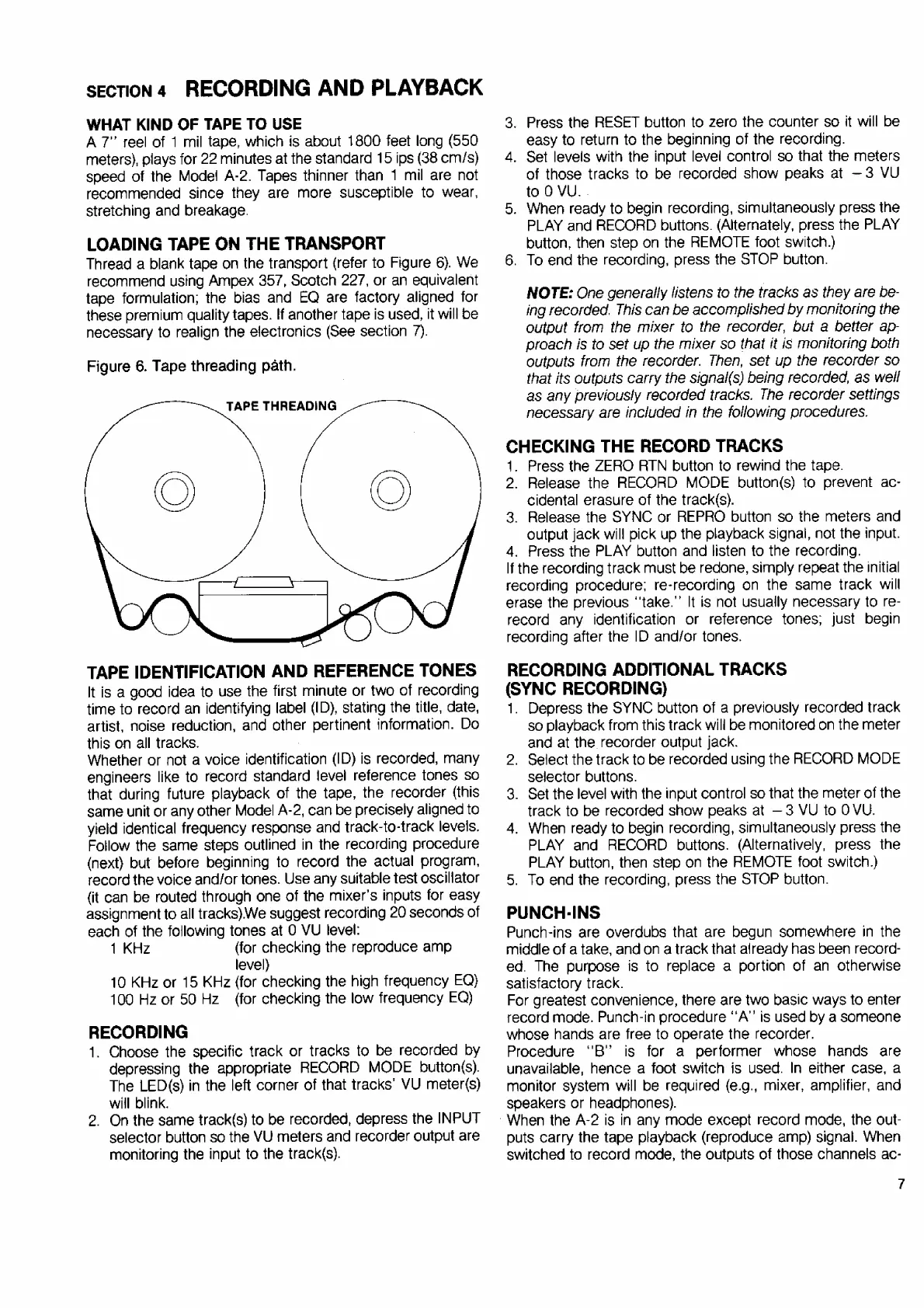
Thread
a
blank
tape
on
the
transport
(refer
to
Figure
6).
We
recommend
using
Ampex
357,
Scotch
227,
or
an
equivalent
tape
formulation;
the
bias
and
EQ
are
factory
aligned
for
these
premium
quality
tapes.
If
another
tape
is
used,
it
will
be
necessary
to
realign
the
electronics
(See
section
7).
SECTION
4
Figure
6.
Tape
threading
path.
TAPE
THREADING
TAPE
IDENTIFICATION
AND
REFERENCE
TONES
It
is
a
good
idea
to
use
the
first
minute
or
two
of
recording
time
to
record
an
identifying
label
(ID),
stating
the
title,
date,
artist,
noise
reduction,
and
other
pertinent
information.
Do
this
on
all
tracks.
Whether
or
not
a
voice
identification
(ID)
is
recorded,
many
engineers
like
to
record
standard
level
reference
tones
so
that
during
future
playback
of
the
tape,
the
recorder
(this
same
unit
or
any
other
Model
A-2,
can
be
precisely
aligned
to
yield
identical
frequency
response
and
track-to-track
levels.
Follow
the
same
steps
outlined
in
the
recording
procedure
(next)
but
before
beginning
to
record
the
actual
program,
record
the
voice
and/or
tones.
Use
any
suitable
test
oscillator
(it
can
be
routed
through
one
of
the
mixer's
inputs
for
easy
assignment
to
all
tracks)
We
suggest
recording
20
seconds
of
each
of
the
following
tones
at
O
VU
level:
1
KHz
(for
checking
the
reproduce
amp
level)
10
KHz
or
15
KHz
(for
checking
the
high
frequency
EQ)
100
Hz
or
50
Hz
(for
checking
the
low
frequency
EQ)
RECORDING
1.
Choose
the
specific
track
or
tracks
to
be
recorded
by
depressing
the
appropriate
RECORD
MODE
button(s).
The
LED(s)
in
the
left
corner
of
that
tracks’
VU
meter(s)
will
blink.
2.
On
the
same
track(s)
to
be
recorded,
depress
the
INPUT
selector
button
so
the
VU
meters
and
recorder
output
are
monitoring
the
input
to
the
track(s).
3.
Press
the
RESET
button
to
zero
the
counter
so
it
will
be
easy
to
return
to
the
beginning
of
the
recording.
4.
Set
levels
with
the
input
level
control
so
that
the
meters
of
those
tracks
to
be
recorded
show
peaks
at
—3
VU
to
0
VU.
.
5.
When
ready
to
begin
recording,
simultaneously
press
the
PLAY
and
RECORD
buttons.
(Alternately,
press
the
PLAY
button,
then
step
on
the
REMOTE
foot
switch.)
6.
To
end
the
recording,
press
the
STOP
button.
NOTE:
One
generally
listens
to
the
tracks
as
they
are
be-
ing
recorded.
This
can
be
accomplished
by
monitoring
the
output
from
the
mixer
to
the
recorder,
but
a
better
ap-
proach
is
to
set
up
the
mixer
so
that
it
is
monitoring
both
outputs
from
the
recorder.
Then,
set
up
the
recorder
so
that
its
outputs
carry
the
signal(s)
being
recorded,
as
well
as
any
previously
recorded
tracks.
The
recorder
settings
necessary
are
included
in
the
following
procedures.
CHECKING
THE
RECORD
TRACKS
1.
Press
the
ZERO
АТМ
button
to
rewind
the
tape.
2.
Release
the
RECORD
MODE
button(s)
to
prevent
ac-
cidental
erasure
of
the
track(s).
3.
Release
the
SYNC
or
REPRO
button
so
the
meters
and
output
jack
will
pick
up
the
playback
signal,
not
the
input.
4.
Press
the
PLAY
button
and
listen
to
the
recording.
If
the
recording
track
must
be
redone,
simply
repeat
the
initial
recording
procedure;
re-recording
on
the
same
track
will
erase
the
previous
"take."
It
is
not
usually
necessary
to
re-
record
any
identification
or
reference
tones;
just
begin
recording
after
the
ID
and/or
tones.
RECORDING
ADDITIONAL
TRACKS
(SYNC
RECORDING)
1.
Depress
the
SYNC
button
of
a
previously
recorded
track
so
playback
from
this
track
will
be
monitored
on
the
meter
and
at
the
recorder
output
jack.
2.
Select
the
track
to
be
recorded
using
the
RECORD
MODE
selector
buttons.
3.
Set
the
level
with
the
input
control
so
that
the
meter
of
the
track
to
be
recorded
show
peaks
at
3
VU
to
0
VU.
4.
When
ready
to
begin
recording,
simultaneously
press
the
PLAY
and
RECORD
buttons.
(Alternatively,
press
the
PLAY
button,
then
step
on
the
REMOTE
foot
switch.)
5.
To
end
the
recording,
press
the
STOP
button.
PUNCH-INS
Punch-ins
are
overdubs
that
are
begun
somewhere
in
the
middle
of
a
take,
and
on
a
track
that
already
has
been
record-
ed.
The
purpose
is
to
replace
a
portion
of
an
otherwise
satisfactory
track.
For
greatest
convenience,
there
are
two
basic
ways
to
enter
record
mode.
Punch-in
procedure
“А”
is
used
by
a
someone
whose
hands
are
free
to
operate
the
recorder.
Procedure
"B"
is
for
a
performer
whose
hands
are
unavailable,
hence
a
foot
switch
is
used.
In
either
case,
a
monitor
system
will
be
required
(e.g.,
mixer,
amplifier,
and
speakers
or
headphones).
:
When
the
А-2
is
in
any
mode
except
record
mode,
the
out-
puts
carry
the
tape
playback
(reproduce
amp)
signal.
When
switched
to
record
mode,
the
outputs
of
those
channels
ac-
7

Related product manuals