24
CR300
<PRB1291-A>
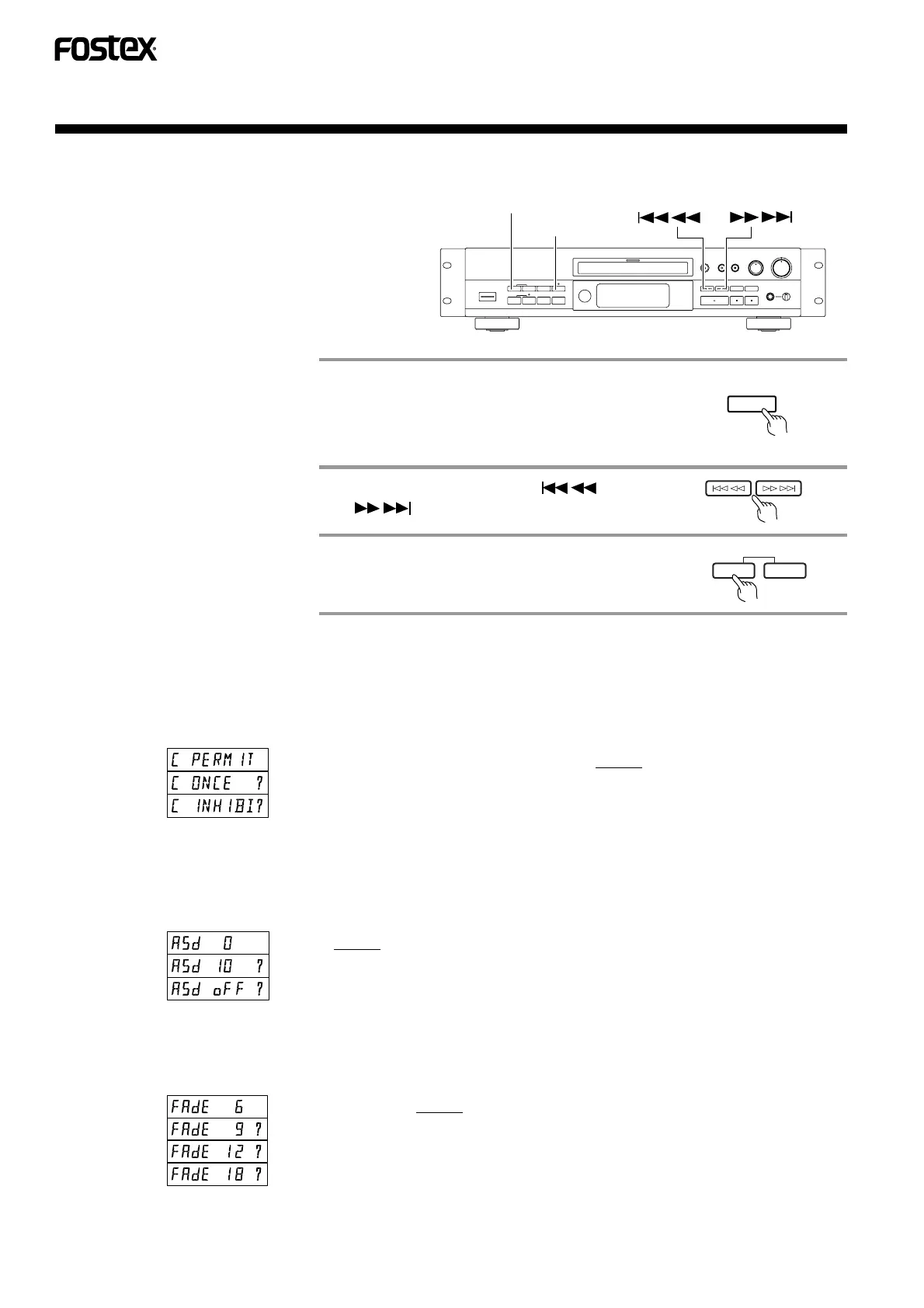
MENU BUTTON FUNCTIONS
MENU
SET
By pressing the MENU button while the
CR300 is in STOP mode, operation of
various functions can be selected as
shown below. Pressing the MENU but-
ton every time would allows you to se-
lect a different MENU.
A. Copy Bit Setting
This menu selects the Copy Bit condition recorded onto a disk. (Refer to page 18, 19, 20, 21, 22)
• Copy bit indicator: It indicates the Copy Bit condition while in the Record-Pause mode.
B. Auto stop delay time Setting in Digital
Synchro
In this menu, length of no signal(less than -90dB) recorded section can be selected in order to stop Digital
Synchro recording automatically. (Refer to page 18, 19, 20)
C. Fade In / Fade Out Time Setting
This menu allows to select the Fade in/Fade out time. (Refer to page 27, 37)
Meaning
0 sec default
10 sec
Digital Synchro recording cannot be stopped automatically.
Display
Meaning
Hereafter, unlimited digital copy is possible. default
Hereafter, digital copy is possible only once.
Hereafter, digital copy is prohibited.
Copy Bit
1
0
1/0
Copy bit indicator
Lit solid
Off
Blinking
Display
Meaning
Fade time : 6 sec default
Fade time : 9 sec
Fade time : 12 sec
Fade time : 18 sec
1
2
3
SET
SKIP ID
CLEAR
MENU
Select a desired MENU by pressing
the MENU button.
Pressing the Skip ID SET button
would register the above condition.
• Pressing the MENU button every time would allow
you to select a different setup MENU.
• The current setup MENU condition is displayed.
By pressing either the or
button, the setting is altered.
Display



 To Next Page