5
English
Connecting to devices
• Minimize the volume of each device before turning on the power.
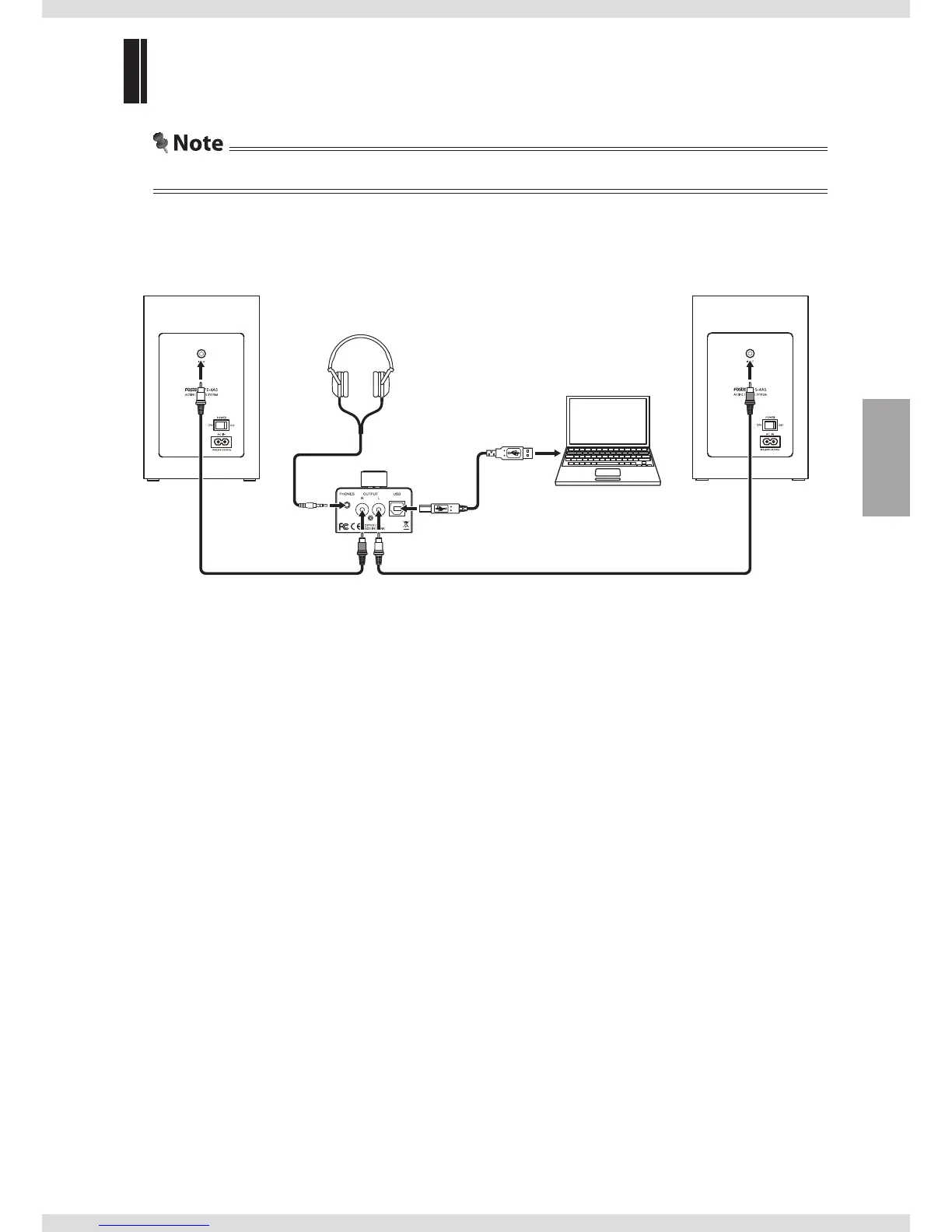
(Connection example)
Headphones
Fostex TH series
(sold separately), etc.
(PC100USB-HR2)
Computer
Supplied USB
cable
Supplied RCA pin cableSupplied RCA pin cable
1 Connecting the unit to a computer.
Connect the [USB] input terminal of the unit to a USB terminal on the computer using the supplied
USB cable.
2 Connecting the unit to headphones or a powered monitor.
• To connect headphones:
Connect the [PHONES] output terminal of the unit to a pair of headphones.
• To connect a powered monitor:
Connect the [OUTPUT] (LR) output terminals of the unit to a powered monitor.



 To Next Page