6
Configuring computer settings
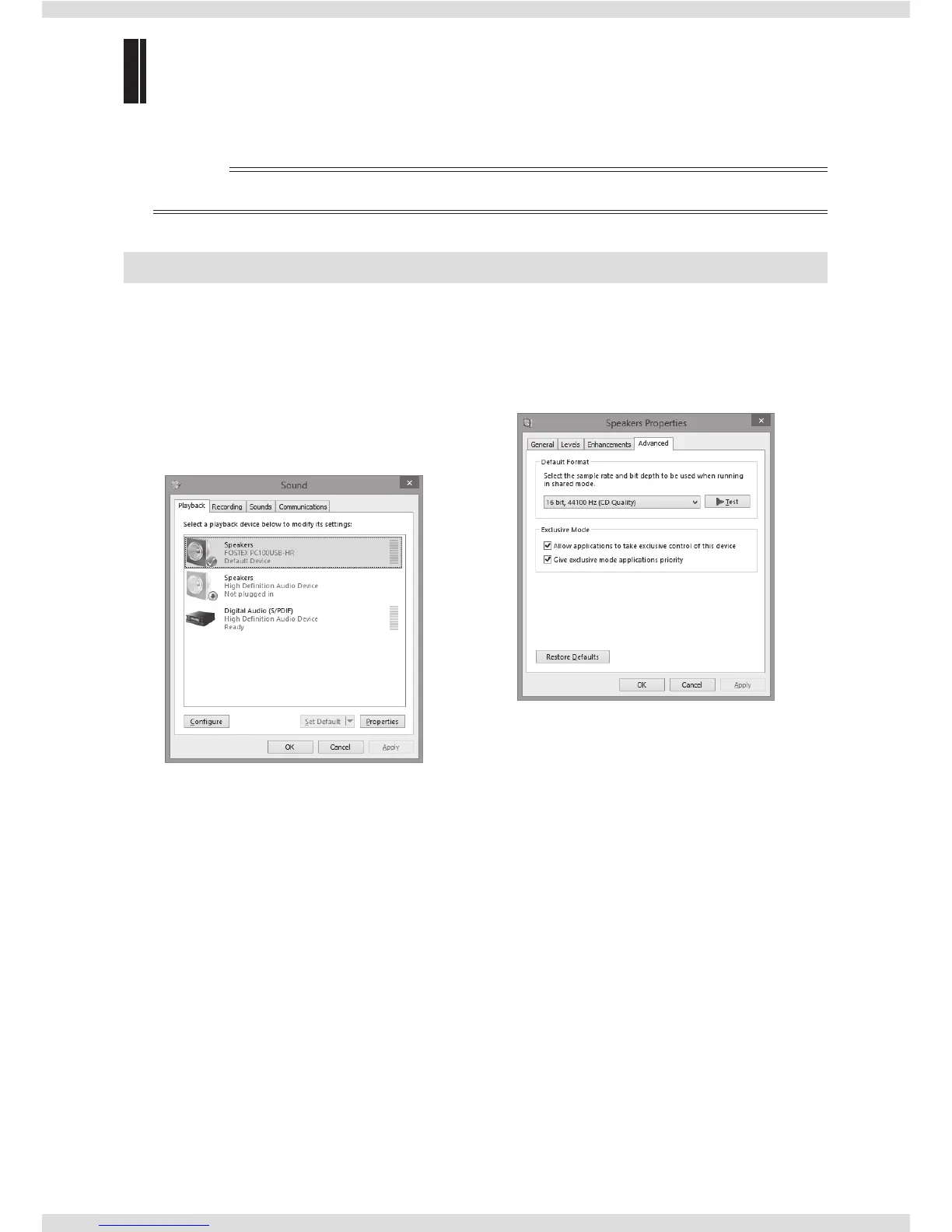
To play sound with the unit, the unit must be specified as the output destination on your computer.
✐Memo
• Adjust the sound output level of your computer in accordance with your usage environment.
For Windows 8/Windows 7
Output device settings Advanced settings
1) Select “Hardware and Sound” in the Control
Panel.
2) Select “Sound”.
3) Select the “Playback” tab.
4) Select “FOSTEX PC100USB-HR” as the playback
device, and click “Set Default”.
5) Click “OK”.
When you click “Properties” in the “Sound”
window, the “Speakers Properties” window is
displayed. You can set the sampling rate and bit
rate if necessary.



 To Next Page