7320 IFL Installation and User’s Guide
Set Up
Foxcom Proprietary Information 12
Document No. 93-005-28-C
3. Set Up
The following section details:
• How to setup the System 7320
units
• The System 7320 Front Panels
3.1 Setting Up
2
Setting up the System 7320 Transmitters and Receivers consists of the following steps:
1. Setting up the transmitter.
2. Connecting the fiberoptic cable.
3. Setting up the receiver.
4. Monitoring the input/output signals.
5. Power requirements.
Observe all warnings and cautions mentioned at the beginning of this manual (page 7).
If after set-up you experience problems, refer to Trouble Shooting on page 24.
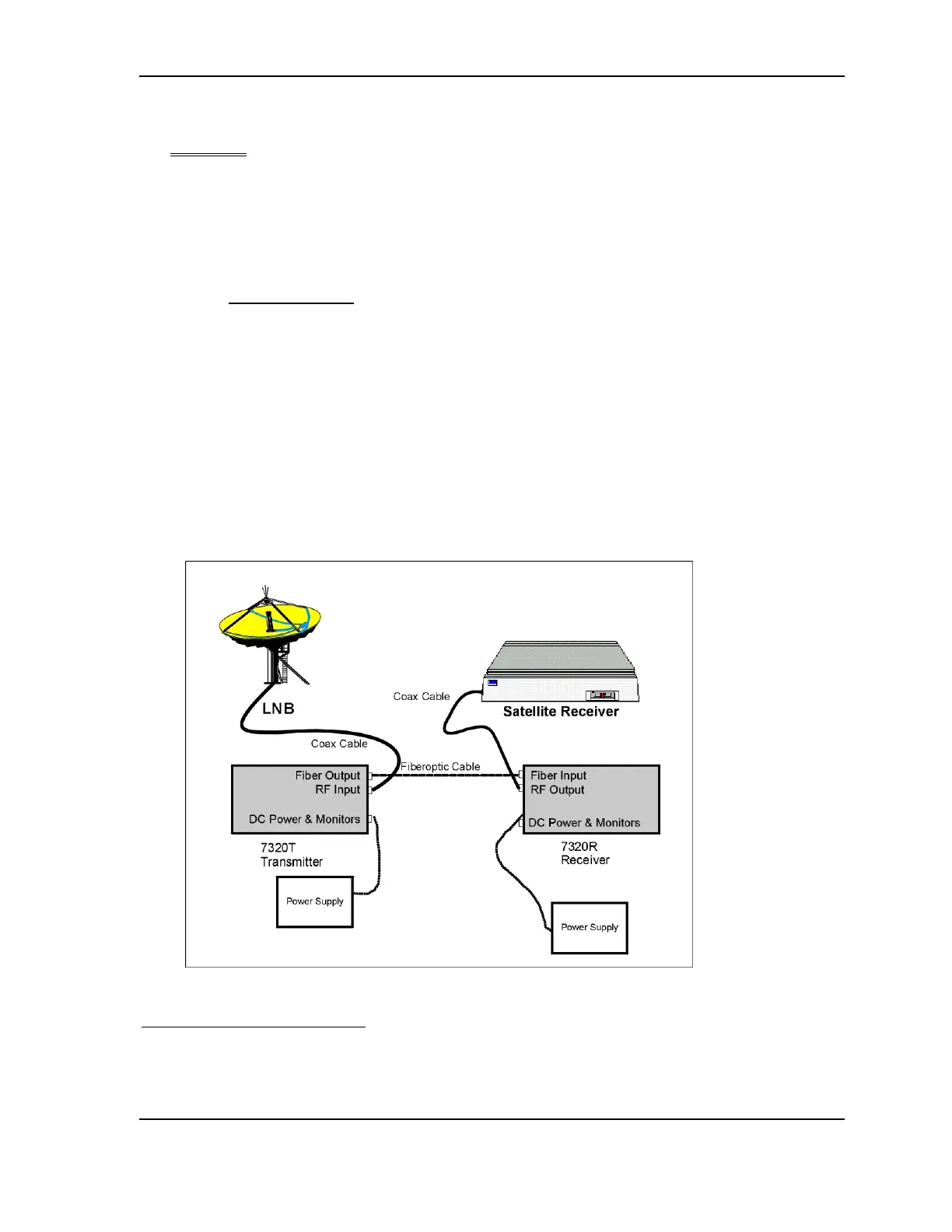
Figure 6 - Typical Application of a 7320 Link
2
This section gives instructions on installing the transmitter and receiver in a chassis rackmount. For
instructions on installing a standalone unit refer to Appendix II Installing a Standalone Unit.



 To Next Page