29
Note: Please confirm the software version, some software does not support the parallel function, you can
contact our service department.
Wiring Operation and LCD Setting
Note: Please use the inverter that has the same firmware version for parallel connection to avoid
compatible issue.
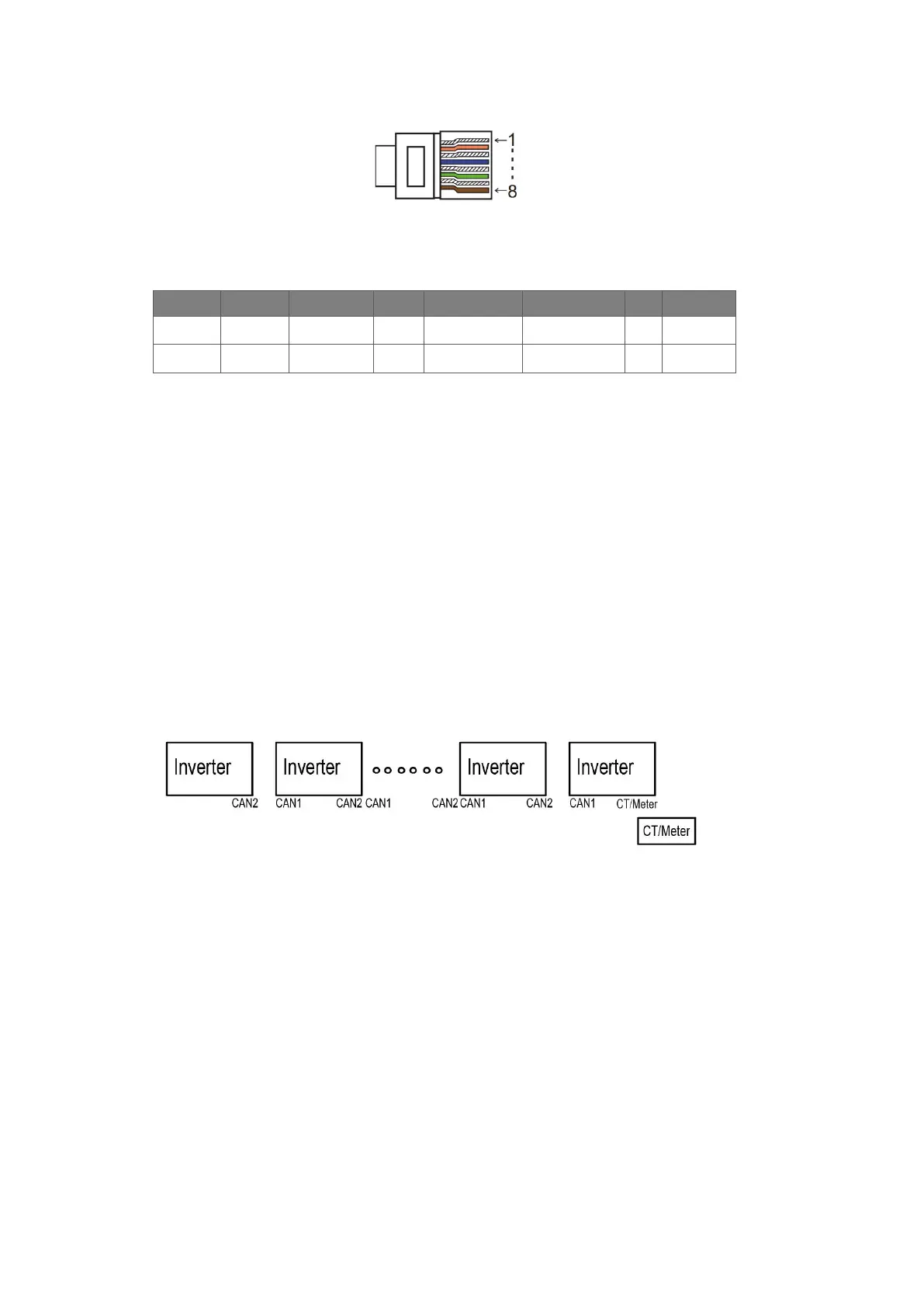
Step1: Connect all inverters’ communication together by connecting network cables between CAN ports.
- Use standard CAT 7 network cables for CAN-CAN connection and CAT 5 cable for CAN-Meter
connection.
- Insert one side of CAT 7 cable into the first inverter's CAN port and the other side into the next inverter’s
CAN port.
- Insert one side of CAT 5 cable into the Meter port of meter, and the other side into the CAN 1 port the
first inverter or the CAN 2 port of the last inverter.



 To Next Page