30
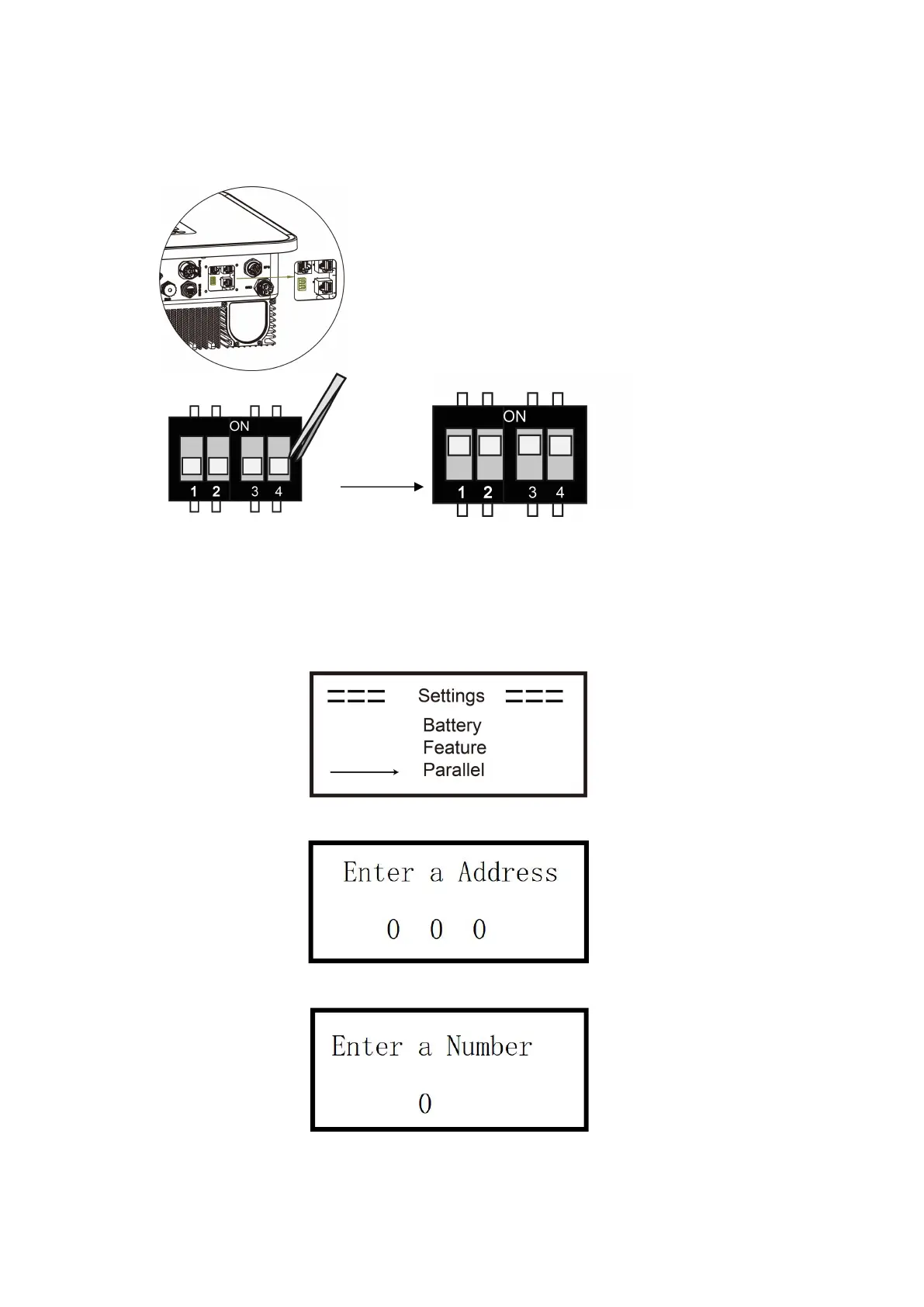
Step2: Set the DIP switch (No need to set all inverter's DIP switch).
- Find the inverter with meter cable plugged.
- Push the white DIP switch to "ON" position (from down to up) by a suitable tweezers.
Step3: Find the inverter connected with the meter, then enter setting page of the inverter LCD display,
then click parallel. Set Address first and then set Number. The range of Address is 1-249 and the range of
Number is 2-8. address sets the id of the parallel machine, with a different value for each machine.
Number sets the number of parallel machines, with the same value for each machine.



 To Next Page